When an enterprise's ERP system suddenly errors out and stops, and all files on the finance shared drive cannot be opened, the first thing operations and managers see is usually a screen full of tampered ransomware extensions. The immediate reaction is to open a search engine and type in this unfamiliar string of letters, trying to find a black-and-white answer: "Can this extension be decrypted or not?"
However, in real incident response scenarios, we have seen too many regrets caused by "drawing conclusions based solely on the extension": some enterprises saw online that a certain extension had "no free decryption tool available" and immediately formatted and reinstalled the server that same day, completely wiping out the core SQL Server accounting database that could have been recovered through underlying fragments and page reconstruction; others heard that an old family had some private keys compromised by law enforcement and blindly downloaded generic tools to run in batches on production drives, only to find that due to variant version mismatches, the original encryption footers were destroyed, forfeiting the last recovery opportunity.
Entering 2026, attackers have long ceased to play by the rules in the design and countermeasures of ransomware extensions. Understanding the family evolution logic behind the extension and the differences in underlying file damage is the true watershed that determines the life or death of core enterprise data.
I. Three Major Evolution Trends of Ransomware Extensions in 2026: Why Is "Searching for Guides by Letters" Increasingly Difficult?
Combining recent public alerts from the National Computer Virus Emergency Response Center (CVERC) and prevalence monitoring by mainstream security agencies, the ransomware extensions encountered by domestic enterprises currently exhibit three very obvious evolutionary characteristics:
1. High-frequency shell switching within the same family, "one family, multiple extensions" becomes the norm
In the past, a ransomware family often used one or two extensions for a long time. Now, to evade signature-based blocking by security software and search warnings by victims, attackers frequently change extensions. Take the Weaxor ransomware, which has been extremely active against ERP systems in China in recent years. In addition to the high-frequency .weax, .rox, .wxx, during its evolution it has also spawned over ten associated extension clues such as .roxaew, .wxr. If one simply applies old experience based on a single extension, misjudgment is easy. (Further reading: CVERC Warns of Weaxor Ransomware: After Files Become .weax/.rox/.wxx, How to Rescue Databases and ERP?)
2. Cross-platform precision strikes and lightweight variants alternate
In August 2026, the National Computer Virus Emergency Response Center issued an alert stating that multiple attacks of Sorry ransomware targeting Linux Web servers exposed to the Internet had been discovered in China. Attackers exploited the WebPros cPanel authorization vulnerability (CVE-2026-41940) to gain privileges and masquerade as the sshd process, uniformly appending the .sorry extension to files on victim hosts, and subsequently evolved variant extensions such as .ths in multiple environments. Whether Windows business environments or Linux (including Xinchuang operating systems) servers, all have become key targets for new extensions. (Further reading: Sorry Ransomware Continues to Evolve: From .sorry to .ths Variants, How to Scientifically Rescue Data on Linux Servers and Windows Business Environments?)
3. Remote control Trojans and ransomware "open the way from the same source," silently lurking before suddenly changing extensions
Security monitoring data shows that while updating encryption extensions, ransomware families represented by Weaxor have synchronously added exploitation of the same vulnerable driver (such as CVE-2024-51324) as the "Silver Fox" remote control Trojan family. This means many finance and office computers are not directly infected with ransomware, but first infected with remote control Trojans disguised as tax notices or office plugins. Attackers map out the internal network structure and delete backups in the background before dropping ransomware payloads late at night to rewrite extensions. (Further reading: Office Computers Remotely Controlled Without Any Awareness? Beware of the Lurking Attack Chain from Silent Remote Control to .bres Ransomware Outbreak)
II. The Cruel Truth About Recovery: Why Does the Same Ransomware Extension Lead to Drastically Different Data Outcomes for Different Enterprises?
Many enterprise leaders ask during consultations: "We were also hit with the .mallox or .weax extension, why can peers restore their business online, while online sources say this encryption algorithm cannot be cracked?"
Here we must clarify a core professional concept: "Whether it can be directly decrypted with a key" and "whether core business data can be recovered" are two separate matters that need separate evaluation.
Modern ransomware generally uses a hybrid mechanism of AES/ChaCha20 symmetric encryption combined with RSA/ECC asymmetric encryption. Without the private key, mathematically "brute-forcing" fully encrypted files is indeed unrealistic. However, ransomware has huge differences in encryption strategies when dealing with files of different sizes and underlying structures:
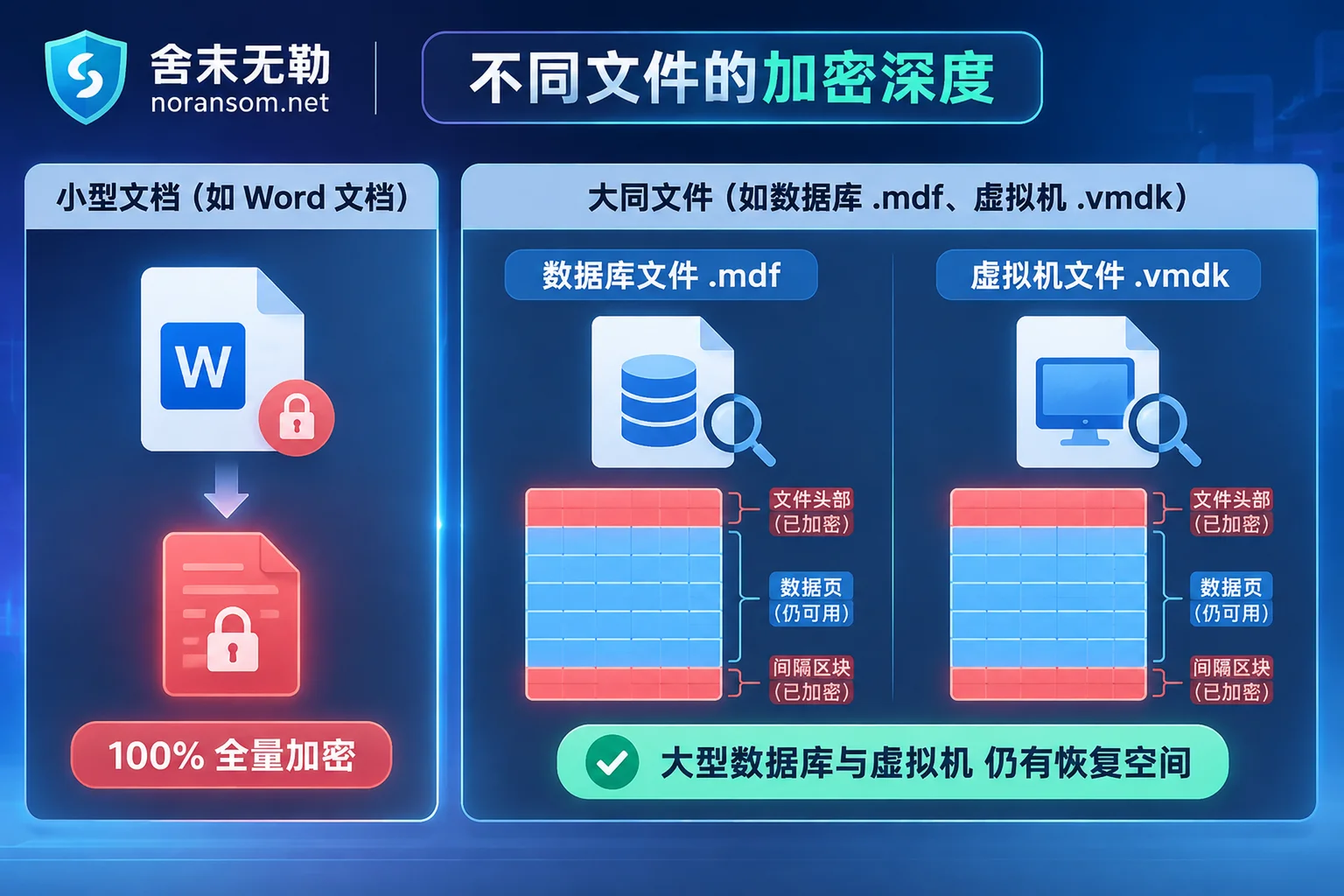
| Encrypted Data Type | Typical Ransomware Processing Mechanism | Rescue and Recovery Space Under the Same Extension |
|---|---|---|
| Small and medium office documents (Word / Excel / PDF / Images) | Small file size; encryptors usually fully encrypt the file from start to finish in a very short time. | If the family/variant has no known private key or algorithm flaw, direct decryption is extremely difficult; mainly relies on volume shadow copies, temporary files, historical versions, or unsynced cloud/endpoint copies. |
| Large relational databases (SQL Server .mdf/.ndf, Oracle .dbf) | Database files are often tens of GB or even hundreds of GB. To achieve "locking the entire disk in seconds," most ransomware only encrypts file headers or uses intermittent sampling encryption, leaving many underlying data pages (Page) in plaintext structure. | High-value rescue area. Even without any decryption key, professional engineers can still rescue highly complete business accounting databases through database file-level repair, page reconstruction, and reverse extraction of table structures. |
| Virtualization platform images (ESXi .vmdk/-flat.vmdk, Hyper-V .vhdx) | For very large virtual disks, encryptors often only destroy descriptor files or overwrite a fixed proportion of data blocks at the front. | High-value rescue area. As long as full disk overwrite has not occurred, one can bypass damaged headers through underlying sector scanning, directly mount or extract databases and business files from internal guest machines. |
| Local and network backup files ( .bak / Archives / Snapshots) | Attackers often attempt to delete volume shadow copies (VSS) or encrypt backup directories before deploying the virus. | If backup files are intermittently encrypted or directly deleted, rescue can be attempted through fragment extraction from unallocated disk space and backup structure repair. |
This explains why, facing the same ransomware extension, standalone users with only scattered office documents are often helpless, while enterprise servers running UFIDA, Kingdee, GjP, SAP, or self-developed systems still have a great chance to rescue core accounting databases and production data through underlying data recovery, as long as the scene is properly protected.
III. After Seeing an Unfamiliar Ransomware Extension, Avoid These Three Fatal Mistakes
In a situation report released by a security agency, a regrettable phenomenon was mentioned: a ransomware with the extension .spmodvf had been spreading in the healthcare and other industries for months, but almost none of the victim units cooperated with traceability analysis; all chose to reinstall or reset systems at the first opportunity. This "delete and forget" or "desperate measures" approach often brings three hidden dangers:
- Never manually modify extensions or use ordinary recovery software to write directly to the disk
Manually removing.weaxfromdata.mdf.weaxdoes not decrypt the file. If you forcibly attach with a database manager (Attach) or use ordinary deleted-file recovery tools to write data back to the original disk, it will cause database log corruption and secondary overwriting of underlying sectors. (Further reading: How to Recover SQL Server Database Encrypted by Ransomware: Don't Force Attach MDF First, Evaluate Rescue Space in Three Steps) - Don't blindly try "universal decryptors" in production environments
For example, although international law enforcement agencies have published some historical private keys for Phobos ransomware and its variant 8Base, for new variants that have not fallen into that batch of key pools, forcibly using mismatched decryption tools may destroy the encryption metadata at the end of files. (Further reading: The "Decision Maze" After Data Is Locked: Why Blindly Searching for "Decryption Software" May Actually Aggravate Losses?) - Don't directly reinstall and go online before finding out the intrusion entry point
First, reinstalling will completely destroy unencrypted remnants at the bottom of the disk; second, the "National Cybersecurity Incident Reporting Measures" have clearly made reporting major cybersecurity incidents a legal obligation; third, if Webshells, scheduled tasks, domain control backdoors, or remote control Trojans left by attackers are not cleaned up, reinstalling and going online often leads to secondary encryption within days. (Further reading: Why Ransomware Data Is Encrypted Again After Recovery: Rescuing Data Is Only the First Step, Don't Rush Online Without Cleaning These Four Types of Backdoors)
IV. The Four-Step Scientific Self-Rescue Method: From Extension Identification to Safe Business Reconstruction
When abnormal extensions appear on enterprise servers, NAS, or office endpoints, IT managers and management are advised to proceed steadily according to the following standard process (for detailed methodology, also refer to: How to Check When Files Are Appended with an Unfamiliar Ransomware Extension: Don't Just Look at the Last Few Letters, Lock Down the Family and Rescue Plan in Three Steps):
Step 1: Physical network disconnection and read-only protection of original disks (golden 30 minutes for loss control)
Immediately unplug the network cables of infected servers and Synology NAS, or block internal lateral communication ports (such as 445, 3389, 22, 1433, etc.) at the core switch/cloud security group. Remember not to shut down or restart running virtualization hosts or database servers; some memory traces and unflushed caches are crucial for subsequent forensics and recovery. Before any recovery attempt, be sure to make a sector-level read-only image backup of the damaged disk.
Step 2: Multi-dimensional cross-identification of the family, not just the extension letters
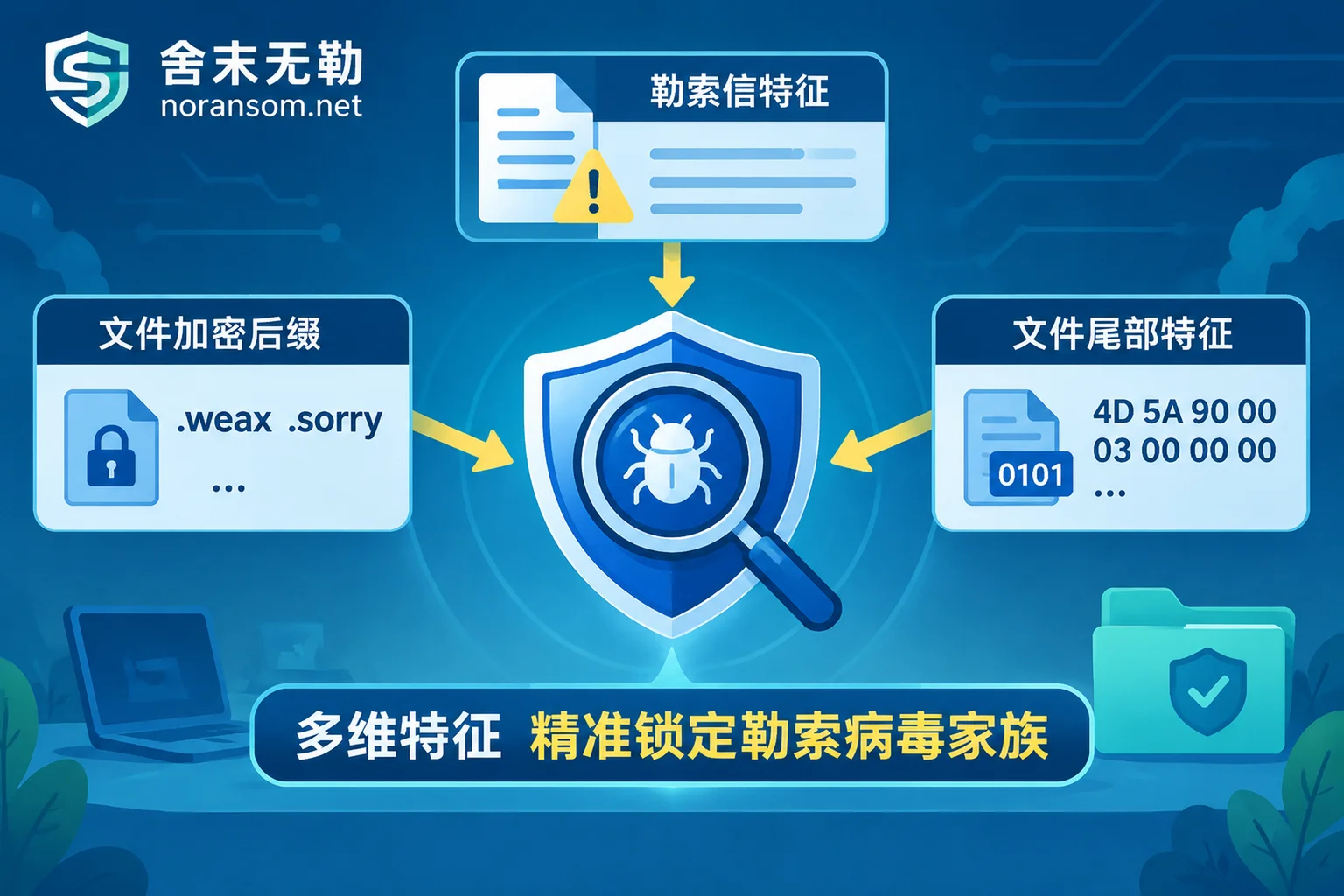
Because there are cases of "same extension, different families" (e.g., .air may be Makop or a Dharma variant) and "random extensions," accurate determination must combine encryption extension + ransom note filename and content format + sample encryption footer characteristics.
- You can first use the free online Ransomware Identification Tool provided by Shemowule, enter the encryption extension appended to files or the ransom note filename, and quickly check the known family attribution and basic recoverability;
- You can also directly consult the Ransomware Extension Query Master Table and Ransomware Database to learn about the propagation paths and characteristic descriptions of mainstream families such as Mallox, Weaxor, and Sorry.
Step 3: Conduct a "recoverability assessment" based on business carriers, and decide the plan after seeing the conclusion
After identifying the family and variant version, do not blindly trust false promises of "guaranteed decryption" online (Shemowule adheres to the principle of not paying ransoms and not negotiating with attackers on your behalf). The scientific path is to conduct technical assessments for the specific damaged business systems:
- If the variant has technical decryption conditions, you can follow the standard Ransomware Decryption Service path;
- If direct decryption is not feasible, then for specific scenarios such as SQL Server Database Encrypted, ESXi / Hyper-V Virtual Machine Encrypted, Synology NAS Encrypted, UFIDA/Kingdee/GjP/SAP and other ERP Encrypted, and Backups Deleted or Corrupted, rescue through underlying page reconstruction, snapshot repair, and fragment extraction, and deliver after verifying the integrity and usability of the accounting database in a test environment.
Step 4: Remove Silver Fox/resident backdoors, complete traceability forensics and security hardening
Data rescue is only the first half. Before the business is officially switched back to the production network, it is necessary to use professional Security Incident Response and Attack Traceability Forensics to restore, based on system logs, traffic, and memory images, how the attacker entered the internal network—whether through an external vulnerability, weak password RDP, or a Silver Fox Trojan remote control springboard—confirm whether there is a risk of data leakage, and issue a forensic report usable for police reporting and compliance reporting. Finally, cooperate with Security Hardening Protection to shrink the external exposure surface and rebuild a tamper-proof offsite/offline backup system.
Conclusion: Need Urgent Extension Identification or Assessment of Data Rescue Space?
Facing a screen full of unfamiliar ransomware extensions, panic and blind reinstallation are the biggest killers of data. Whether you encounter the high-frequency .weax, .sorry, .mallox, or a never-before-seen random string extension, as long as the original disk sectors have not been secondarily overwritten, core databases and virtual machines often still have a rescue window.
Shemowule (Zhengzhou Shemo Information Technology Co., Ltd.) follows a transparent and standardized Emergency Service Process: from alarm isolation, sample analysis, and family identification, to issuing a clear recoverability assessment report (including recoverable scope, optional paths, expected results, and quotation), the customer first confirms the assessment conclusion, then decides whether to proceed with recovery.
If you are in an emergency state where servers are locked, ERP is down, or you highly suspect lurking remote control Trojans in the internal network, you can obtain support at any time through the Contact Us page, or directly call the 7×24 emergency response hotline 15639272850 (email: help@noransom.net), and let professional engineers assist you in stabilizing the scene and scientifically rescuing core assets as soon as possible.


Comments(0)