In the minds of many business leaders, ransomware protection seems like a fill-in-the-blank question that has already been answered: a firewall at the data center entrance, antivirus software on office computers, RAID on servers, and even databases and ERP systems regularly synchronized to NAS or the cloud.
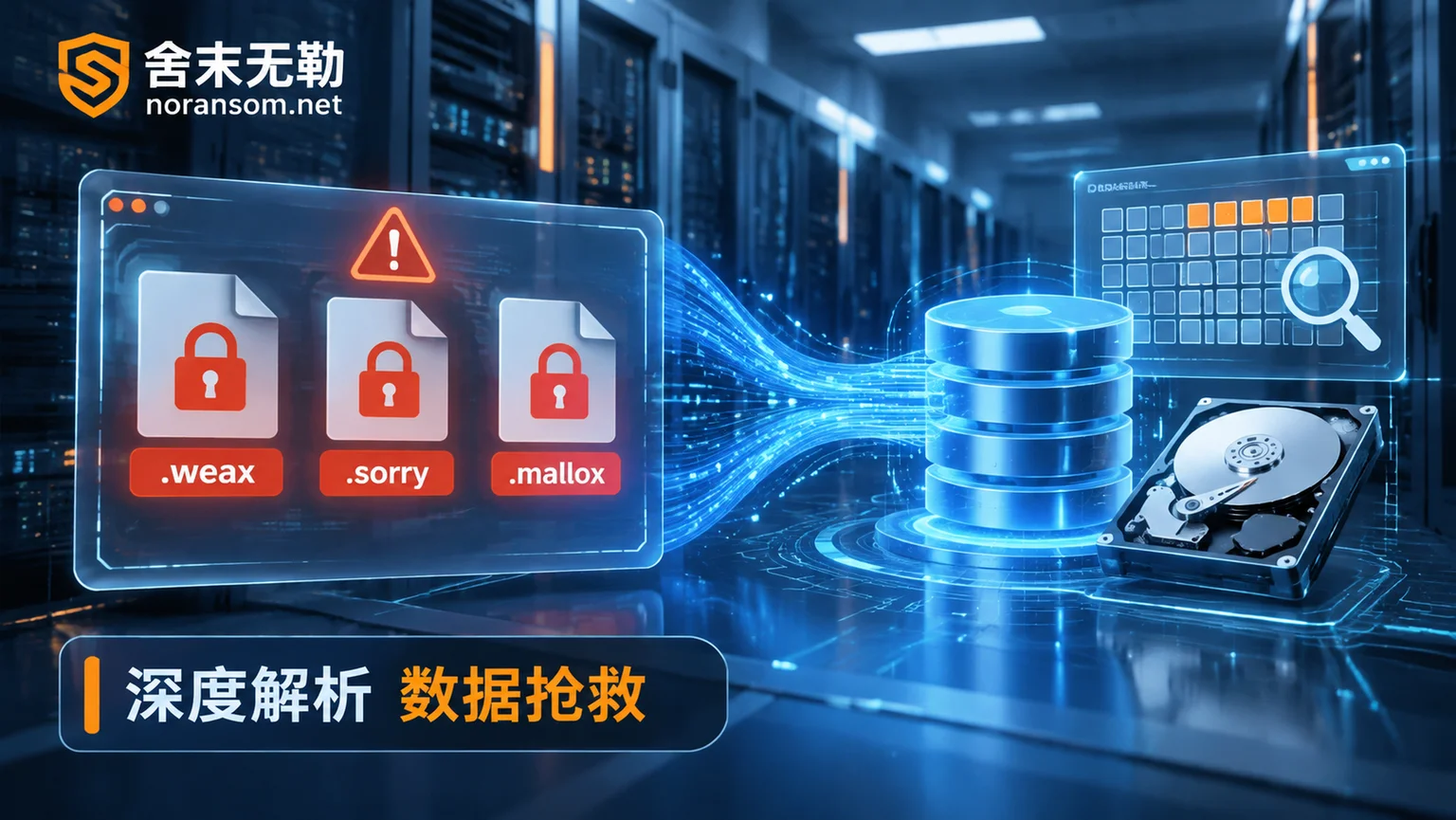
However, a series of security incidents exposed in 2026 poured cold water on this sense of security: a manufacturing and service enterprise had complete boundary defense and offsite backups, yet attackers lurked for months through endpoint phishing and vulnerabilities, and in the early hours of a Sunday, first used administrator privileges to delete security snapshots and format online backups, then pressed the encryption enter key; in October of the same year, a well-known cloud service provider's East Japan region suffered a third-party ransomware attack, paralyzing cloud virtual servers of 495 enterprises and institutions, and officials admitted that data in the affected region was difficult to extract directly and could only rely on customers' own independent backups; domestically, active families represented by Sorry, Weaxor, and Mallox have even written 'first terminate database and protection processes, first delete volume shadow copies and local backups, then execute high-speed encryption' into automated scripts.
When attackers no longer play by the rules, how should enterprises examine their own ransomware protection weaknesses? Once the defense line has been breached, or the server has already popped up a ransom note, how can they scientifically stop losses, rescue data, and rebuild a truly effective defense system?
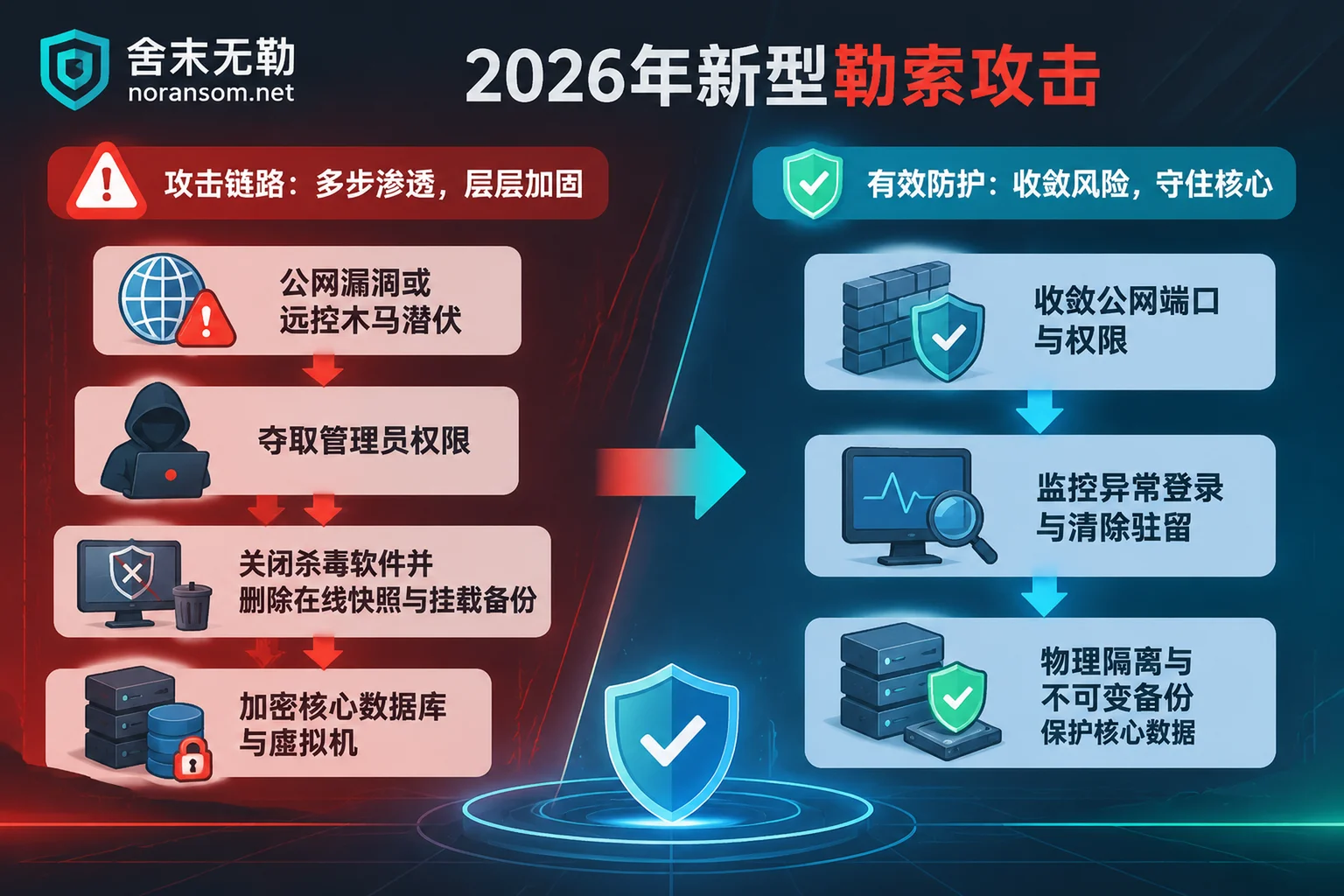
I. Why is your 'ransomware protection' virtually useless in real-world combat?
In the process of handling a large number of enterprise emergency cases, we found that more than 80% of victimized organizations were not 'completely unprotected', but fell into the following four typical cognitive blind spots:
1. Equating 'installed antivirus and firewall' with complete peace of mind
Traditional boundary protection and endpoint antivirus mainly target known signature interception. In the 2026 attack chain, hackers often first exploit high-risk vulnerabilities exposed on the public internet (such as Web management panel vulnerabilities, unpatched OA/ERP interfaces) or weak passwords on Remote Desktop (RDP/SSH) to obtain legitimate credentials, or deliver Silver Fox Trojan through phishing files disguised as 'tax notices' or 'salary adjustments'. As we analyzed in 'Why Silver Fox Trojan Removal Always Springs Up Again: Deconstructing White-plus-Black, Exclusion Tampering, and Plugin Resurrection Mechanisms', once attackers gain administrator privileges, the first thing they do is add malicious directories to the antivirus whitelist or directly uninstall protection drivers. At this point, 'antivirus not reporting' not only does not mean safety, but may be a signal that the defense line has been silently taken over.
2. Treating 'RAID disk arrays' and 'online same-subnet backups' as immunity
Many IT operations staff believe that RAID 1/5/10 means no fear of data loss. In fact, RAID solves the fault tolerance problem of physical hard drive damage—when ransomware encrypts files at the operating system level, the RAID controller faithfully writes the encrypted data to every hard drive.
Equally fatal is 'online hot standby'. Many enterprises mount backup directories directly on local drive letters of servers, or share them via SMB protocol on NAS in the same LAN with saved read-write credentials. Once the host is compromised, ransomware will follow the mounted drives and network shares to lock production databases and backup files with the same extension.
3. Focusing protection on office endpoints while ignoring Linux and virtualization底层
In the past, enterprises were accustomed to focusing on employees' Windows office machines, but now the attack spearhead has long been aimed at core back-end systems. Whether it is the Sorry family specifically targeting Linux web servers exposed to the public internet and Xinchuang environments, or variants directly attacking the ESXi and Hyper-V host底层, attackers seek the leverage effect of 'locking one host and paralyzing dozens of business virtual machines'. For differences in underlying attacks, please refer to 'How to Recover Virtual Machines Encrypted by Ransomware: First Distinguish Whether the System Internal or Host Underlying is Locked, the Rescue Path is Completely Different'.
4. Only 'buying insurance and building backups', never verifying 'actual recoverability'
Although many enterprises have configured snapshots or offsite backups, they have never conducted recovery drills. It is not until a crisis breaks out that they discover: the backup task had already failed three months ago due to disk full, or only the ERP installation directory was backed up but the core SQL Server database files were missed.
II. Three stages of defense line breach: How to respond from 'suspected latency' to 'encryption outbreak'?
True ransomware protection is never just installing a few software beforehand, but a closed-loop capability covering 'blocking during latency, stopping losses during outbreak, post-incident recovery and hardening'. Enterprises and individuals should adopt completely different response strategies for different stages:
Stage 1: Not yet encrypted, but high-risk latent signals appear (golden blocking period)
If your office computer or server shows the following signs, it indicates that attackers may have entered the intranet and are preparing for final ransomware or financial fraud:
- Unauthorized remote control software inexplicably appears on finance, cashier, or administrator computers, or the mouse pointer has moved by itself (you can self-check against 'Office Computer Remotely Controlled Without Awareness? Beware of the Latent Attack Chain from Silent Remote Control to .bres Ransomware Outbreak');
- Servers show abnormal administrator login records during non-working hours such as early morning or holidays;
- Antivirus protection status is inexplicably turned off, or system restore points and backup services are disabled.
Response actions: Do not just run a full scan with ordinary antivirus. For endpoints suspected of being infected with remote control Trojans, immediately disconnect from the network and remove online banking USB keys, and follow the Silver Fox Trojan Special handling process to separate host cleanup, account session revocation, and fund risk investigation; at the same time, investigate intranet lateral movement traces and completely remove resident backdoors before attackers trigger encryption commands.
Stage 2: Ransomware has already broken out, files are locked (emergency loss control period)
When a ransom note has popped up on the screen, or ERP systems such as Kingdee, Yonyou, or Guanjiapo suddenly report errors and cannot connect to the database, the decisions in the first 30 minutes directly determine whether the data can be saved:
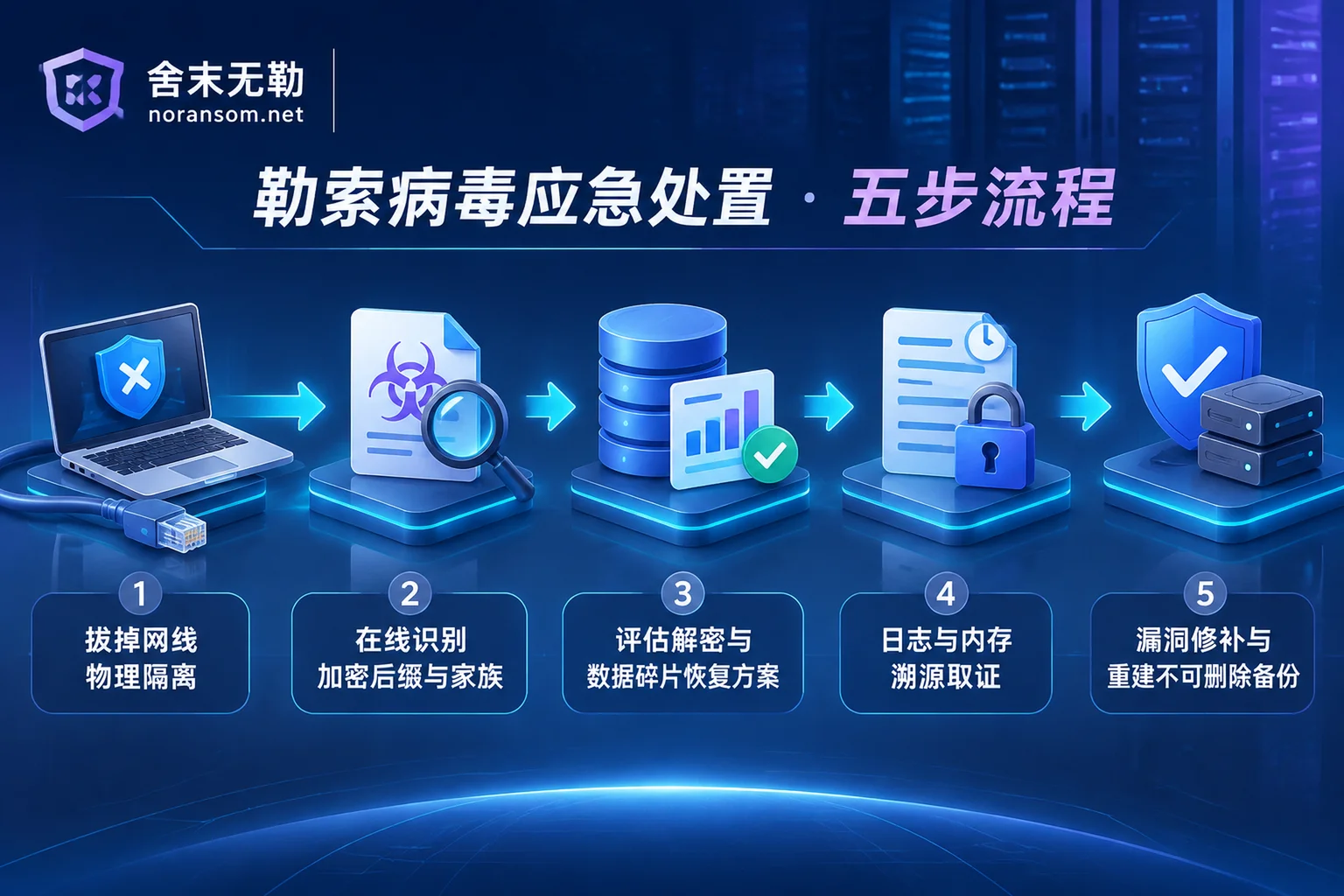
- Physically disconnect from the network, strictly prohibit blind restart or reinstall: Immediately unplug the network cables of infected servers and hosts, disable Wi-Fi, and block the virus from continuing to spread to other network segments through ports 445, 3389, 22, etc. Never repeatedly restart the system, do not run disk repair tools (CHKDSK), do not format or reinstall the system, to avoid triggering residual encryption processes or overwriting unencrypted data fragments at the disk底层. For specific pitfalls to avoid, please refer to 'Ransomware Emergency and Data Recovery: Don't Let Panic Operations Become a Second Disaster for Enterprises'.
- Protect the scene, do not trust 'guaranteed decryption' or private ransom payment: Paying ransom to attackers not only risks receiving no key after payment, or getting a damaged decryptor that completely destroys files, but also marks the enterprise as a 'high-willingness payment target' for the black market and invites secondary extortion. Shemowule adheres to the principle of not paying ransom and not negotiating with attackers on behalf of clients in emergency services, relying entirely on technical means for assessment and rescue.
- Accurately identify the family and clarify the recovery starting point: Keep the original ransom note and 2 to 3 encrypted sample files, and immediately use the free ransomware identification online tool (or consult the ransomware suffix query master table and ransomware database) to lock down the specific family and variant version of the attack.
Stage 3: Scientifically rescue core business data (assessment and recovery period)
Why can some enterprises quickly recover business with the same encryption suffix, while others suffer heavy losses? (See '2026 Ransomware Suffix Evolution and Recovery Truth: Why Do Different Enterprises Have Completely Different Data Outcomes with the Same Encryption Suffix?' for details). The key lies in whether the scientific path of 'identify and assess first, then determine the plan' is followed:
- Ransomware decryption assessment: For enterprises with encrypted servers, databases, and virtualization platforms, first analyze the family variant and encryption algorithm logic, and issue a rigorous recoverability assessment report (clarifying recoverable scope, optional paths, expected results, and potential risks), and execute the implementation plan only after customer confirmation.
- Multi-path data recovery: When a new variant cannot be directly decrypted through algorithms under current technical conditions, it does not mean the data is completely hopeless. For complex scenarios such as SQL Server database encrypted, Yonyou/Kingdee/Guanjiapo/SAP and other ERP encrypted, ESXi/Hyper-V virtual machines encrypted, Synology NAS encrypted, and backups deleted or damaged, core ledgers and business tables can be rescued through technical means such as underlying backup and snapshot repair, database file-level page reorganization and repair, and extraction of unencrypted remnants and disk fragments, and delivered with clear data integrity annotations by system and time point.
III. Mending the fold is not enough; root out the problem: How to rebuild 'ransomware protection' that cannot be broken?
In emergency rescue, the most regrettable thing is 'data finally rescued, business online for only three days, and then locked again by the same group of hackers'. As warned in 'Why Ransomware Data Recovery is Followed by Re-encryption: Rescuing Data is Only the First Step, Don't Rush Online Before Cleaning These Four Types of Backdoors', recovery without thorough tracing and hardening is just making second preparations for attackers.
To truly equip enterprises with resilience against new ransomware attacks in 2026, it is necessary to combine security emergency response, attack tracing and forensics, and security hardening protection to complete the final three-step closed loop:
1. Attack tracing and forensics: Find out 'how they got in and what data they touched'
While restoring business, based on system logs, disk images, and memory evidence, fully reconstruct the attacker's entry point, latent period, and lateral movement timeline: Was it a cPanel vulnerability on a test machine that was breached, or a finance computer infected with Silver Fox Trojan leading to domain controller compromise? More importantly, facing the current mainstream 'double extortion', determine through traffic and operation audits whether core business secrets have been leaked, and issue forensic reports usable for police reporting and industry compliance reviews.
2. Comprehensive security hardening: Weld shut the open 'backdoors'
Execute systematic security hardening protection for the defense loopholes exposed by tracing:
- Shrink external exposure surface: Comprehensively inventory public assets, close unnecessary direct connection ports such as 3389 (RDP), 445 (SMB), 22 (SSH), 1433 (SQL Server); for those who really need remote operation and maintenance or remote access to ERP, mandatorily use compliant VPN, bastion hosts, and bind source IP whitelists.
- Govern passwords and converge permissions: Thoroughly clean up default administrator accounts, residual accounts of departed employees, and weak passwords; break the bad habit of 'everyone shares administrator privileges', strictly isolate database runtime permissions and NAS shared read-write permissions according to the principle of least privilege, and prevent single-point compromise from evolving into domain controller compromise and network-wide encryption.
- Patch high-risk vulnerabilities and remove residency: Timely assist in investigating high-risk exploitable vulnerabilities in operating systems, virtualization底层层, and web middleware (Note: If it involves authorization, version upgrades, and official patches of ERP software such as Yonyou, Kingdee, Guanjiapo, please directly contact the corresponding software vendor or authorized agent for support).
3. Rebuild 'backups that cannot be deleted'
Since modern ransomware actively seeks and destroys backups, enterprise backup architecture must upgrade to a 'tamper-proof, physically isolated' model:
- Implement the 3-2-1-1-0 principle: In addition to production data, keep at least 2 copies on different media, at least 1 of which is in offline isolation (Air-Gap) or immutable storage (WORM/object lock) state, ensuring that even if attackers obtain the highest system administrator or domain controller privileges, they cannot delete or overwrite backup copies during the lock period;
- Independent permissions and regular verification: Backup servers and NAS must not join the production domain environment, must not use the same password system as production systems, and real cross-machine recovery tests must be conducted monthly to ensure 'can be pulled out and used' at critical moments.
Conclusion: Do protection in normal times, leave professional matters to professional teams
Facing modern ransomware with second-level encryption and targeted backup destruction, no single firewall or antivirus software can provide 100% absolute immunity. True ransomware protection is having the bottom-line thinking of shrinking exposure surface and immutable backups beforehand, the clear decision to immediately disconnect from the network and protect the scene during the incident, and the complete closed loop of scientific assessment, recovery, tracing, and hardening afterwards.
If your enterprise is in a high-risk stage of suspected latent remote control Trojan, or servers, databases, ERP, NAS, and virtual machines have been encrypted by ransomware, please stay calm, do not blindly operate disks or trust ransom negotiations. You can first learn about the transparent service process and pricing mechanism on the official website (insisting on completing family identification and recoverability assessment first, giving clear conclusions and quotations, and then letting the customer decide whether to continue), or directly contact the Shemowule security team for support:
- Online emergency channel: Contact Us (https://noransom.net/contact/)
- 7×24 emergency response hotline: 15639272850
- Emergency help email: help@noransom.net



Comments(0)