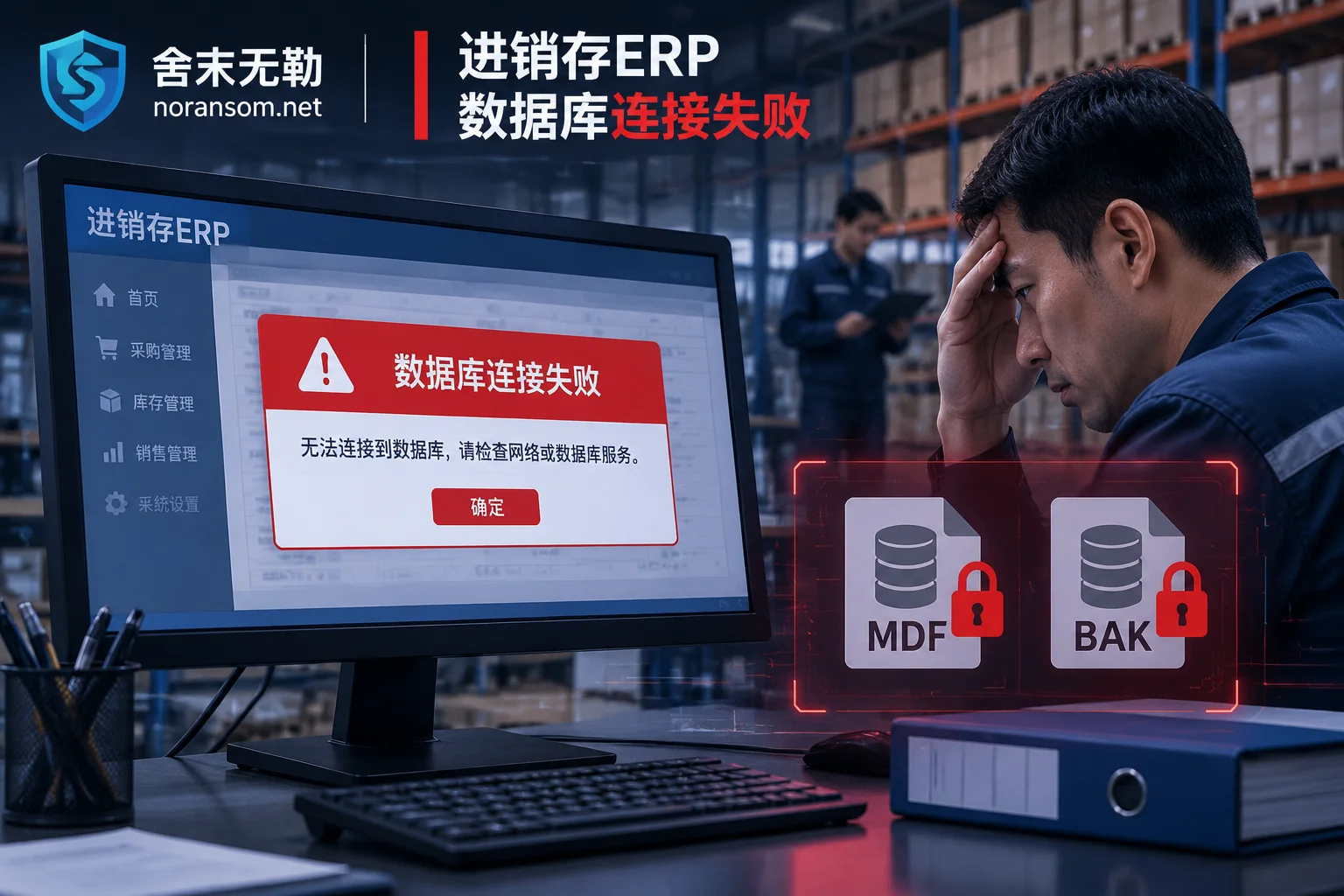
For trading, manufacturing, and wholesale enterprises that rely on Grasp Manager (Brilliance, Distribution ERP, Industry & Trade, Finance & Trade) to manage daily inventory, the most feared scenario is: in the morning, stores and warehouses are rushing to issue orders and ship goods, but clients collectively pop up "Unable to connect to database server" or "Failed to connect to account set".
When the administrator logs into the server, they see that in the directory storing Grasp Manager account sets, all .mdf and .ldf database files, and even the .bak automatic backup files stored on the same machine, have been appended with unfamiliar extensions such as .weax, .rox, .sorry, or .mallox, and a ransom note demanding high cryptocurrency payment appears on the desktop.
This site has previously published specialized analyses on Kingdee Cloud Galaxy and K/3 account set rescue and Yonyou U8 and Chanjet T+ environment reconstruction. However, Grasp Manager software has very distinct industry characteristics in its actual deployment architecture, external connection methods, and post-infection behavior. After encountering Grasp Manager ransomware, the biggest confusion for many business owners is: "I've already closed 3389 Remote Desktop and haven't mapped the 1433 database port to the internet—how did the hacker get in?"
This article starts from Grasp Manager's unique intrusion channels and account set structure, and outlines the stop-loss actions after infection, data rescue paths, and troubleshooting priorities to completely eliminate secondary encryption.
I. Why does the Grasp Manager server still get infected even after closing 3389 and 1433?
In recent public security emergency bulletins, Weaxor (common extensions .weax / .rox / .wxx), Sorry (.sorry), and Mallox are among the most active ransomware families attacking Grasp Manager servers.
Many trading or wholesale enterprises, to facilitate remote branches and field salespeople using mobile clients (such as WLIT) or off-site clients to directly connect back to headquarters for order issuance and inventory checks, expose the server running Grasp Manager directly to the public internet, or set up port mapping on the router (or even directly enable DMZ host). Besides common RDP weak password brute force, the Grasp Manager environment has two easily overlooked breach points:
1. Neglected business communication ports (e.g., port 211)
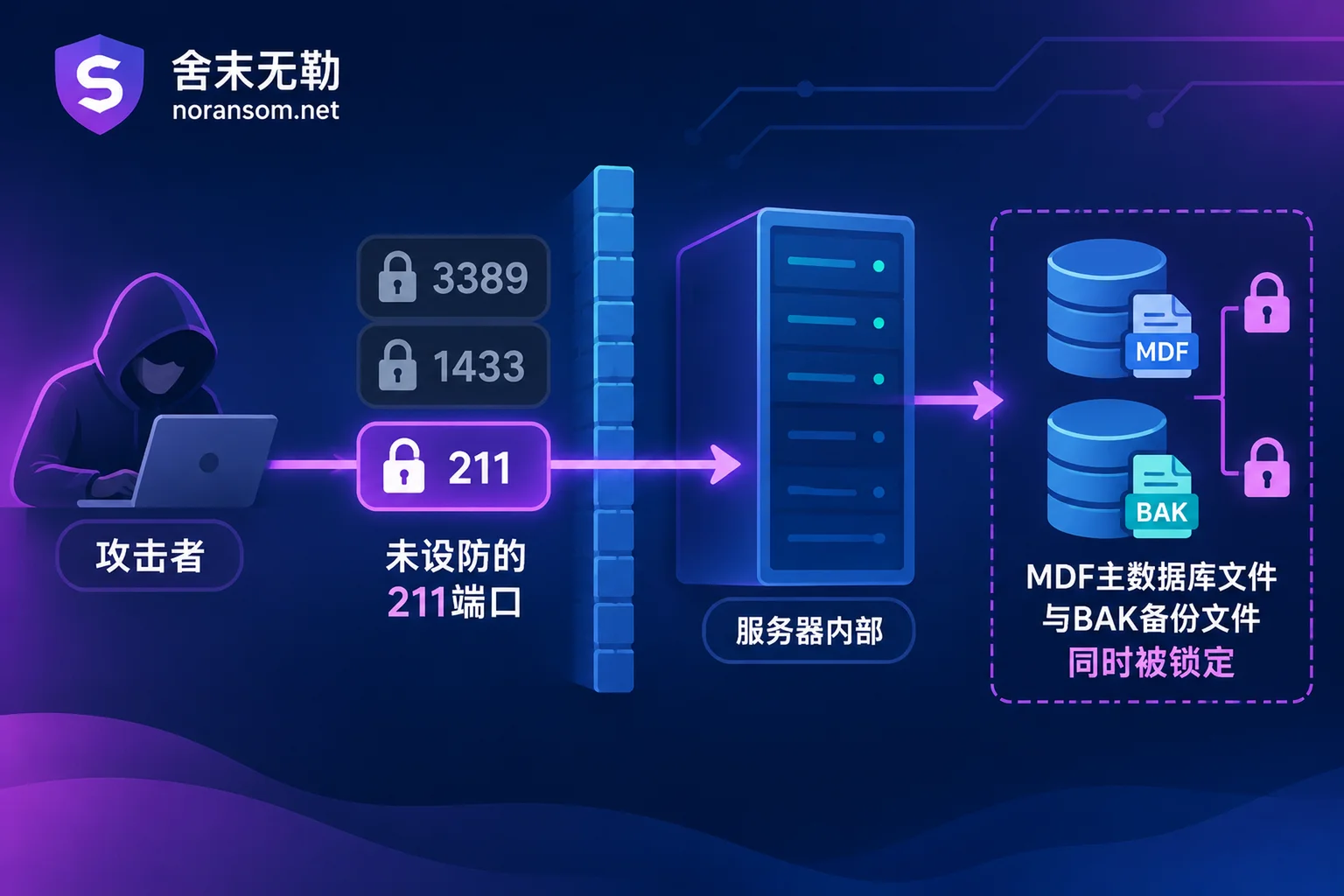
Many enterprise IT personnel know to block Windows port 3389 and SQL Server port 1433, but are completely unprepared for Grasp Manager's own client communication services. For example, some Grasp Manager series software defaults to using port 211 (a Socket communication service based on the Delphi MIDAS protocol) as a "data relay station" for clients connecting to the server.
If this port is directly open to the public internet without security updates or access restrictions, attackers do not need to know the operating system password or log in through the Grasp Manager client. They can use automated scripts to directly connect to this port and invoke server methods, leveraging the software's built-in high-privilege database connection (such as sa permissions) to execute arbitrary SQL statements, thereby gaining highest control of the Windows system (SYSTEM). More troublesome is that commands initiated from within the application service leave almost no trace in conventional Windows logon logs—like "stealing from a distance" to lock down the entire server.
2. Mobile/Web interfaces such as WLIT and same-machine backup traps
Besides core communication ports, some old versions of companion plugins, Web query interfaces, or mobile synchronization interfaces, if left unpatched for a long time, can also be exploited by hackers using automated tools for bulk scanning and backdoor implantation.
Once attackers gain privileges, before poisoning and encrypting, they usually first stop the SQL Server service (to release .mdf file locks), then encrypt both the production database and the daily automatic backups (.bak or compressed packages) stored on the same machine's D drive or E drive. Some administrators try to rename backup files with extensions like .exe or .dll to evade encryption, but against ransomware variants with specifically adjusted encryption policies, such "blinding tricks" are often unreliable.
II. What to do in the first 30 minutes after discovering Grasp Manager won't open and files have added extensions?
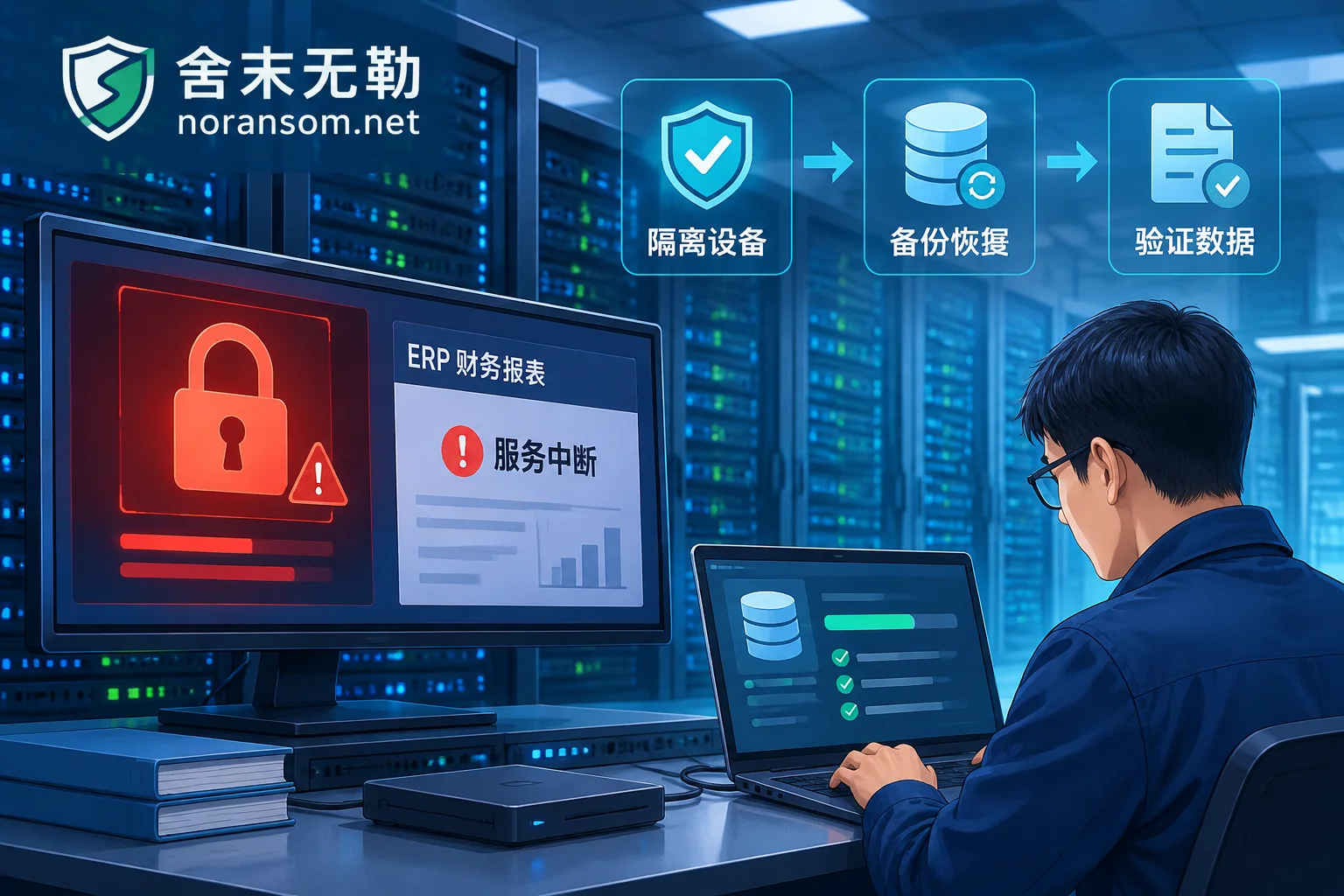
When finance or warehouse staff report Grasp Manager errors and server files look altered, every on-site action directly determines how much of the account set can be saved later. It is recommended to follow the on-site protection principles after a server ransomware infection and immediately execute the following actions:
- Immediately unplug the network cable or disconnect external mapping, but do not rush to shut down or restart
First, disconnect the infected server's physical network cable, or cut off public mapping and LAN sharing on the firewall, to prevent the virus from spreading to other finance and office computers through LAN shared directories. At the same time, try to keep the server powered on; do not repeatedly restart or attempt to reinstall the system, to avoid destroying residual evidence in memory, triggering resident scheduled encryption scripts, or losing database cache not yet written to disk. - Strictly prohibit writing new data to the disk containing the account set or forcibly attaching the database
Do not download antivirus software or decompression tools in the partition storing the Grasp Manager database, and do not rush to forcibly Attach the encrypted.mdffiles to a newly created SQL Server (for specific reasons, refer to assessment steps after SQL Server database encryption). Any write action may overwrite data page fragments at the disk level that have not yet been destroyed. - Preserve the encrypted account set and ransom note as-is
Prepare a clean removable hard drive with no important data, and copy the.mdf,.ldf, and.bakautomatic backup files under the Grasp Manager installation directory and data directory, along with the ransom note (txt/html file) on the desktop or in folders, intact as offline copies. - Identify the family first; do not trust ransom transactions or dubious tools
Do not rush to add the email or chat software in the ransom note, and do not buy unknown "universal decryptors" and run them directly on the original disk. If file headers are corrupted, subsequent opportunities for low-level extraction will be lost. You can first submit the encryption extension and ransom note file name to SheMoWuLe's free ransomware identification tool or check the ransomware extension master list to preliminarily confirm which ransomware family it belongs to.
III. How is data rescued when the Grasp Manager account set is locked?
Many bosses, upon seeing all files with changed extensions, first think: "Without the hacker's private key, is it completely hopeless?" In fact, for SQL Server-based inventory systems like Grasp Manager, the ERP system encryption emergency plan does not rely entirely on the hacker's key, but combines ransomware decryption with underlying data recovery technologies:
Path 1: Variant identification and decryption feasibility assessment
Different ransomware families (even variants of the same family in different months) have differences in encryption algorithm implementation. Engineers first check known technical files in the ransomware database based on samples and encrypted file characteristics to determine whether the current variant has algorithm flaws or known decryption paths. If direct decryption conditions are met, verification will be conducted first in an isolated environment.
Path 2: SQL Server low-level data page extraction and fragment reassembly
When encountering high-strength asymmetric encryption that cannot be directly restored with a key, the focus of rescue shifts to SQL Server database specialized recovery.
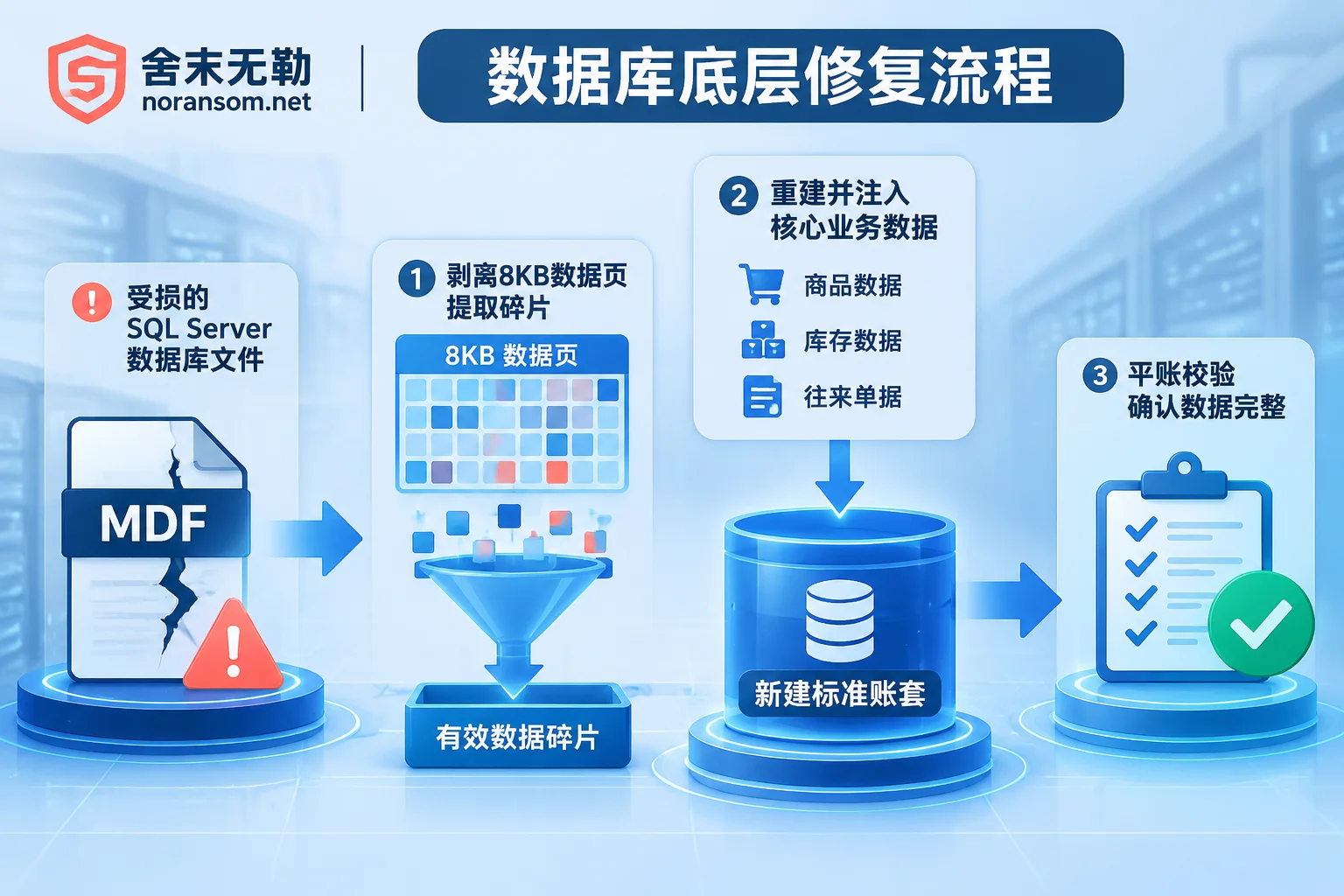
To lock down tens or hundreds of GB of databases in a very short time, most ransomware (including common .weax and .sorry variants) do not encrypt 100% of the entire .mdf or .bak file from start to finish, but adopt a "encrypt file header + interval block skipping encryption" strategy.
The SQL Server database is composed of 8KB data pages at the底层. Even if the file header and system configuration pages are corrupted by encryption and the software cannot recognize them, a large number of intact, original uncontaminated data pages remain inside the file. Engineers use low-level hexadecimal analysis to measure the encryption block size and skip step of the virus variant, strip damaged blocks, and extract core table records—such as product information, business partners, inventory base, receivables/payables, and recent sales outbound orders—one by one from remaining data pages and unallocated disk space fragments.
Path 3: Standard empty database reconstruction and business reconciliation verification
For inventory software, "extracting data" is only the first step; the real difficulty is "making Grasp Manager software recognize this account set normally and ensuring the accounting logic matches".
If only file headers are simply patched, opening the software for order issuance can easily lead to broken master-detail tables, document number conflicts, or inventory balance errors. Therefore, the standard recovery process is: in a clean isolated environment, create a 100% pure standard empty account set according to the customer's original Grasp Manager version, then inject the extracted and logically aligned business data into the new database, and finally mount it into a Grasp Manager test environment of the same version, assisting finance and warehouse staff to verify inventory quantities, receivables/payables, and the time point of the last document, and deliver based on the completeness marked by system and time point.
Note on software licensing and upgrade boundaries: After data is rescued and migrated to a new environment, if it involves re-binding the Grasp Manager software dongle, version upgrade, or official security patch installation, it is recommended to contact Grasp Manager official or local authorized agents directly (SheMoWuLe focuses on ransomware emergency response and data rescue, has no cooperative relationship with any ERP software vendor, and does not handle software licensing matters).
IV. Why do some enterprises get encrypted again two days after just recovering the account set?
In Grasp Manager ransomware scenarios, the proportion of secondary or even tertiary repeat infections is very high. The core reason: many enterprises only have the database files repaired, but put the repaired account set directly back into the original server full of backdoors (see why ransomware data recovery is followed by re-encryption).
As mentioned earlier, if attackers entered through port 211 vulnerabilities or Web interfaces, before running ransomware they often have already created hidden administrator accounts, implanted startup scheduled tasks, Webshells, or even antivirus-evading remote control Trojans. Without thorough security emergency response and attack traceback and forensics, as soon as the server connects to the internet, lurking backdoors or external automated scanning scripts will trigger encryption again.
In addition, if the computer responsible for managing Grasp Manager or financial invoicing also shows signs such as the mouse moving by itself or unfamiliar remote software appearing, be alert to possible SilverFox Trojan attacks targeting finance personnel, and be sure to investigate host cleanup and account fund security separately.
To completely free Grasp Manager from ransomware threats, the following security hardening protection actions must be completed before launching the new account set:
- Thoroughly reclaim public internet exposure: Strictly prohibit mapping Windows 3389, SQL Server 1433, and Grasp Manager 211 business communication ports directly to the public internet. Remote stores and field personnel connecting to headquarters account sets should uniformly use VPN or zero-trust secure access solutions with strong identity authentication, hiding business ports behind the intranet.
- Clean resident backdoors or perform a clean reinstall: Conduct a comprehensive check of startup items, services, scheduled tasks, and memory processes on the infected server; if the system has been deeply tampered with, the safest approach is to format and reinstall a clean operating system after completing forensics and data export, and apply all operating system and SQL Server security patches.
- Remediate weak passwords and permissions across the entire chain: Change default or simple passwords for Windows administrator, SQL Server
saaccounts, and Grasp Manager backend administrators, using complex passwords of 12 characters or more; at the same time, converge database runtime permissions to avoid application services running long-term with the highest operating system privileges. - Establish physically isolated offline backups: To address the pain point of backups being deleted or encrypted on the same machine, in addition to the software's built-in daily automatic backups, an off-site or physically offline backup mechanism must be established (for example, regularly copy
.bakaccount set backups to an independent removable hard drive, unplug after copying, and do not keep backup drives permanently connected to the server).
V. Assess first, see the conclusion, then decide whether to recover
Facing the emergency of core inventory account sets locked and stores/warehouses halted, blind attempts not only waste golden rescue time but may also cause irreversible secondary damage. SheMoWuLe follows a transparent and standardized emergency response and quotation process: insist on not paying ransom and not negotiating on your behalf; first identify the ransomware family, conduct a low-level recoverability assessment of the damaged .mdf / .bak files, clearly inform the recoverable scope, optional paths, and expected results, and then you decide whether to proceed with recovery.
If your company's Grasp Manager or other ERP database has just been encrypted by ransomware, please first protect the server on-site, and feel free to contact us via the Contact Us page, call the 24-hour emergency hotline 15639272850, or email help@noransom.net for one-on-one technical support.


Comments(0)