In daily enterprise operations, when business users report "ERP is down" or "OA page won't open," the first reaction of operations staff is often to troubleshoot the corresponding business virtual machine. However, security incidents in the past year or two show that ransomware encryption of virtual machines is no longer limited to a single Windows or Linux guest OS.
From exploiting VMware ESXi vulnerabilities (such as CVE-2025-22224, CVE-2025-22225) and Windows Hyper-V privilege escalation and escape vulnerabilities (such as CVE-2026-45607, CVE-2026-72961), to attackers directly taking over the virtualization management plane through VPN or domain controller credentials, today's ransomware gangs prefer a "dimensional strike"—first escaping from a single virtual machine or laterally moving to the underlying hypervisor, then shutting down and encrypting all virtual disks on the host at once.
When facing virtual machine paralysis, the most dangerous action is to blindly reboot the host, forcibly mount disks, or merge snapshots before clarifying "which layer the encryption occurred at." Different affected layers require completely different damage control actions and recovery paths.
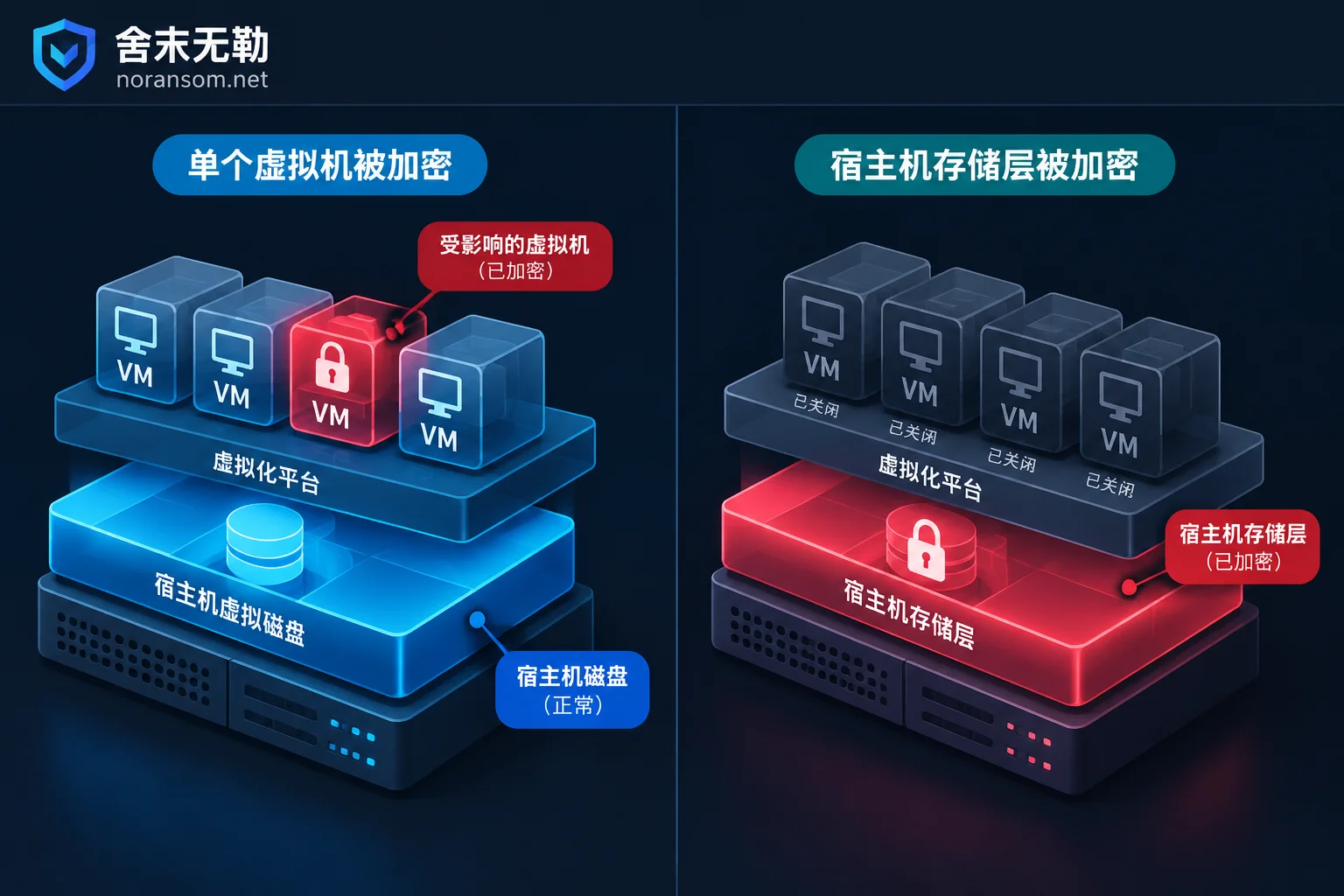
1. First Make a Key Determination: Is the "Inside the Virtual Machine" Infected, or Is the "Underlying Host" Locked?
When you find that a virtual machine's business is interrupted and suspect a ransomware attack, please first spend 5 minutes to confirm the affected layer. The two have essential differences in symptoms and underlying logic:
1. Scenario A: Encryption Inside the Guest OS
- Typical symptoms: In vSphere or Hyper-V Manager, the virtual machine is still "running," and you can even open the console to see the desktop. But after entering the system, a ransom note appears on the desktop, and internal
.mdf,.ldfdatabase files or shared documents have unfamiliar extensions appended (such as.weax,.locked, etc.). - Underlying state: The
.vmdkor.vhdxvirtual disk files in the host datastore have normal filenames and are not damaged at the host level; only the file system "inside the belly" of the virtual disk has been rewritten by the virus.
2. Scenario B: The Hypervisor Host Is Completely Compromised at the Underlying Layer
- Typical symptoms: A large number or all virtual machines suddenly shut down abnormally and cannot be started again (prompting that files are not found or are not valid virtual disks). Logging into the ESXi backend or Hyper-V host to check the storage directory, you find that files such as
.vmx,.vmdk,-flat.vmdk,.vhdx,.avhdxthemselves have been renamed with encryption extensions, and ransom notes lie directly in the storage root directory. - Underlying state: The attacker has obtained the highest privileges of the ESXi (SSH/Root) or Hyper-V host and directly calls encryption programs at the storage volume level. To unlock files for encryption, attack scripts usually first execute forced power-off commands to kill all running VM processes.
If you are not yet clear about which basic operations will destroy the scene before troubleshooting, we recommend first reading our previous summary "Don't Make These Five Mistakes After a Server Is Hit by Ransomware: Protect the Scene First, Then Databases and Virtual Machines Can Be Saved" and stop high-risk operations immediately.
2. How to Precisely Stop Losses in the First 30 Minutes for Different Affected Layers?
Once the layer is distinguished, the subsequent isolation and protection actions must be "targeted."
If Only a Single or a Few Virtual Machines Are Infected Internally (Scenario A):
- Disconnect the virtual NIC, do not directly power off: In the virtualization management interface, directly uncheck "Connected" for the virtual machine's virtual NIC. Do not immediately restart or shut down, because some ransomware will trigger secondary cleanup on restart, or traces helpful for analysis may still remain in memory.
- Immediately check host snapshots and offsite backups: Because the host underlying layer is unaffected, historical snapshots at the host level and backup systems such as Veeam are likely still intact. First disconnect and protect existing healthy snapshots or backup storage to prevent attackers from continuing to penetrate the management plane through the internal network.
- Investigate lateral spread: Check whether other virtual machines on the same subnet and the host management interface use the same passwords.
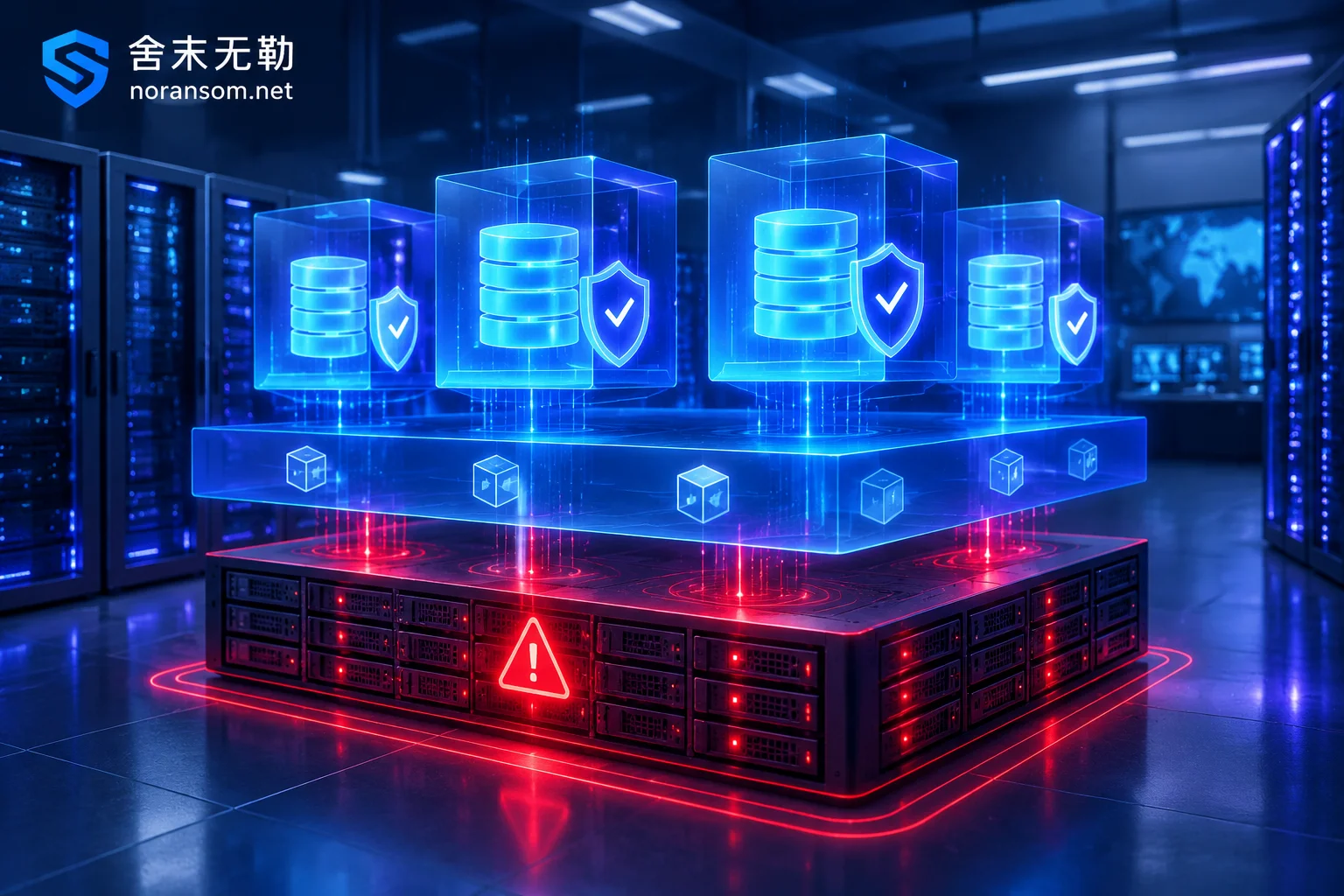
If the Host Underlying Virtual Disks Are Encrypted (Scenario B):
- Physically unplug cables, but try to keep the host powered on: Immediately unplug the host's business network cables and external network connections except for an independent controlled management port. Never directly press the power button to restart the ESXi host! Many ransomware scripts and run logs targeting ESXi are stored in memory file systems such as
/tmp. Once restarted, intrusion traces and encryption process parameters will completely disappear. - Strictly prohibit creating new virtual machines, deleting files, or merging snapshots: For virtual disks of tens or hundreds of GB, to pursue encryption speed, ransomware often uses intermittent encryption (skip-step) strategy, encrypting only file headers or a portion of data at intervals. At this time, writing new data to the storage pool or attempting to "repair/merge" snapshot chains with built-in tools can easily overwrite originally intact internal data blocks.
- Freeze the underlying storage array: If the virtualization platform mounts SAN/NAS centralized storage, immediately log into the storage array management console, pause all automatic snapshot rotation and garbage collection (GC) tasks, and completely "freeze" the storage volume in its current state. For underlying judgment logic when there are no snapshots, refer to "ESXi Virtual Machine Encrypted Without Snapshots: Don't Touch the Original Storage First, Follow This Order to Determine What Can Still Be Recovered."
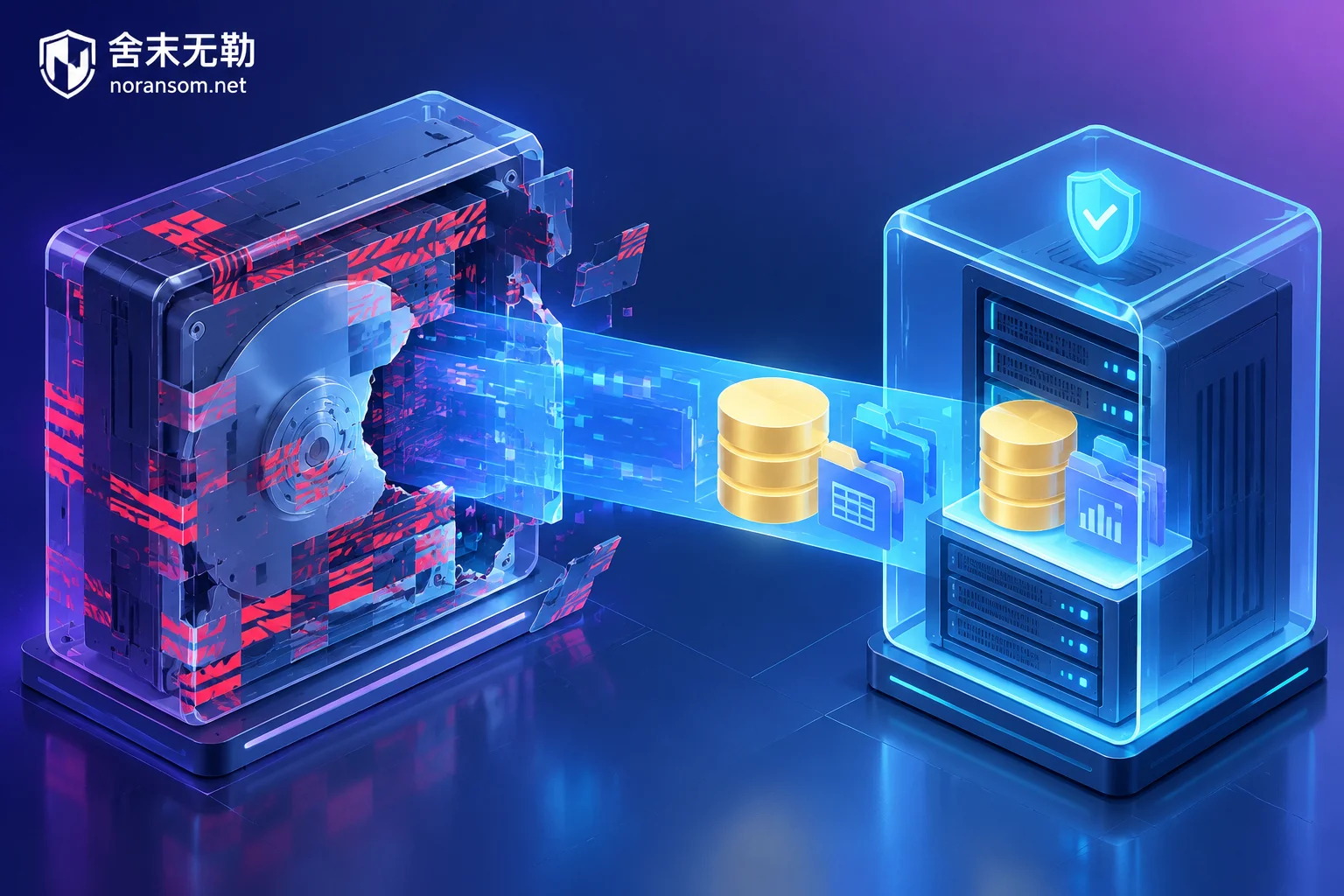
3. After a Virtual Machine Is Encrypted by Ransomware, How Is Data Actually Recovered?
Many enterprise managers, upon seeing screens full of locked .vmdk or .vhdx, feel that "even the virtual machine shell is shattered, so the account sets and business data inside are definitely hopeless." In fact, in professional ESXi / Hyper-V virtual machine encryption solutions, rescue work does not rely on compromising with hackers but follows the three technical paths below:
Step 1: Identify the Ransomware Family and Encryption Ratio
Different ransomware families (such as the common Weaxor, Mallox, Sorry, LockBit, Phobos, etc.) have completely different encryption algorithms and skip block sizes for large virtual disks. You can first enter the complete encrypted filenames, extensions, and ransom note names into the free Ransomware Identification Tool (or compare with the Ransomware Extension Master List) for preliminary identification.
After clarifying the family characteristics, emergency responders will analyze the sample and virtual disk structure, assess whether conditions for direct ransomware decryption exist, or determine the percentage of actual damage to the virtual disk.
Step 2: Virtual Disk Reassembly and Shell-Skipping Extraction (Peeling the Shell to Get the Core)
As we detailed in "Can Data Still Be Extracted After a VMDK File Is Encrypted: It Depends on How Much the Flat Volume Is Overwritten," a virtual disk is essentially a container. Even if the virtual machine's configuration file (.vmx) and disk descriptor are completely encrypted, as long as the underlying flat data volume (such as the -flat.vmdk or .vhdx data area) has not been 100% fully overwritten, the technical team can perform data recovery through the following means:
- Reconstruct descriptors and partition tables: Manually rebuild the virtual disk description file and damaged partition boot records so that the read-only image can be recognized by underlying parsing tools again.
- Bypass the virtualization layer to directly extract core files: When the virtual machine operating system itself can no longer start, there is no need to insist on repairing the entire operating system. Engineers will directly go deep into the NTFS, XFS, or LVM structures inside the virtual disk image to locate and extract core SQL Server, Oracle, and MySQL database files.
Step 3: Internal Database and ERP Account Set Repair and Verification
After extracting database files from the damaged virtual disk, if the database files themselves are also partially affected, file-level repair and page-level reassembly are needed, then combined with unencrypted residual fragments and historical backups for splicing. Whether it is an independent SQL Server encrypted or ERP system encrypted such as Yonyou, Kingdee, or Guanjiapo running in a virtual machine, ultimately database mounting and account set business verification will be completed in an isolated environment, and delivered to the enterprise after labeling completeness by system and time point.
4. Why Must Virtualization Escapes and Resident Backdoors Be Cleaned Before Restoring Business?
Once the virtualization platform is compromised, it often means the attacker not only has privileges to a certain business system but also possesses a "god's-eye view" of the internal network. In actual cases, attackers often first steal credentials of operations personnel for vCenter, ESXi, or domain admin through remote control trojans on the office network (such as Silver Fox Trojan), lurk for several days to figure out the backup server location, and then press the encryption button at the same time.
If, after data rescue, the original host is merely reinstalled or the decrypted virtual machines are directly mounted back to the original network, there is a high probability of secondary encryption within a few days (see "Why Ransomware Data Recovery Is Followed by Re-encryption: Saving Data Is Only the First Step, Don't Rush Online Before Cleaning These Four Types of Backdoors").
Therefore, a complete closed-loop handling must include:
- Security Emergency Response and Attack Traceability and Forensics: Based on host logs, memory images, and jump server traces, find out whether the attacker entered through VPN vulnerabilities, RDP brute force, domain controller compromise, or virtualization vulnerabilities; thoroughly remove residual webshells, scheduled tasks, SSH backdoors, and suspicious accounts; and determine whether core data has been leaked.
- Security Hardening and Protection: Divide the vCenter/ESXi/Hyper-V management plane into an independent controlled VLAN; strictly prohibit management ports from being directly exposed to the public Internet or mixed with the ordinary office network; eliminate credential reuse between the virtualization management platform and production domain controllers; promptly install underlying virtualization security patches; and rebuild an offsite backup system that is truly isolated and cannot be directly deleted by host privileges.
5. How to Obtain Professional Assessment When Virtual Machines Are Encrypted?
When a virtualization cluster is down, time is data survival rate. Shemo Wule (Zhengzhou Shemo Information Technology Co., Ltd.) adheres to the principle of not paying ransoms and not negotiating on behalf of clients, and provides emergency rescue for enterprises according to a standard and transparent service process:
- Incident response and isolation guidance: Assist the operations team in freezing the underlying storage and on-site evidence at the first opportunity to prevent secondary damage caused by misoperations.
- Sample analysis and recoverability assessment: Detect the infected virtual disk structure and encryption characteristics, and provide clear assessment conclusions (including recoverable scope, optional technical paths, expected results, and risks) along with corresponding quotations. The assessment conclusion is first given to the client, who decides whether to proceed with implementation.
- Data rescue and security reconstruction: Complete virtual disk repair and database account set extraction and verification, and simultaneously carry out backdoor cleanup and virtualization architecture hardening to ensure safe business launch.
If you are facing an emergency where virtual machines such as ESXi or Hyper-V are encrypted by ransomware, please first preserve the scene and obtain one-on-one damage control guidance and recovery assessment through the Contact Us page or by directly calling the 24-hour emergency response hotline 15639272850 (Email: help@noransom.net).


Comments(0)