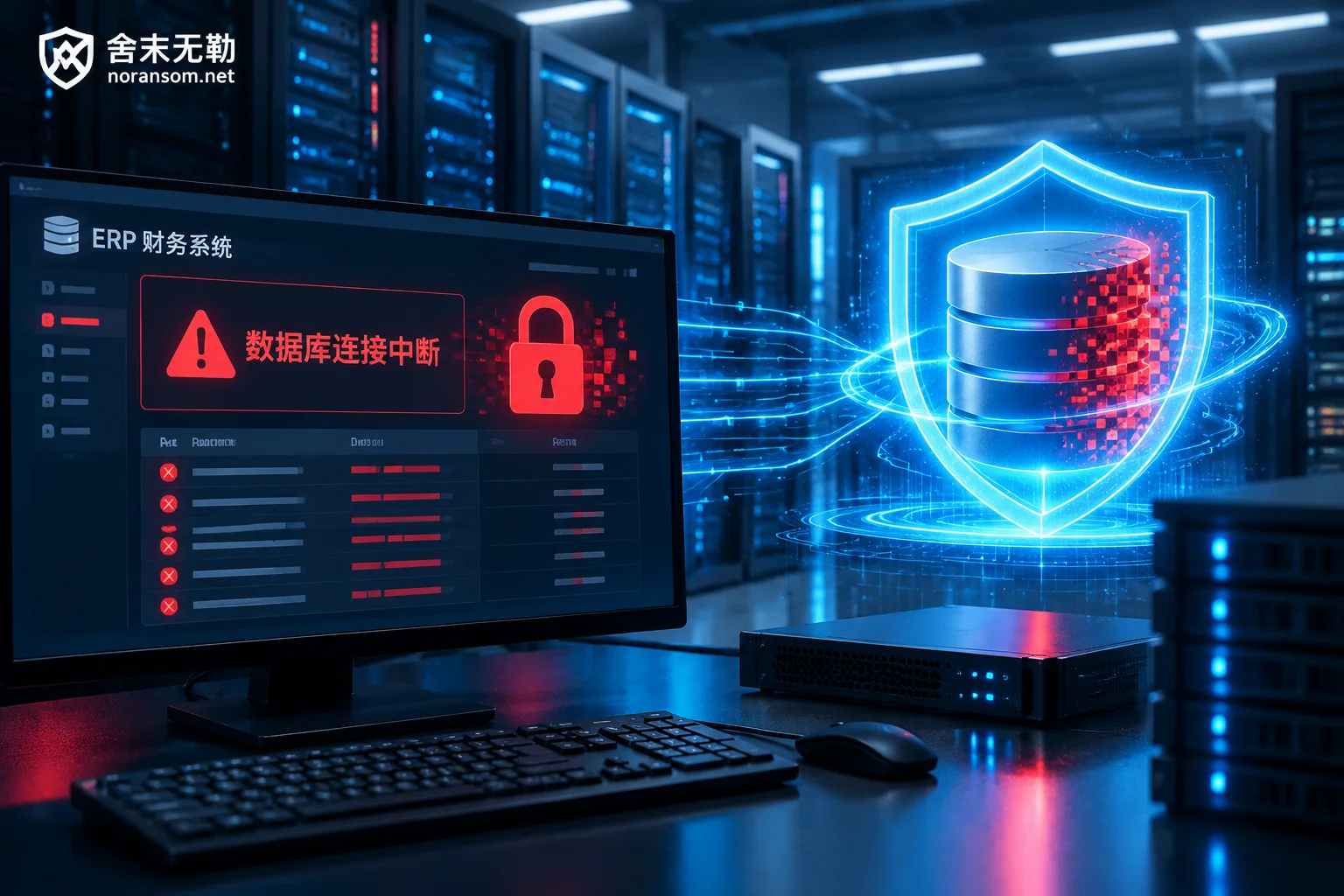
On Monday morning, when the finance staff were preparing to issue invoices and close the books, they found that the Kingdee client reported "Unable to connect to the account set management server" or prompted "Database suspect"; the operations staff logged into the Windows server and saw an unfamiliar English ransom note on the desktop. The .mdf, .ldf, and even .bak automatic backup files that originally stored account set data were all tampered with and appended with strange extensions such as .rox, .malox, .locked.
As the hub carrying the enterprise's core inventory, production manufacturing, and financial general ledger, once the Kingdee system is locked down by ransomware, it often means that procurement, shipping, and financial accounting are all halted. Under high panic, many enterprises either rush to contact hackers to ask about the ransom, or let the network administrator directly rename the encrypted database files back to their original names and force attach them, resulting in the complete destruction of underlying data pages that could have been rescued.
Facing a Kingdee server infection, how can enterprises rescue core account sets and safely go online without compromising with hackers? This requires first clarifying the damage characteristics of different Kingdee versions, and then scientifically handling in the order of "stop loss, identification, recovery, backdoor cleanup".
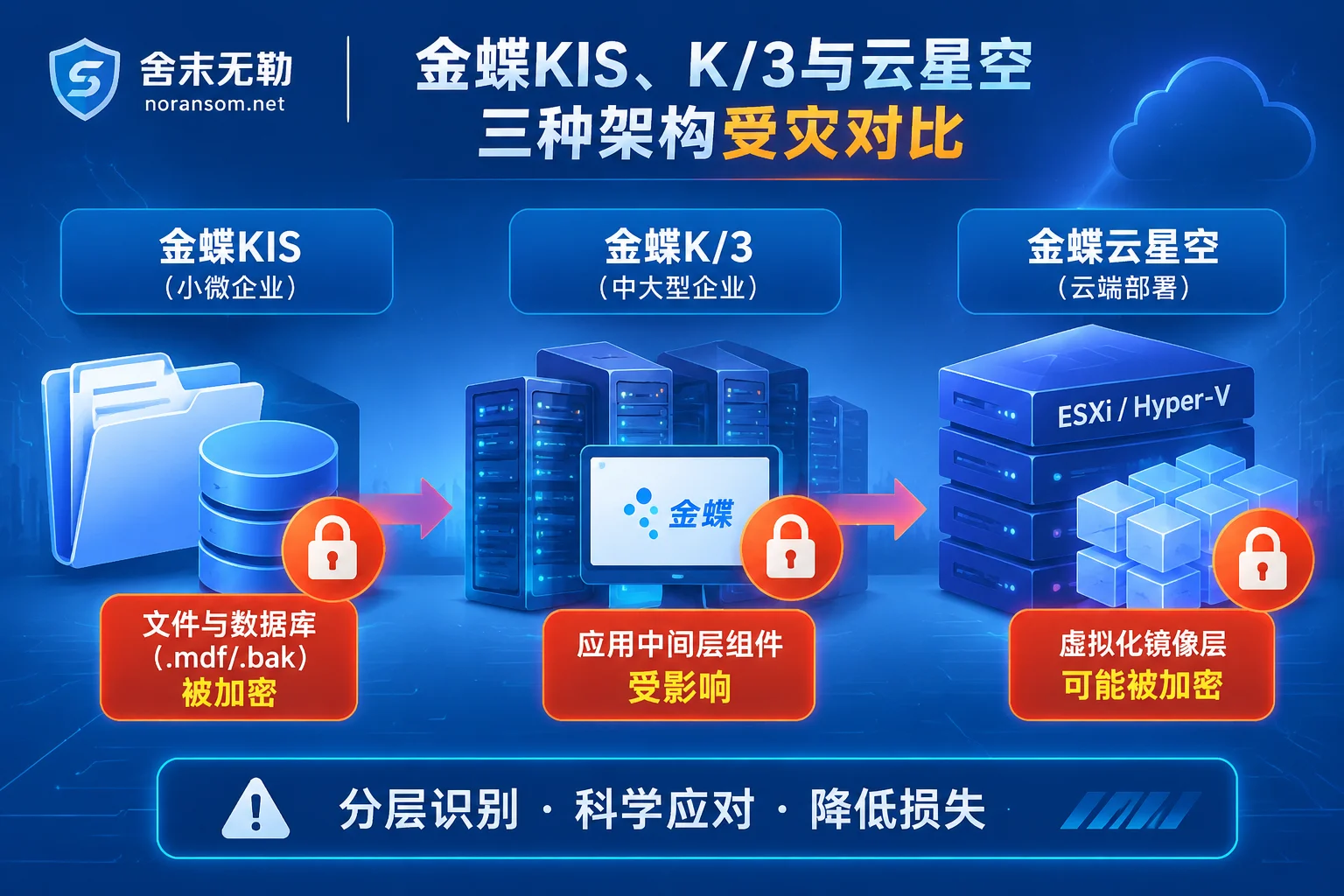
I. Kingdee KIS, K/3, and Cloud Cosmic: What Are the Differences in the Affected Scope After Infection?
Although they are all collectively referred to as "Kingdee hit by ransomware", the underlying architecture differences of different product lines directly determine the entry point for data rescue and the difficulty of business recovery:
- Kingdee KIS Series (Mini / Standard / Professional / Flagship)
Early KIS versions may use local file-based databases, while Professional and Flagship versions are mostly based on SQL Server. Such environments are common in small and medium-sized trading or manufacturing enterprises. Servers are often on the same flat LAN as office computers, and even public remote desktop (RDP) is directly enabled for finance staff to work from home. Once ransomware strikes, in addition to the main database files being locked, the local backup directories mounted on the D drive or E drive of the same machine are almost invariably affected. - Kingdee K/3 WISE
The K/3 architecture consists of the middle tier (account set management), database tier, and client. After attackers take over the server, they usually first use tools to forcibly terminate thesqlservr.exeprocess to release file locks, and then encrypt the core account set files starting withAIS. At the same time, if the middle tier component configuration and system registry are damaged, even if only the database files are recovered, the client will still face problems such as inability to register components or loss of print templates (this is very similar to the recovery difficulties after Yonyou U8, NC, and Chanjet T+ encounter ransomware). - Kingdee Cloud Cosmic (K3 Cloud)
Privatized deployment of Kingdee Cloud Cosmic mostly serves medium and large enterprises, often running on VMware ESXi or Hyper-V virtualization clusters, and to support mobile approval or branch access, web ports are often mapped to the public internet. If the official security hardening patches are not installed in time (Note: Kingdee software licensing, upgrades, and official patches need to be obtained from Kingdee software vendors or authorized agents; this site has no cooperation with software vendors), attackers may exploit high-risk vulnerabilities such as historical deserialization or unauthorized access to directly implant Trojans, or even laterally penetrate to the virtualization host and encrypt the entire virtual machine image.
II. When Kingdee Account Sets Are Found Locked, the "Brake" That Must Be Applied in the First 30 Minutes
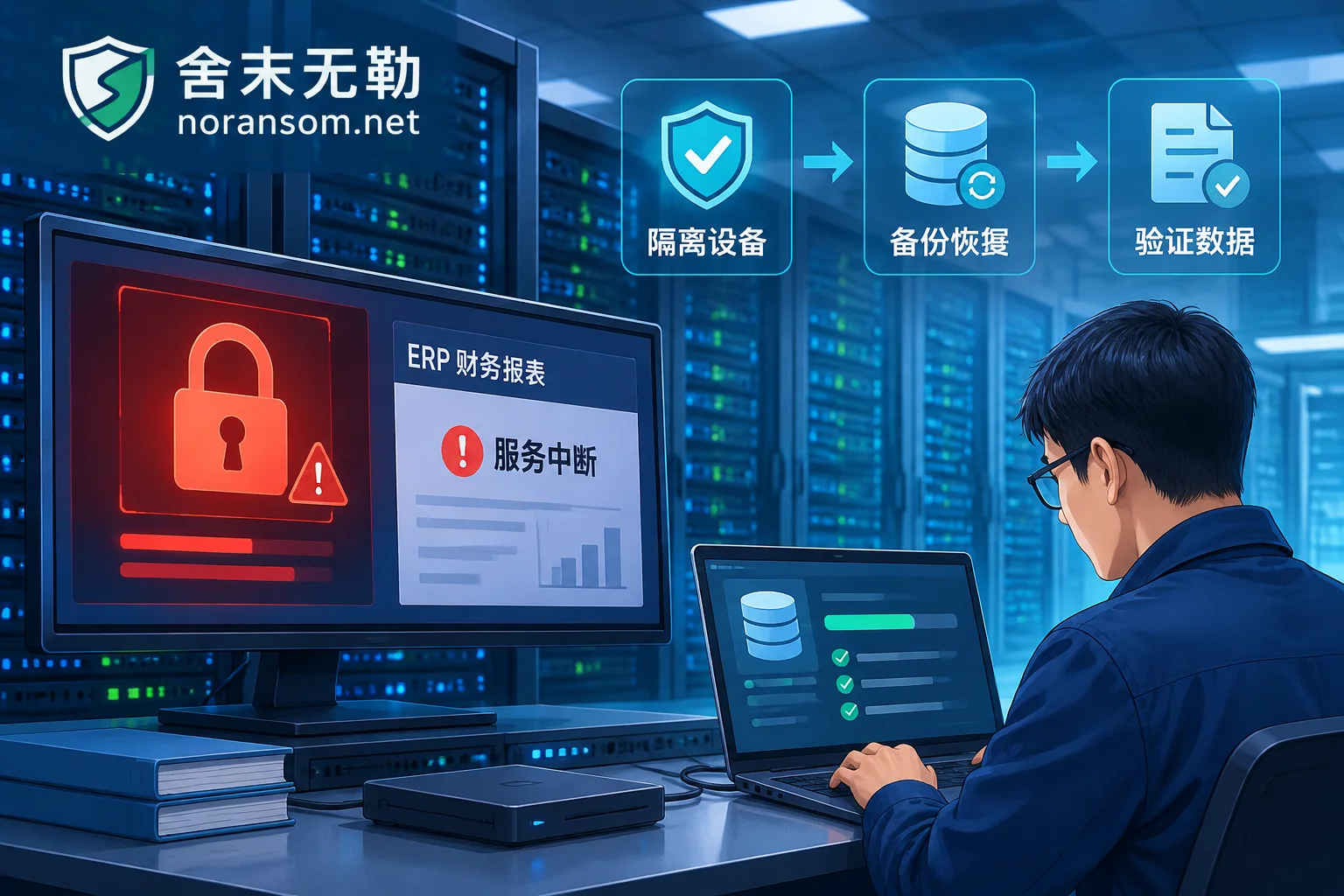
Before assessing whether data can be recovered, protecting the first scene is the prerequisite for the success of rescue. As we repeatedly emphasized in "Don't Make These Five Mistakes After a Server Is Hit by Ransomware", the following actions must be executed immediately:
- Immediately unplug the network cable or disable the network card, but be cautious about directly pulling the power plug: Disconnecting the network is to block the ransomware from continuing to encrypt shared folders or NAS backups on the LAN; keeping the machine powered on (or hibernated) and not arbitrarily restarting is to prevent some ransomware variants from triggering secondary damage upon restart, and to avoid unencrypted residual fragments in the disk free space being overwritten by system cache.
- Strictly forbidden to modify extensions and forcibly attach databases: Ransomware changes not only the file extension but essentially rewrites the file header and some data pages. If you delete the extension in SQL Server Management Studio and forcibly attach or execute
DBCC CHECKDBrepair, the SQL engine's automatic rewrite mechanism may completely flush out the originally intact data pages. - Do not run "universal decryption tools" of unknown origin: Different ransomware families, or even different variants of the same family, have completely different encryption algorithms and skip step sizes. Blindly using third-party tools for trial and error can easily cause irreversible secondary damage to the ciphertext structure (see "Decryption Tool Says 'File Not Supported': Stop First, Then Check These Causes").
III. How to Rescue Kingdee Account Set Data Without Paying a Ransom?
In the ERP system encryption emergency plan handled by Zhengzhou Shemo Information Technology Co., Ltd. (Shemo Wule), we adhere to the principle of not paying a ransom and not negotiating with attackers on behalf of the client. To get Kingdee account sets running again, the standard technical path is divided into three steps:
Step 1: Accurately Identify the Ransomware Family and Variant
Ransomware families that often target ERP servers such as Kingdee include variants disguised with the .locked extension, as well as Weaxor (common extensions .rox / .weax / .wxx), Mallox (.malox / .mallox), Sorry, Phobos, and LockBit, etc.
Enterprise IT staff can first use the free online ransomware identification tool provided by Shemo Wule or consult the ransomware extension master list, enter the tampered file extension or the desktop ransom note file name (e.g., HOW TO BACK YOUR FILES.txt), to preliminarily determine the family and current recoverability.
Step 2: Assess Decryption Feasibility and Database Underlying Rescue
After identifying the family, a read-only image of the original disk is required, and ransomware decryption and data recovery assessment is carried out on the image environment:
- Why can large account set files be rescued without a key?
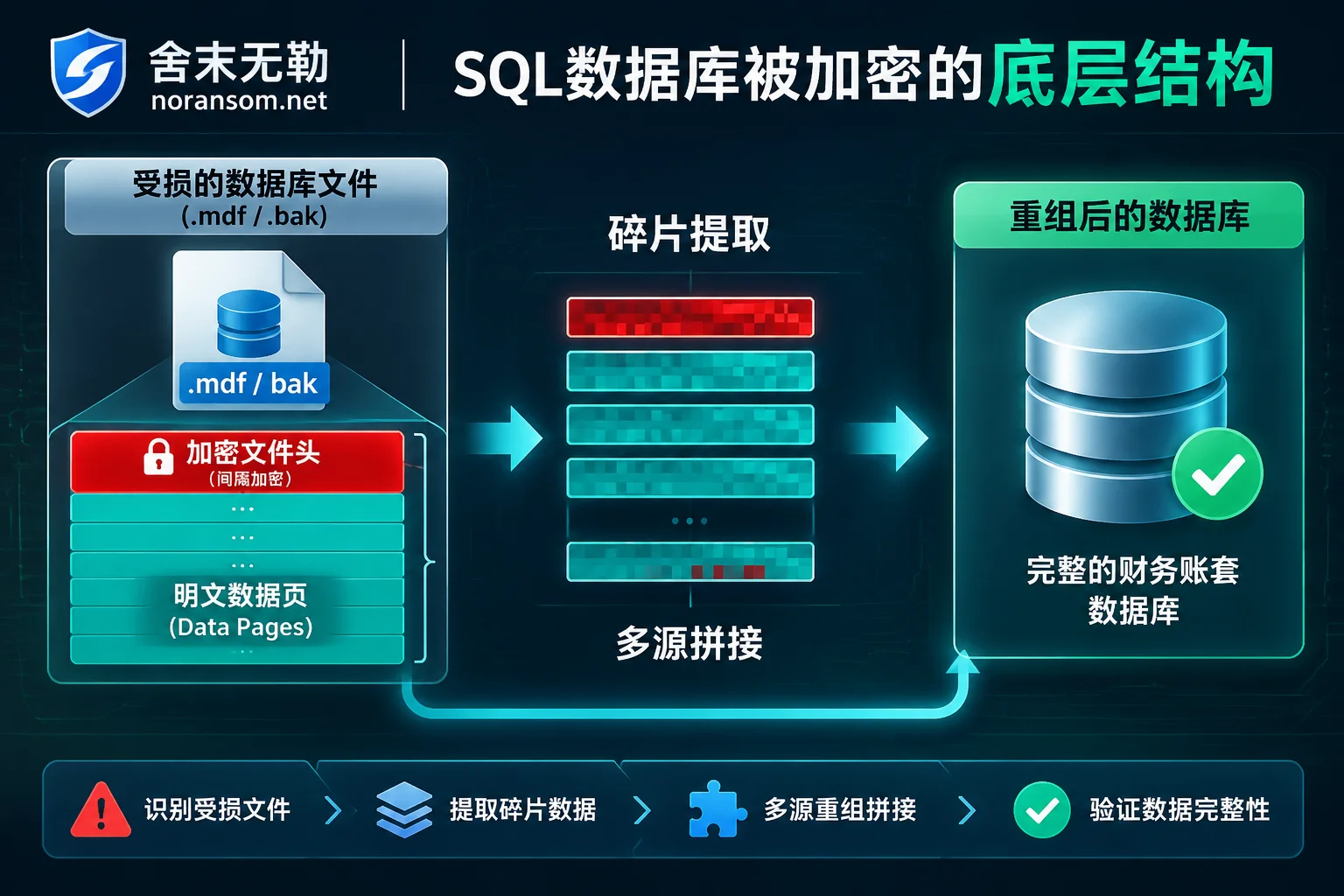
Kingdee's.mdfdatabase files and.bakbackup files often range in size from several GB to hundreds of GB. In order to lock down the entire server in a very short time and avoid detection by administrators, ransomware mostly adopts a strategy of "intermittent encryption" or "encrypting only the file header" when processing large files—that is, only the first few megabytes are encrypted, or a small block of data is encrypted at certain intervals, while more than 80%~95% of the native data pages inside the file remain in plaintext. Multi-source splicing and fragment extraction:
Even if direct decryption is not feasible, engineers will focus on investigating three resources (this is also the core logic of "How to Recover SQL Server Database Encrypted by Ransomware"):- Repair of primary database files (.mdf / .ndf): Strip the encrypted and damaged file header and system configuration pages, and extract the remaining native data pages, table structures, and row records.
- Backup files (.bak) and volume shadow residual extraction: Many enterprises configure daily automatic backups of Kingdee account sets. Even if the
.bakfile is also encrypted, its internal backup stream structure can often complement the damaged.mdf; in addition, historical fragments in unallocated disk space are also scanned. - Delivery with completeness marked by system and point in time: Inject the extracted vouchers, general ledger, materials, inventory, and customer/supplier data into a clean new database, mount and logically verify through the Kingdee environment, clearly inform the enterprise which voucher of which day the recovery has reached, and deliver after financial personnel verify and confirm.
IV. Why Can't the Account Set Go Live Directly on the Original Machine After Recovery?
Many enterprises think that as long as the .mdf database is repaired and Kingdee can log in normally and check accounts, the crisis is over. However, in actual emergency response, it is common that less than three days after data recovery, the server is locked down again by the same or another group of hackers (see "Why Is Ransomware Encrypted Again After Data Recovery").
The reason is that ransomware attacks targeting Kingdee servers often have two completely different intrusion chains. If security incident response and attack traceback and forensics are not performed, backdoors remain in the internal network:
- External exposure and vulnerability intrusion chain: Attackers enter the server by scanning public exposed remote desktop (port 3389), SQL Server port (1433
saweak password), or unpatched web services, create hidden administrator accounts, implant webshells, modify scheduled tasks or registry startup items within the system. - Finance terminal "Silver Fox" Trojan springboard chain: A highly prevalent scenario in recent years is that finance or cashier personnel click on malicious programs disguised as "tax audit notices", "electronic invoices", or "Kingdee client update packages" in WeChat groups, QQ groups, or phishing emails, infecting remote control Trojans. Since finance computers naturally have access to Kingdee servers and shared drives, attackers not only target online banking USB keys to attempt financial fraud but may also transfer control or directly use this springboard to laterally deliver ransomware to Kingdee servers.
Therefore, while recovering Kingdee account sets, two things must be investigated simultaneously:
- Investigate finance office terminals: If it is found that the finance computer has had mouse movements, browser anomalies, or antivirus software silently disabled, follow the Silver Fox Trojan special handling process, and handle the three lines of host Trojan cleanup, social and business account session kick-out, and enterprise fund risk investigation separately. Remember that "antivirus software not reporting a virus does not mean it has been cleaned thoroughly".
- Carry out server hardening and backup reconstruction: After confirming the intrusion entry point and removing resident backdoors, execute system security hardening protection—revoke unnecessary public network mapped ports, use VPN or zero trust instead of direct public network connection; remove weak passwords and restrict high-risk database permissions; at the same time, for scenarios where backups are deleted or damaged, rebuild an off-site, offline account set backup mechanism that ransomware cannot directly delete.
V. Assess First, Then Decide: Standard Emergency Process After Kingdee Infection
When an enterprise's core financial and ERP account sets are locked, every minute of downtime consumes business credit and recovery window. To avoid enterprises blindly trial-and-error or being misled by false promises under information asymmetry, Shemo Wule implements a transparent emergency service process:
- Incident reception and isolation guidance: Guide on-site operations to quickly cut off lateral spread paths and preserve server memory and original disk images.
- Sample analysis and family identification: Extract ransom notes and encrypted samples, determine the specific ransomware family and variant version.
- Recoverability assessment and quotation: Conduct underlying inspection of the damaged Kingdee
.mdf/.bakor virtual machine files, clearly provide recoverable scope, optional technical paths, expected results and risk description as well as corresponding quotation. The assessment conclusion is given to the client first, and the client decides independently whether to continue recovery. - Data recovery and account set verification: After recovery is completed, cooperate with enterprise finance and business personnel to verify the completeness of general ledger, subsidiary ledger, and business documents in the Kingdee environment.
- Traceback, forensics, and security hardening: Find out how the attacker got in and whether core data leakage occurred, issue a forensic report usable for reporting to police or internal compliance, and assist in completing server security hardening to prevent secondary infection.
If your enterprise's Kingdee KIS, K/3, or Cloud Cosmic server has just been encrypted by ransomware, or you suspect that finance terminals have been infected with Silver Fox remote control Trojans, please protect the scene first and do not restart on your own or forcibly attach databases. You can submit an emergency ticket through the Shemo Wule Contact Us page, or directly call the 7×24 emergency response hotline 15639272850 (emergency email: help@noransom.net) to obtain targeted stop-loss guidance and recoverability assessment.


Comments(0)