At 8:30 in the morning, the finance department called in a panic: the Yonyou client login reported "database connection failed," and the purchasing and warehouse staff immediately reported that documents could not be submitted. The operations staff connected remotely to the server and took a look, and their hearts sank—on the desktop there was a FileRecovery.txt or !README!.txt ransom note, and in the SQL Server data directory, the .mdf, .ldf files and the regularly generated .bak backup packages were all turned into unfamiliar extensions such as .rox, .weax, or .LOCK3D.
Recently, targeted ransomware attacks against domestic ERP systems have entered a high-incidence period again. Security communities and threat intelligence have continuously disclosed that products such as Yonyou Chanjet T+, U8 Cloud, NC, and even Yonyou BIP are frequently becoming key hunting targets for Weaxor ransomware (common extensions .rox / .weax / .wxx), Mallox, and various new variants.
When enterprises encounter Yonyou ransomware, many IT personnel's first reaction is "hurry up and reinstall the Yonyou software, then find someone to fix the database." But in actual emergency rescue, this "treating the symptom rather than the root cause" approach often leads to mismatched account sets, lost document attachments, and even secondary encryption less than three days after recovery and going online.
This article will start from the attack entry point and system architecture to break down the scientific rescue path after Yonyou ERP is encrypted.
I. Why Are Yonyou Servers Always a "Disaster Area" for Ransomware?
Many business leaders feel aggrieved: "Our servers have antivirus software installed, and usually no one clicks on phishing emails, so how did we get infected?"
Unlike the common Trojan propagation on office computers, ransomware attacks targeting Yonyou U8, NC, and Chanjet T+ mostly follow the "automated exploitation of external web vulnerabilities" route:
- Business ports exposed to the public network for a long time: To facilitate remote branches, field sales, or finance personnel working from home, many enterprises directly map Yonyou's web ports, application service ports, and even Remote Desktop (RDP) to the public network.
- Frequent historical vulnerabilities and 0day vulnerabilities: Yonyou series products have complex components and have been disclosed multiple times in recent years for high-risk vulnerabilities such as deserialization, arbitrary file upload, and remote command execution (RCE). Attack groups use automated scanning tools to search the entire network for unpatched Yonyou servers. Once hit, they can implant JSP/ASPX memory shells or Webshell backdoors such as Behinder and Godzilla within seconds.
- Excessive privileges and lateral movement within the intranet: Many Yonyou application services run with extremely high system privileges by default. After obtaining a Webshell, attackers take the opportunity to stop the SQL Server service and antivirus software, clean up system volume shadow copies (VSS), and finally deliver ransomware to lock down the entire machine.
II. Core Misconception: ERP Encryption Is Never Just "One Database Broken"
In traditional recovery concepts, saving Yonyou means saving SQL Server. But in reality, modern ERP systems such as Yonyou U8 / NC / Chanjet T+ are multi-layer coupled business systems. Once hit by ransomware, it is often the application service layer, database layer, attachment document layer, and external interface layer—four layers of assets failing simultaneously:
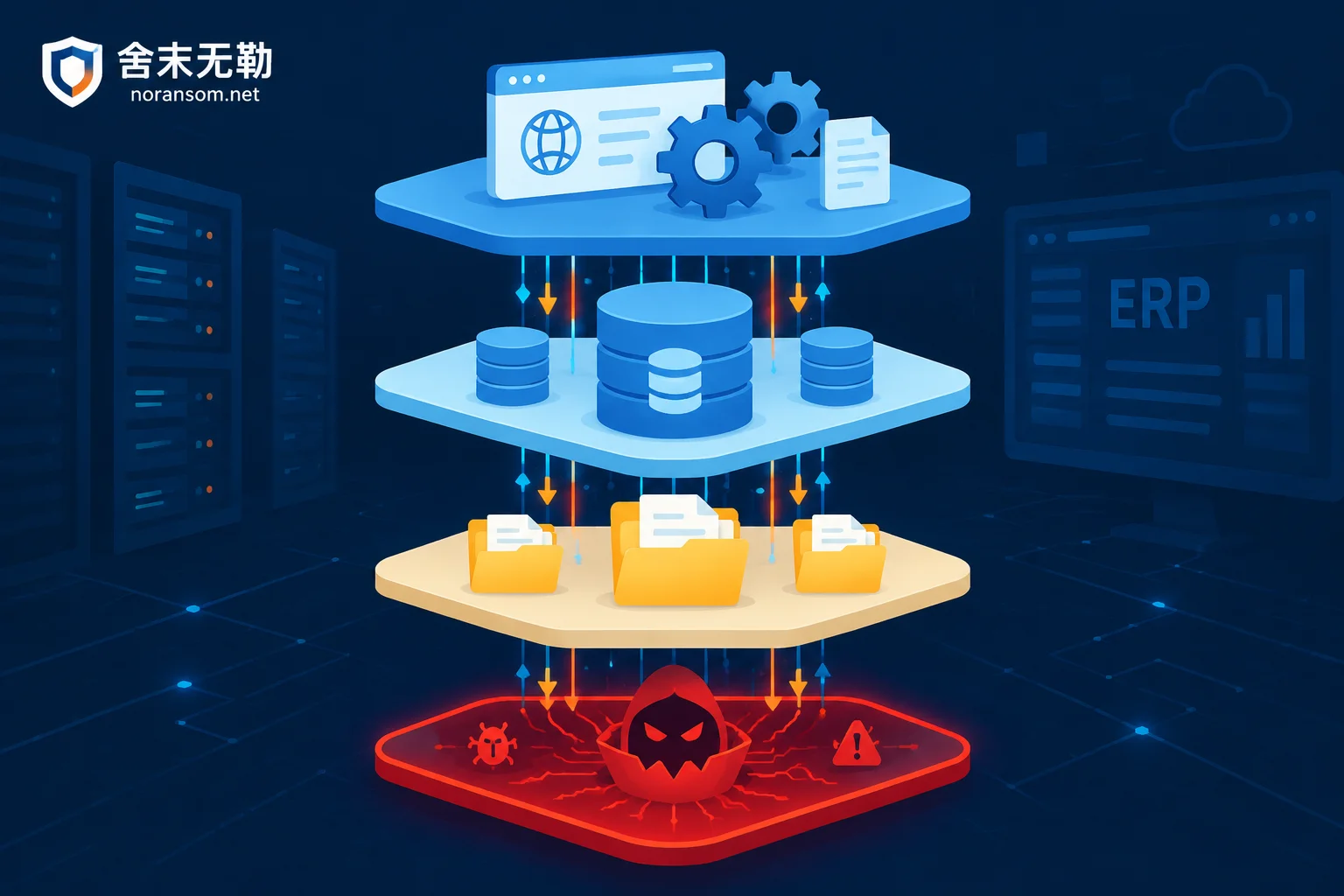
- First layer: Database layer (core account sets)
Includes system databases (such asUFSystem) and business databases for each year and account set (such asUFDATA_xxx_2026). If only the business database is rescued but the system database is lost, or the primary data file (MDF) and log file (LDF) are misaligned in time, direct mounting will cause voucher number breaks and inventory and general ledger logical verification errors. - Second layer: Application and configuration layer
Configuration files, data source connection configurations, custom report templates, secondary development plugins, etc., under the Yonyou installation directory. When traversing and encrypting, ransomware often encrypts.xml,.config,.dll, or script files together, so even if the database is repaired, the application service cannot start. - Third layer: Unstructured attachment layer
Scanned purchase contracts, reimbursed invoice images, production process drawings, etc., are often stored as separate files in specific directories on the server, with only path indexes stored in the database. Ignoring the recovery of this layer will result in the recovered ERP becoming half-crippled with "documents but no voucher attachments." - Fourth layer: Resident backdoors and vulnerabilities layer
Malicious scripts lurking in the Yonyou web directory, Trojans resident in memory, and hidden administrator accounts newly created by attackers.
Therefore, a scientific Yonyou ERP ransomware recovery plan must coordinate the recovery sequence and data consistency of these four layers of assets, rather than running a database repair tool in isolation.
III. The Golden Four Emergency Steps After Infection: Stop the Damage and Protect the Scene First, Then Talk About Recovery
When it is confirmed that the Yonyou server has been encrypted by ransomware, the on-site handling in the first hour directly determines how much data can ultimately be recovered. Regarding on-site protection, we have specifically written "Which Files to Keep After Yonyou Database Encryption: These Types Are Gone If Deleted". On this basis, it is recommended that enterprise management and operations personnel strictly follow the four steps below:
Step 1: Physically Disconnect the Network and Freeze Storage (Avoid Restart and Reinstall)
Immediately unplug the network cable of the infected server, or cut off its internal and external network communication in the cloud console/firewall policy, to prevent the virus from continuing to infect other servers through LAN sharing or weak intranet passwords (for details, please refer to "Shared Folders Encrypted by Ransomware: Disconnect Sharing First, Then Find the Computer That Is Actually Encrypting").
Strictly prohibit immediately restarting the server, and strictly prohibit directly reinstalling Yonyou software or running unknown "crack patches" on the original disk. Any write operation will overwrite the unallocated space at the bottom of the disk and the residual database pages, completely ruining the hope of bottom-layer extraction and recovery.
Step 2: Identify the Ransomware Family and Variant Version
Do not blindly trust the email or Telegram account left by the hackers in the ransom note, and do not easily attempt to transfer money to buy keys yourself. Different families (such as Weaxor, Phobos, LockBit, Makop) have completely different encryption algorithms and encryption ratios (full encryption or intermittent header encryption).
You can first extract the complete extension of the encrypted files and the name of the ransom note, and use the free online tool provided by SheMoWuLe for Ransomware Identification (or check the Ransomware Extension Query Table) to quickly preliminarily determine the family.
Step 3: Multi-path Parallel Assessment of Data Rescue Space
For ransomware decryption and data recovery of Yonyou systems, professional teams usually do not put all eggs in one basket, but combine the following technical paths according to the on-site damage situation:
- File-level repair for intermittently encrypted databases: Many ransomware (including some Weaxor and Mallox variants) that pursue encryption speed only encrypt the file header or sample encryption at fixed steps when facing large files of several GB or even tens of GB such as
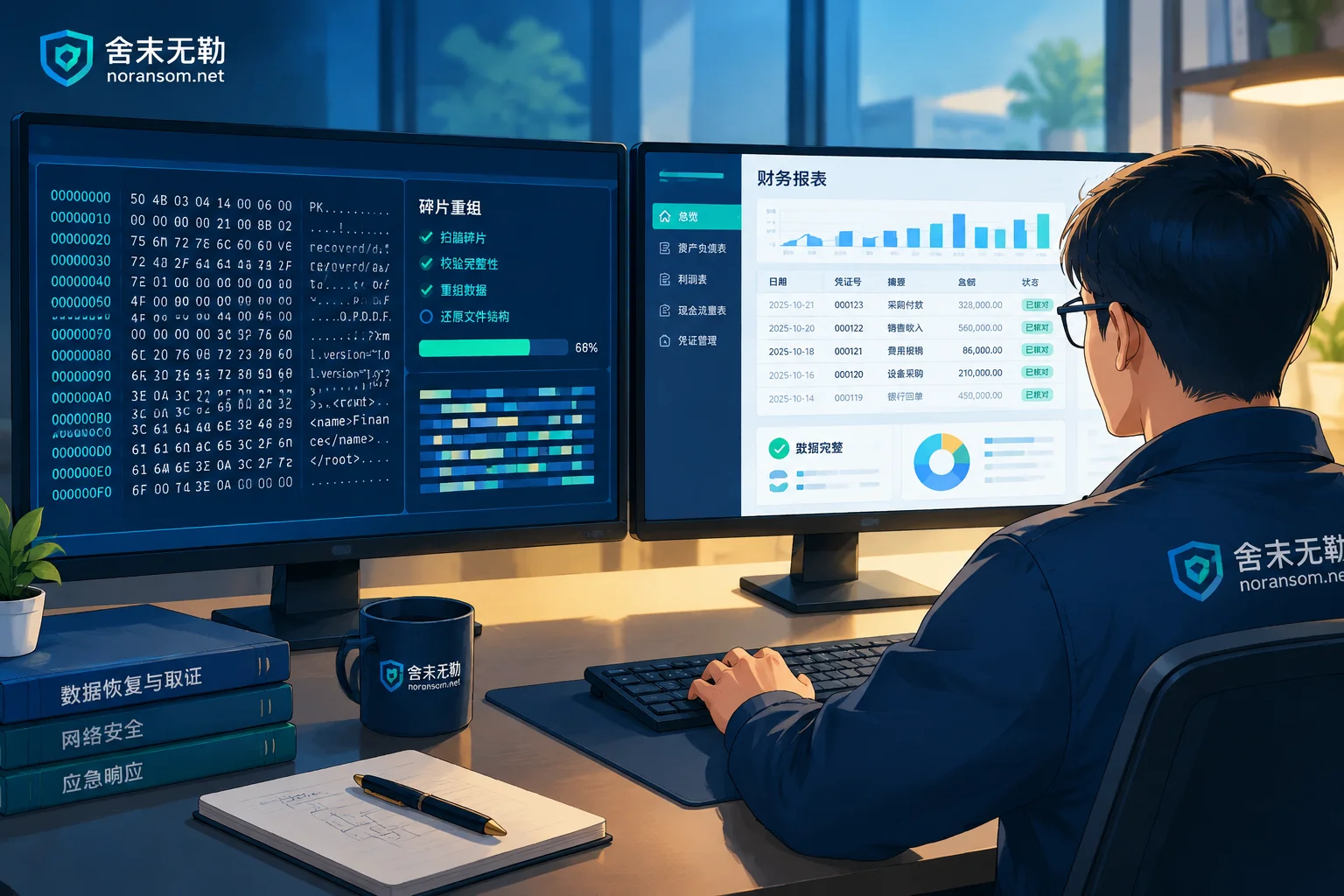
.mdfand.bak. At this time, directly forcing the database to attach will definitely report an error (see "How to Recover SQL Server Database Encrypted by Ransomware: Don't Force Attach MDF First, Evaluate Rescue Space in Three Steps"). Through bottom-layer page structure parsing, stripping damaged file headers, and reorganizing data pages, it is often possible to extract the account set table structure and core business data with high integrity. - Extraction from damaged backup packages and disk bottom-layer fragments: Even if the regularly generated
.bakor.zipbackup packages are also given ransomware extensions, or are manually deleted by attackers, as long as the original disk has not undergone large-scale secondary writes, it is still possible to use the backup deleted or damaged recovery plan to mine unencrypted historical account set blocks from the bottom sectors of the disk, temporary swap files, and residual snapshots. - Business-level verification delivery: Data extraction is only the first step. A truly qualified delivery is to remount the repaired database into a clean Yonyou test environment, cooperate with enterprise finance and business personnel to check the latest voucher date, subject balance table, and purchase-sales-inventory ledger, and truthfully annotate the data integrity according to the system and time point.
Step 4: Thoroughly Remove Webshell Backdoors and Harden Security
Why do many enterprises' Yonyou systems get encrypted again with the same extension less than a week after recovery? Because when recovering data, they only copied the new database back to the original old server, or migrated the original Yonyou installation directory (along with the Webshell Trojans inside) intact to the new server (see "Why Ransomware Data Recovery Gets Encrypted Again: Bringing Data Back Is Only the First Step, Don't Rush Online Until These Four Types of Backdoors Are Cleaned").
Before the business goes online again, attack tracing and forensics and security hardening protection must be completed simultaneously:
- Comprehensively investigate web access logs and system security logs, accurately locate which interface vulnerability of Yonyou the attacker used to enter, and thoroughly remove resident memory shells, scheduled tasks, and malicious services.
- Regarding the upgrade and patches of Yonyou software itself: It should be specially noted that Yonyou software's own security patch updates, version upgrades, and software licensing require support from Yonyou official or your software agent (this site, as an independent third-party security emergency response organization, has no cooperative relationship with any ERP software vendor).
- Reduce external exposure: cancel the direct public network mapping of Yonyou ports and database ports (such as 1433), and switch to VPN or zero-trust gateway access with multi-factor authentication (MFA); at the same time, build an off-site/offline immutable backup system independent of the production network.
IV. Conclusion: In the Face of a Ransomware Crisis, Leave Professional Matters to Professionals
Yonyou ERP carries the enterprise's most core financial accounts and supply chain lifeline. When encountering ransomware, time is money, but "blindly messing around" is often more destructive than the virus itself.
SheMoWuLe (Zhengzhou SheMo Information Technology Co., Ltd.) focuses on enterprise-level ransomware decryption, database rescue, and security emergency response. We adhere to the principle of not paying ransoms and not negotiating with attackers on behalf of clients, and strictly follow a transparent service process and pricing system: first identify the virus family and variant for you, conduct bottom-layer sample analysis, issue a clear "Recoverability Assessment Report" (clearly informing the recoverable scope, optional paths, expected results, and potential risks) and quotation, and proceed with substantive recovery only after your confirmation.
If your enterprise's Yonyou U8, NC, Chanjet T+, or other business servers have just been encrypted by ransomware, please protect the scene first and do not arbitrarily restart or format the disk. You can contact SheMoWuLe through the following methods for 7×24 emergency technical support:
- Online Help and Solution Consultation: Contact Us
- 24-hour Emergency Response Hotline: 15639272850
- Emergency Support Email: help@noransom.net




Comments(0)