No snapshot, no usable backup, and the VM on ESXi won't boot—in this situation the most critical step is not to look for a decryption tool, but to immediately stop all writes to that datastore. No snapshot doesn't mean the data is gone, but if you keep creating new VMs, reinstalling, formatting, or repeatedly running repair tools on the original volume, the remaining recoverable parts will be truly overwritten.
Right now, do three things in this order: isolate the affected host and storage; confirm whether encryption is still ongoing, then decide whether to power on; before any recovery operation, make a copy of the original volume.
Isolate first, then decide whether to power on
Isolation isn't just about those VMs:
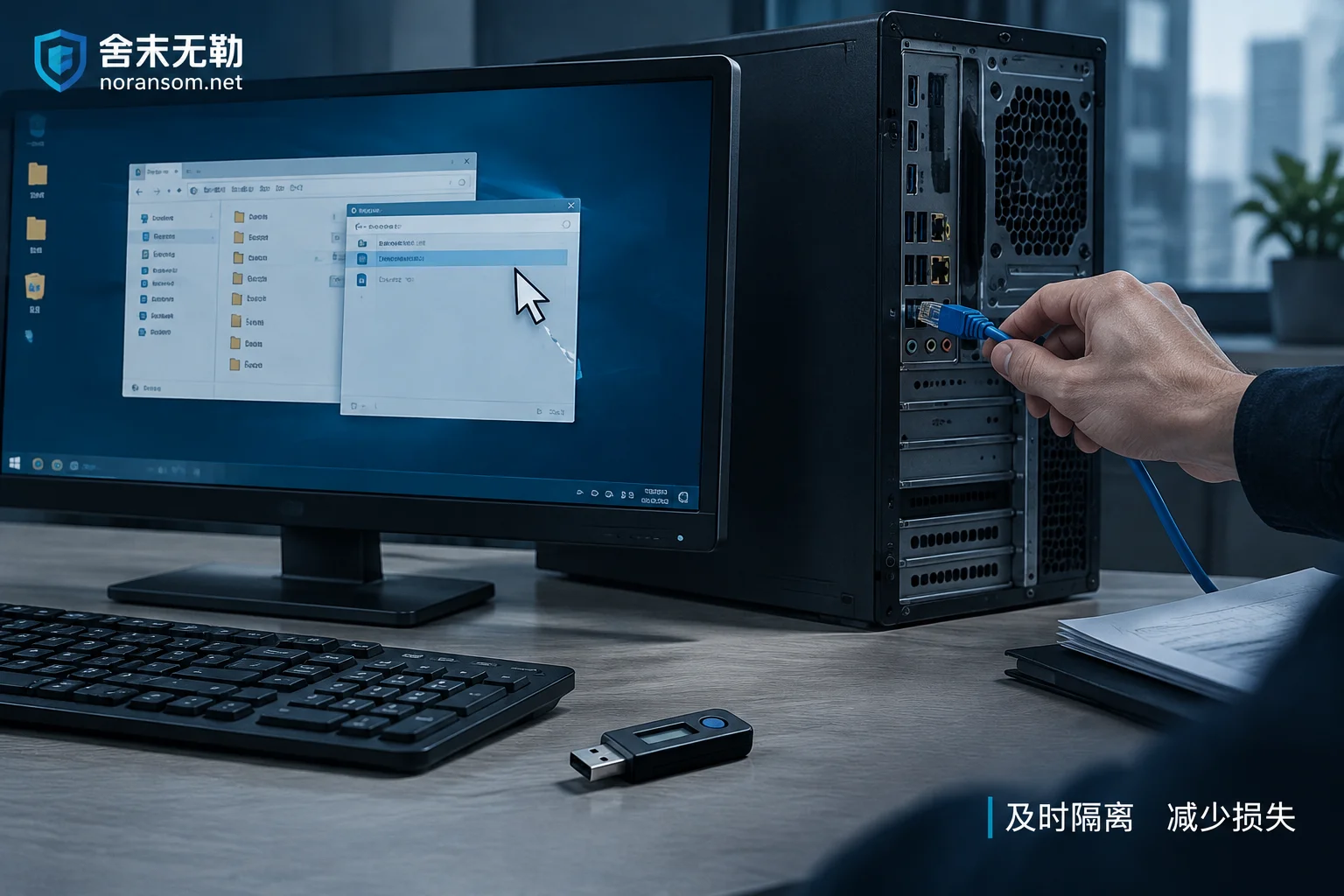
- Disconnect the host's business and management networks (disable switch ports or unplug cables), stop externally exposed management access and SSH;
- If there's a vCenter, check and isolate it too—it's often also compromised;
- Disconnect storage links to that host (unmap iSCSI/FC mappings, don't delete volumes on the storage);
- Verify the status of backup servers, NAS, and other hosts on the same subnet—attackers with admin access usually don't hit just one machine.
Whether to power off depends on two cases. If encryption is still ongoing (file extensions still increasing, host CPU continuously maxed out, ransom notes still being generated), prioritize cutting network and storage links to limit damage; whether to kill processes or power off should be decided on-site by an experienced person—don't let it run while you experiment in the console. If encryption has stopped and files are no longer changing, don't repeatedly reboot the host or try to start the VM: every boot writes swap files, logs, and config, and some ESXi logs are not persistent by default—rebooting will lose clues that could help determine the entry point and timeline.
"Never power off" and "just reboot and see" are both wrong; it depends on whether encryption is still ongoing and whether you've already isolated it.
Next step: copy the original volume
Without snapshots and backups, the original datastore is the only original copy—all subsequent analysis should be done on a copy:
- If the storage array supports it, take a read-only snapshot or clone of that LUN on the storage side first;
- If not, make a sector-level full clone of the physical disk/LUN hosting the VMFS to new media no smaller than the original;
- After cloning, put the original away—don't mount it, don't write to it.
This step seems time-consuming, but it determines whether you can experiment later. The unallocated space and residual blocks in the VMFS block bitmap are often the last recovery material when there's no backup—one wrong write can wipe it out.
Determine whether the "config" or the "data itself" is encrypted
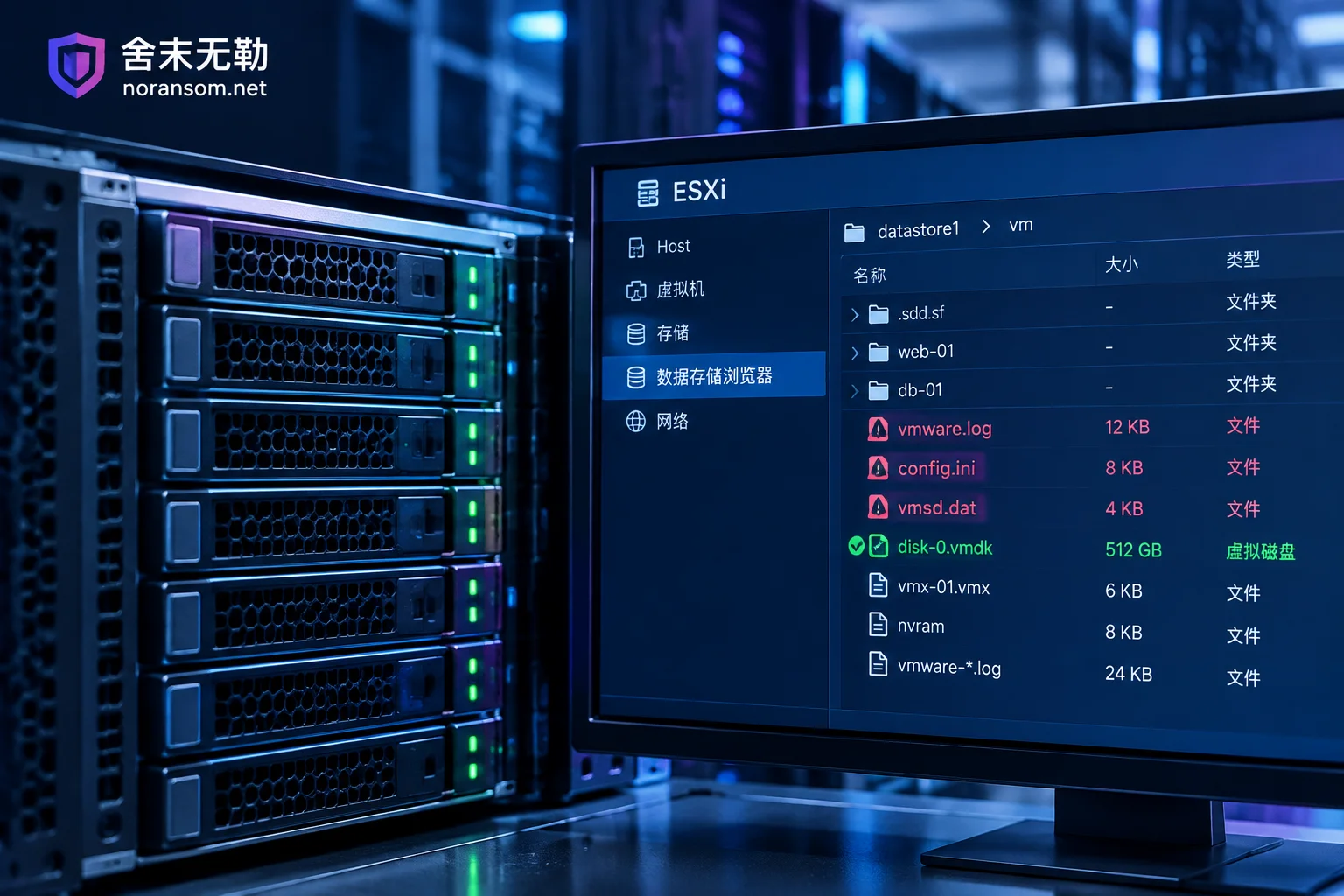
This is the core judgment that determines how much can be recovered. Go into the VM directory and check the file list and sizes:
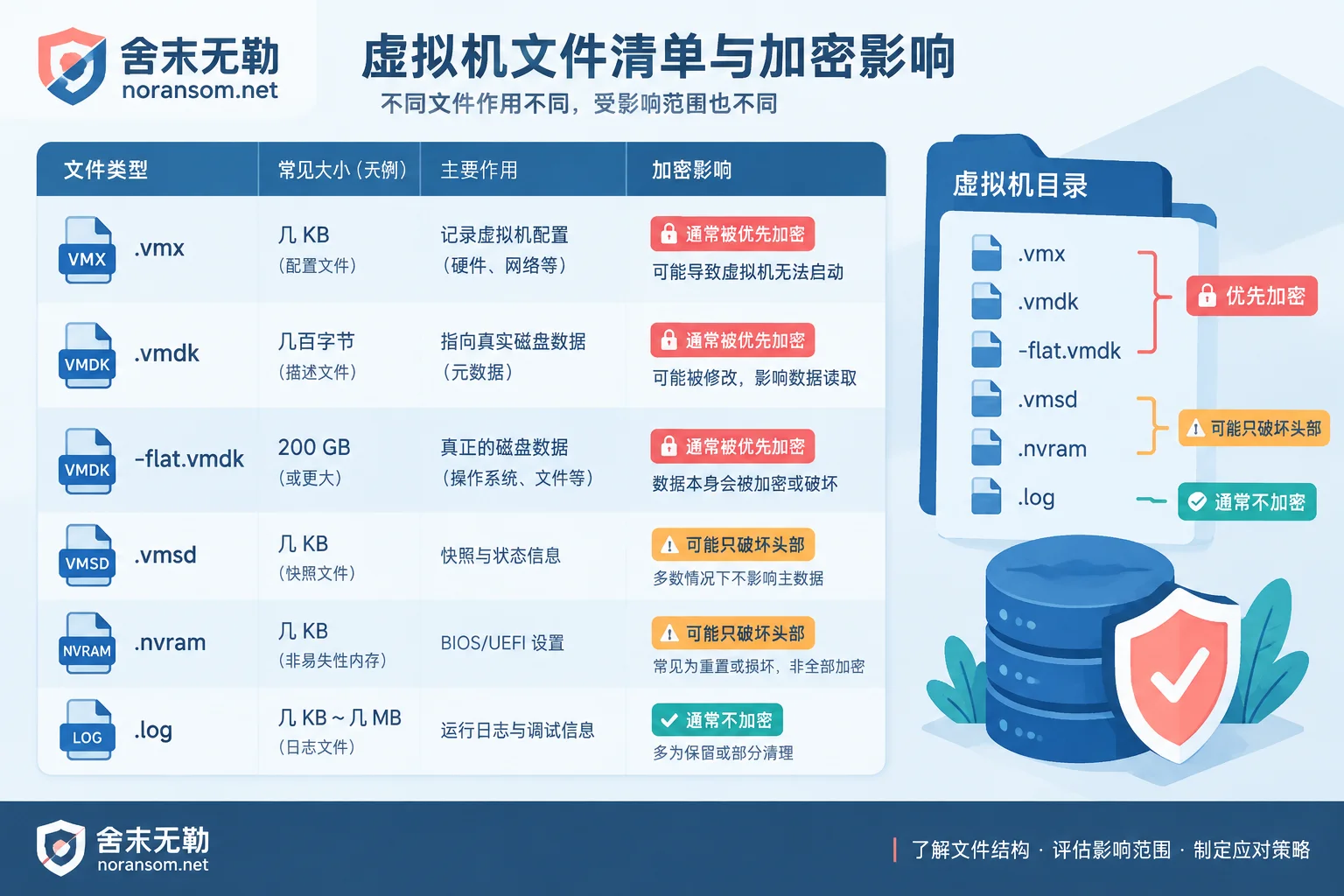
虚拟机名.vmx—configuration file, a few KB;虚拟机名.vmdk—disk descriptor file, only a few hundred bytes of text, records capacity, controller type, and pointing relationships;虚拟机名-flat.vmdk(or-00000x-delta.vmdk)—the actual data, tens to hundreds of GB;.vmsd,.nvram,.vmsn,.log—snapshot metadata, BIOS settings, and logs.
Many ransomware targeting ESXi environments (ESXiArgs, LockBit's Linux version, Akira, Babuk, and newer variants) prioritize destroying these small files to complete damage before being discovered, while for the huge -flat.vmdk they only encrypt the first few MB of the header or do intermittent encryption at a fixed percentage. In other words, the VM not booting doesn't mean the data on the disk is fully encrypted.
How to check (on a copy): whether the size of -flat.vmdk still equals the original disk capacity, whether a suffix was appended, and whether the header and mid-to-late sections still show recognizable structures using a hex tool—NTFS volume markers, ext4 superblocks, SQL Server data page headers—these are signals that haven't been overwritten.
Two cases, two different paths
Case 1: Data disk is basically intact, only the descriptor file was destroyed
If -flat.vmdk looks complete, and what's encrypted is mainly .vmx and the few-hundred-byte .vmdk descriptor file, then you can follow the standard VMware KB procedure: regenerate the disk descriptor text based on the actual size of the flat file and the original controller type, then re-register the VM to the inventory. CISA's recovery guidance for the ESXiArgs incident follows the same approach—rebuild the configuration using the undamaged flat file to make the VM usable again.
Conditions to note: rebuilding the descriptor solves "lost pointing relationships," not "data overwritten." If encryption happened to cover the partition table or filesystem metadata area, the VM can be registered after rebuilding but still won't boot—then switch to the second path rather than keep trying on the original. Also, if there was a snapshot chain (delta disks), rebuilding the descriptor when it's missing must consider the entire chain relationship, which is more complex than a single disk—don't casually delete delta disks to "keep things clean."
Case 2: Header destroyed or intermittent encryption—don't aim for booting as-is
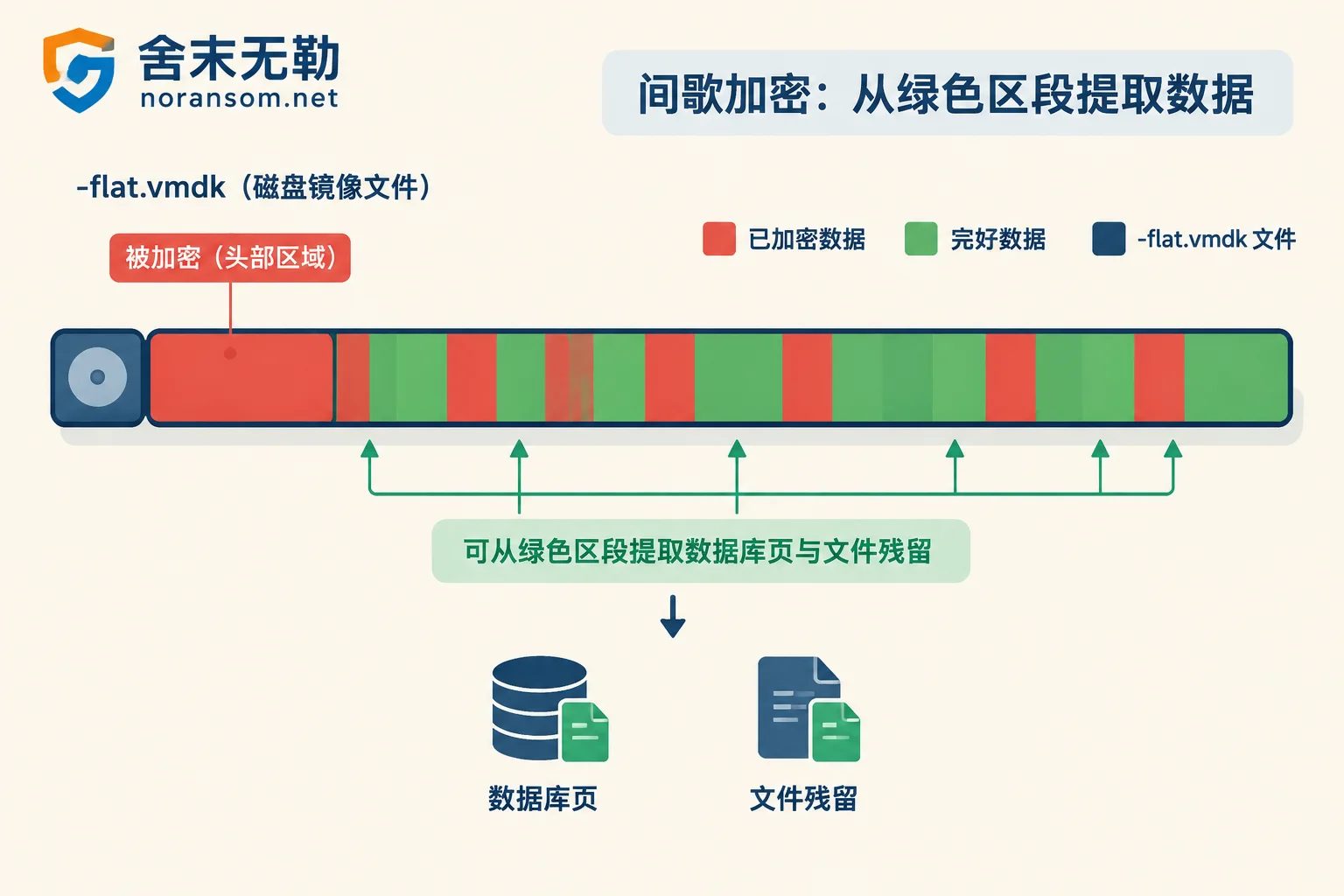
In this case, change the goal: not to restore the VM to a bootable state, but to extract the data inside. The approach is to locate the start and end offsets of that virtual disk on the VMFS volume image, export the raw disk image, then parse by filesystem, or directly grab by database structure.
Database files are actually relatively favorable in this scenario: SQL Server mdf/ldf, Oracle dbf, MySQL ibd are large, and under intermittent encryption there are usually still many intact data pages, allowing page-level extraction and reassembly. But expectations should be reasonable—common outcomes are "some tables usable" and "recovered to an incomplete state," which need business-side acceptance testing, such as whether the accounting set opens and whether vouchers and balances for key periods match. This path's yield cannot be accurately estimated before starting, so assess first, then decide investment, rather than pay first and see results.
Don't determine the family by extension alone, but don't skip identification
File extensions, ransom note names, and antivirus-reported names can all collide, and different families have very different underlying damage logic: some only script-destroy configs, others strongly encrypt data blocks and overwrite extensively. A few variants have public or private decryption solutions due to implementation flaws or historical key leaks, but applicability is strictly limited to specific versions—running a tool for the wrong version can corrupt files that were still usable.
Materials to keep for identification: ransom note text, file extensions and renaming rules, two or three small encrypted samples (don't touch the only original), ESXi logs and account login traces, approximate timeline. With these, family and recoverability judgments have a basis rather than guesswork. For how to judge recoverability and what conditions to look at, refer to Family Identification and Recoverability Assessment.
No snapshot doesn't mean no copies
Before attempting complex low-level extraction, first inventory all possible copies—this often gets usable data faster than decryption:
- Backup software job history: even if the latest job failed, earlier full backup points may still exist—check the backup server itself, not just job status;
- Database replicas, log backups, periodic exports of
.bakor accounting set backup files; - Application-layer exported reports, statements, printed vouchers, and copies on employees' local machines and email attachments;
- Manual copies on NAS or shared drives (note these may also be encrypted—verify before using);
- Old clones on other hosts, test environments, offboarding handover disks, cloud drives.
Read-only verify candidate copies before use; don't mount them directly back into the original environment that hasn't been cleaned. For what conditions apply to backup, database, and other recovery paths, see Backup and Database Recovery Paths.
These operations will wipe out the remaining chances
- Creating new VMs, expanding, rebuilding VMFS, or formatting on the original datastore;
- Reinstalling ESXi onto the original disk;
- Repeatedly running third-party repair or decryption tools on the only original;
- Deleting "seemingly useless"
.vmsd,.nvram, logs, and small encrypted files; - Clearing ransom notes and encrypted samples—they are the main basis for family identification.
If you've already done something, don't panic—stop and record what you did and which disk you wrote to; this directly affects later judgment. For how much room remains after reinstall and misoperations, see this article on recovery conditions after OS reinstall and what paths remain when there's no free decryption tool.
Before recovery, close the entry point
ESXi being hit is usually not a VM infection, but the management port exposed to the public internet, SSH open, passwords brute-forced or reused, patches long overdue, backup server and host using the same credentials. If you recover without addressing these, the recovered VM will likely be encrypted again. So recovery and hardening should be planned in parallel: change passwords from a clean device, move management network back to the intranet, separate backup credentials from production credentials.
When external help is needed, what to prepare
If any of the following occurs, do a professional assessment before acting: multiple hosts or vCenter compromised together; storage side lacks read-only cloning capability; -flat.vmdk requires offset location and page-level extraction; business has hard recovery time requirements.
Prepare these when contacting: VM directory file list and size screenshots, ransom note, a few small encrypted samples, storage architecture description (VMFS version, local disk or iSCSI/FC/vSAN/NFS), list of operations already performed. Note: do not upload production credentials, original database files, or customer data to public forums or arbitrary file-sharing sites.
She Mo Wu Le does incident response, family identification, recoverability assessment, and recovery—assessing the recoverable scope first, then providing a remediation plan and quote; no ransom payment, no negotiation on your behalf—when submitting specific incident info, use this info submission portal. Before handing things over, how to judge whether the other party's plan is reliable is also worth a look: a plan that clearly states conditions and uncertainties is more trustworthy than one promising "100% recovery."


Comments(0)