On an encrypted Yonyou server, do not delete almost anything—especially those files that can no longer be opened, have strange extensions appended, and appear "useless." They are exactly the entire capital for whether the account set can be salvaged later.
In reality, irreversible losses are often caused not by the virus itself but by cleanup actions in the first few hours after infection: deleting unopenable mdf files to free up space, reinstalling the system to prepare for going back online, repeatedly attempting to attach corrupted databases on the original disk, and using unknown "repair tools" to overwrite original files. Virus encryption is partial damage; these operations are complete overwrites.
First Things First: Preserve the Status Quo, Not Rush to Repair
Before discussing which files to keep, three things come first:
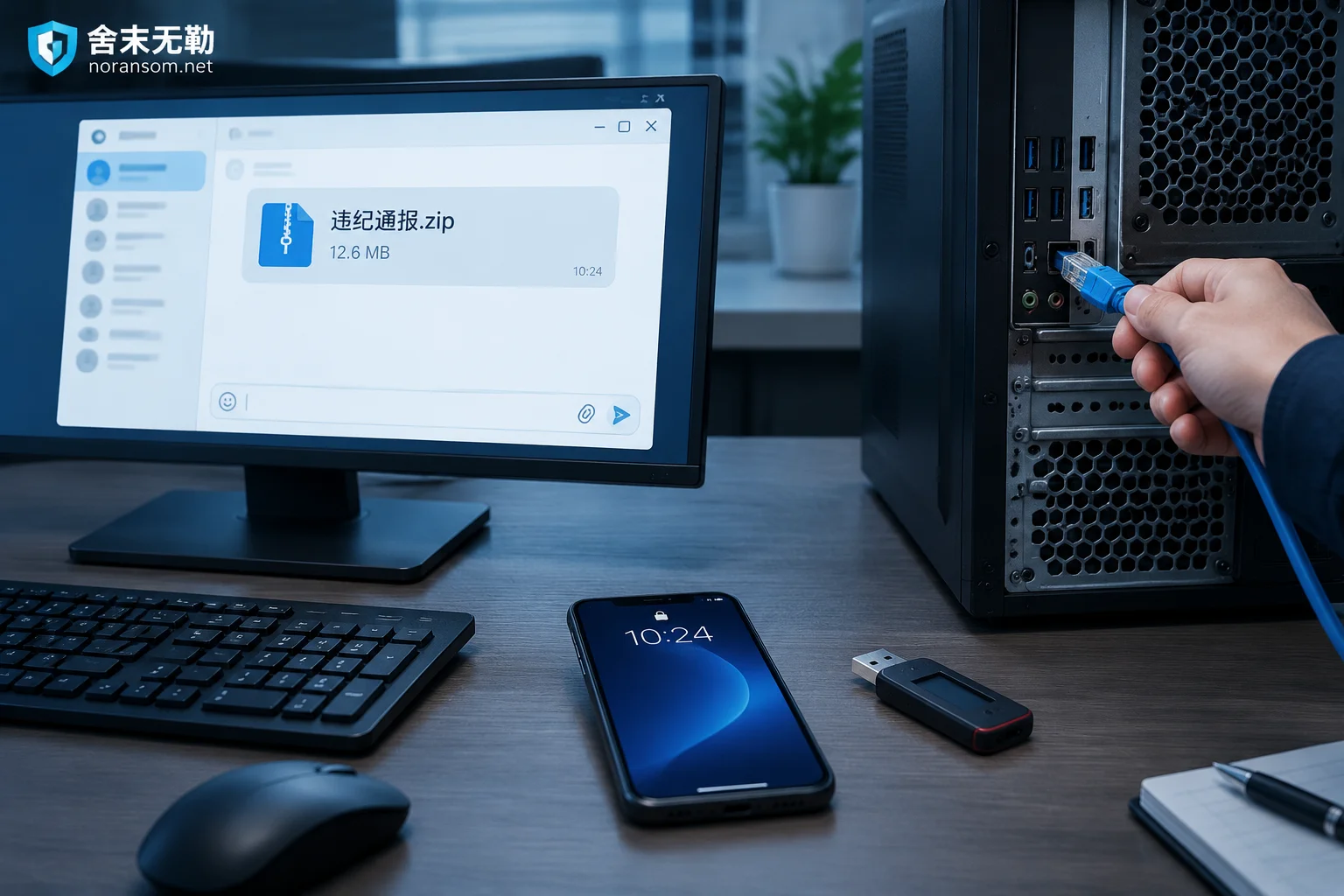
- Disconnect the server from the network (unplug the network cable or isolate it at the switch side) to prevent encryption from continuing to spread to shared drives, other servers, and backup machines.
- Do not rush to restart, reinstall, or format. Whether to shut down depends on the situation: if you can confirm that the encryption process is still running and cannot be stopped from writing to disk through isolation, shutting down is loss prevention; if encryption has ended and the system carries memory and logs needed for forensics, a rough power-off may lose information. When in doubt, prioritize disconnecting the network + stopping the SQL Server service, and do not touch the disk.
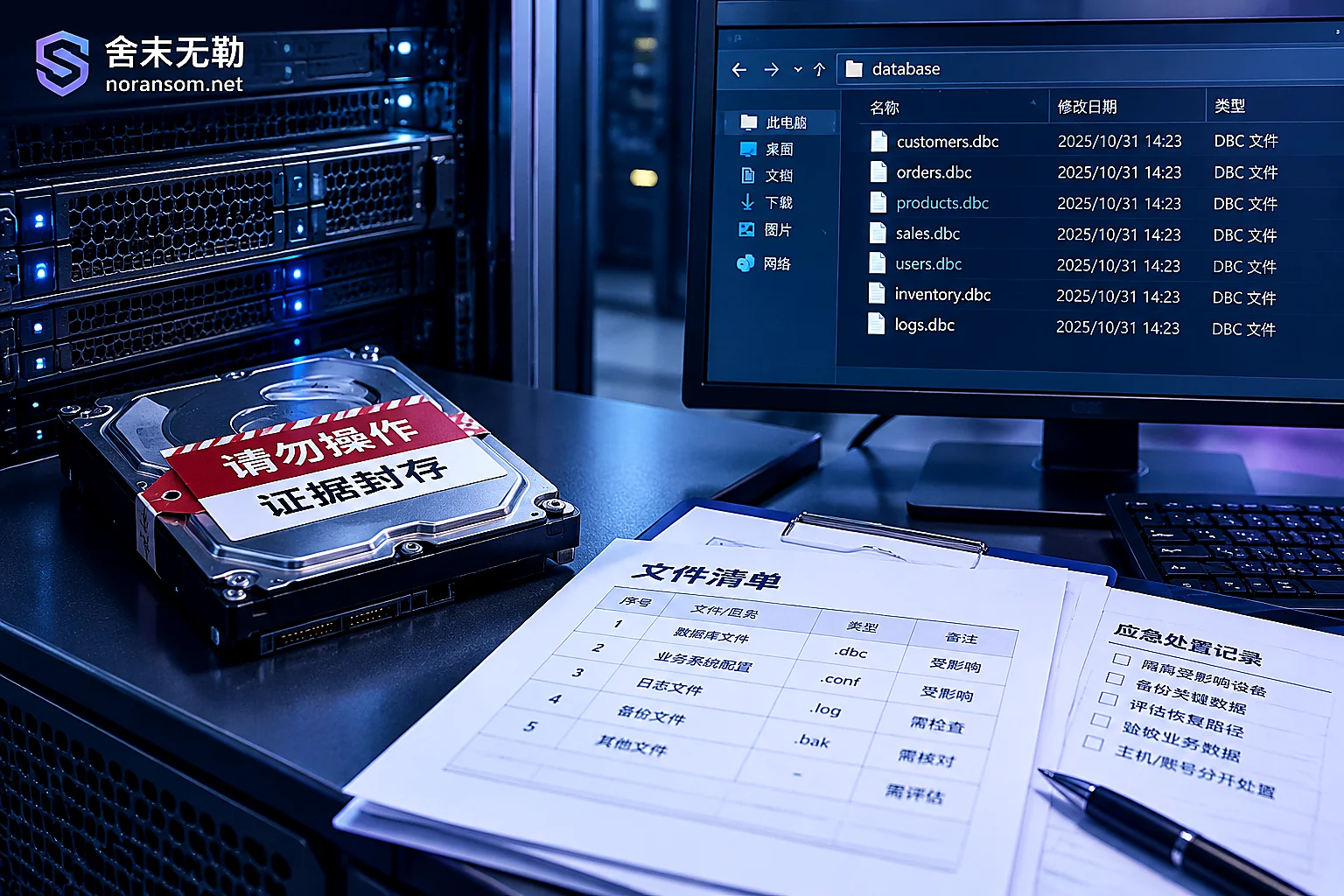
- Before touching any data, make a read-only image or offline cold copy of the affected disks. All subsequent attempts should be made on copies, and the original disks should be sealed. This point is more important than any checklist below.
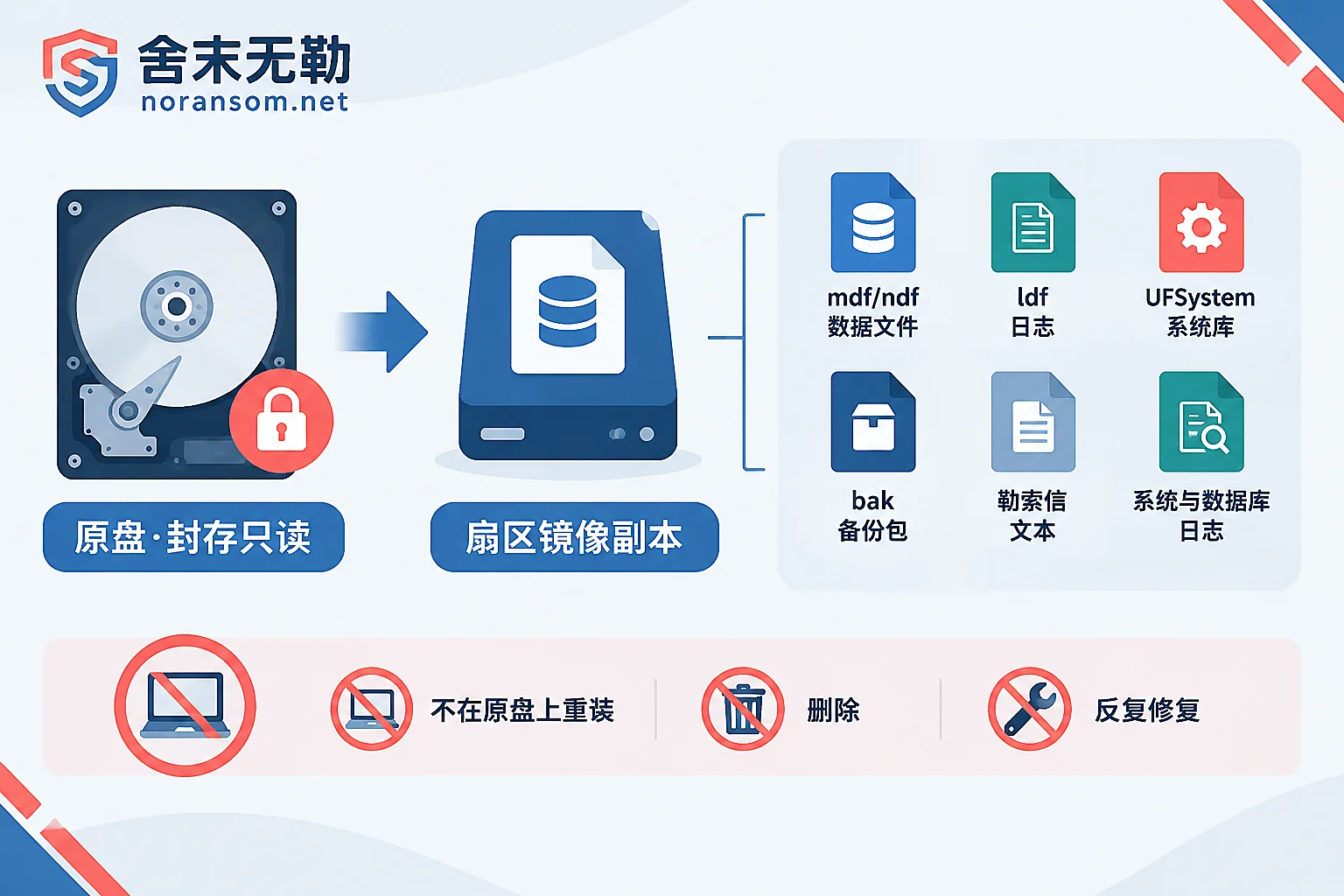
Six Types of Files That Must Be Preserved
Products such as Yonyou U8 and Chanjet T+ mostly run on Microsoft SQL Server at the underlying level (product lines such as NC may also use Oracle, and the directory structure and file names will differ; base this on your actual environment). The following is ordered by value.
1. Account Set Data Files: .mdf and .ndf
This is the core. The default account set database name for U8 is usually in the form UFDATA_账套号_年度, corresponding to the .mdf primary data file. Large databases may also have .ndf secondary files.
Even if the file has been appended with a ransomware extension, the file header is damaged, and SQL Server cannot attach it at all, do not delete it. Many ransomware families do not fully encrypt large files; they only encrypt the first few MB of the header, or they encrypt some data blocks at fixed intervals in a跳跃 manner. For a tens-of-GB account set database, only a small portion may have been actually damaged, and the remaining data pages and index structures are still on disk. Professional recovery bypasses the SQL Server engine, directly scans and reorganizes records by page signatures, and extracts data from tables such as vouchers, accounts,往来, and inventory. Once the file is deleted, this path is gone.
2. Transaction Log Files: .ldf
Many people think log files have no value and are the least painful to delete. But .ldf records the recent transaction chain. When data files are partially damaged, or when old backups need to be spliced with incremental changes, incompletely damaged log sectors can provide critical transaction回溯 evidence. The cost of keeping them is very low; losing them may mean losing a chunk of the most recent data.
3. Yonyou System Database: UFSystem.mdf / UFSystem.ldf
This is the most easily overlooked and the most easily overwritten during reinstallation.
The account set data itself is just data tables, but metadata such as account set numbers,启用年度, module configurations, operators, and permissions are all in the system database. If only the UFDATA database is rescued and the system database is gone, the recovered data will require re-creating account sets, redoing mappings, and reconfiguring permissions, significantly increasing workload and error probability. Keep the configuration files under the Yonyou installation directory as well.
4. All Historical Backups: .bak and Account Set Export Packages
Keep everything, regardless of age, regardless of whether it has already been encrypted.
- Unencrypted old backups: even if it is three months old, it is a structurally intact "reference sample." Low-level extraction tools can use it as a baseline for table structures to compare and parse newer data in damaged files.
- Encrypted .bak files: do not delete them either. The internal structure of backup files is sometimes more regular than a running-state mdf that was forcibly killed, making fragment reorganization smoother.
Also check these locations: automatic backup directories on the D drive, account set packages manually exported on finance personal computers, external hard drives, NAS, and historical versions of cloud drives that have not been overwritten. What often brings back the real losses is a forgotten old backup plus a segment of incremental extraction.
5. Ransom Notes and Encrypted Sample Pairs
Ransom notes (such as Readme.txt, HOW_TO_DECRYPT.html, !!!RESTORE!!!.txt) contain family identifiers, variant information, and victim-specific IDs, which are prerequisites for determining whether this version has a publicly available decryption solution. Do not delete them just because they "look unlucky."
If you can find both pre- and post-encryption versions of the same file (for example, a clean copy of a document on a personal computer and the encrypted version on the server), keep this sample pair; it is very useful for determining the encryption method and overwrite depth.
Also keep one or two small encrypted file samples for reference, but do not upload original database files, customer data, or production passwords to any public detection site or post them in groups.
6. System and Database Logs
- Windows event logs (
.evtx, Security, System, Application) - SQL Server's
ERRORLOGseries - Yonyou middleware / Web access logs
These logs serve two purposes: first, to determine the exact time encryption occurred and infer which backup was still clean; second, to figure out whether the entry point was SQL weak password brute force, RDP directly exposed to the public internet, a Yonyou-related vulnerability, or an office machine first compromised by a remote-control trojan and then used for lateral movement. If the entry point is not investigated before recovery and going back online, the probability of a second encryption is very high, and the second time often takes away the just-recovered data as well.
What Correct "Preservation" Looks Like
Preservation does not mean leaving things unattended. Several details determine whether these files can still be used:
- At least two copies, on separate media. One sector-level image sealed, and one working copy for subsequent attempts. The image disk or copy target disk should preferably be new, empty, and not connected to the infected network.
- Read-only copying, no "organizing." Do not delete files on the original disk to free up space, do not have antivirus software perform "clean/quarantine" on the original disk (some scans directly delete infected or rewritten files), and do not rename to remove extensions and try to attach again.
- Record original paths and file names. Write down account set numbers, years, original full file paths, and file sizes. This information saves a lot of trouble during reorganization.
- Power off and seal the original disk. If business must resume as soon as possible, reinstall the system on a new disk and go online, then remove the original disk, label it, and store it safely, rather than reinstalling on the original disk.
Several Actions That Make Data Completely Unrecoverable
Ordered by probability of causing irreversible consequences:
- Reinstalling the system or rebuilding partitions on the original disk. Reinstalling the system disk usually only overwrites the system partition, and the account set on the data disk may still be there; but once the data disk is formatted or the partition table is rebuilt, the extent of original data overwriting is hard to say. For related judgment criteria, see Can recovery still be done after reinstalling the system.
- Repeatedly running unknown repair/decryption tools on the only original. Many such tools write in place, changing file contents with each failure; after several rounds, even low-level extraction cannot be done. When a tool says it does not support the file, stop even more; for reasons, see Several cases where decryption tools say "this file is not supported".
- Repeatedly forcing attachment of damaged databases. During attach and repair, SQL Server attempts to write logs and modify file headers, making an otherwise extractable structure more chaotic.
- Deleting "large unopenable files" to free up space. This is the most regrettable kind, and the loss is usually 100%.
- Going back online directly without investigating the entry point, which is equivalent to sending clean backups into the same hole.
Files Preserved—How to Judge How Much Can Be Recovered Next
After preservation is complete, the judgment sequence is roughly:
- First look for clean backups. If usable backups exist, prioritize backup recovery + incremental supplementary entry. This is the most stable and cheapest path; do not first mess with decryption.
- Then look at the family and encryption method. Judge the variant based on ransom notes and encrypted samples, and confirm whether a publicly available decryption solution exists. Most prevalent families currently have no free decryptor, but this step is still necessary because the conclusion directly determines how much money to spend and which path to take next.
- Finally assess the feasibility of fragment extraction. Look at how much of the data file the encryption actually covered and whether there is a complete old structure for reference. This step determines how many tables can be salvaged and to what point in time the data is broken. For recoverability judgment after mdf encryption, see first Can SQL Server mdf still be recovered after encryption; the business recovery order at the account set level is basically the same as the handling approach for Kingdee account sets.
These three paths are parallel, not progressive. They can be advanced simultaneously during assessment, but destructive attempts must be made on copies.
When to Seek Help and When You Can Handle It Yourself
If backups are intact and can be directly restored to the point before encryption, you can manually enter the missing vouchers. In this case, handle it yourself; the focus is instead on closing the entry point.
External intervention is usually needed in these situations: backups were also encrypted together or have long been invalid; mdf cannot be opened and the account set spans multiple years with a large data volume; encryption is still ongoing or multiple servers and shared drives were hit simultaneously; the entry point cannot be found and you worry about another attack after recovery. At this point, the first step is not immediate decryption but a recoverability assessment—see how much usable structure remains in existing files and which path has the best cost-performance, then discuss the plan. When needed, you can use Database and Backup Recovery Assessment to explain which files you still have, or directly describe the situation on the Contact page.
There is another easily overlooked situation: before the server was encrypted, a finance or business computer was first infected with a remote-control trojan. Such incidents involve not only data but also account sessions and fund security. Host cleanup and account handling must be done separately; for the handling approach, see Notes on Silver Fox and remote-control trojans.
Finally, back to one sentence: Every deletion action now is subtracting from future recovery. Before anyone has assessed it, keeping that disk as-is is the most valuable thing you can do right now.


Comments(0)