In the impression of many business owners and IT staff, "computer remotely controlled" is often accompanied by obvious abnormalities: such as the screen suddenly flickering, the mouse moving by itself, or unfamiliar remote assistance icons appearing on the desktop. However, risk warnings issued by national security departments and multiple security agencies indicate that current remote control attacks have long abandoned the " blatant" approach and fully turned to stealth and long latency.
More dangerously, attackers controlling an office computer is often just the first step. The .bres ransomware that has frequently broken out in manufacturing, industrial and trade industries recently is a typical representative of this "first silent remote control lurking, understanding the internal network layout, and finally concentrating on detonation and encryption". When employees find files with the .id.bres suffix and id.readme ransom notes in the directory, the attacker may have been "observing" on a jump server in the internal network for several weeks.
This article combines the recent high-incidence "computer remotely controlled" hot topic and the attack characteristics of .bres ransomware to dissect how the black industry breaks through the internal network defense line from an ordinary office terminal, and how to scientifically stop losses and rescue data when encountering such composite threats.
I. Why is the computer remotely controlled, but employees and antivirus software are unaware?
We have previously discussed the troubleshooting sequence for unfamiliar remote control software automatically appearing on computers, but a large number of recently captured emergency response sites show that many victim terminals did not notice anything unusual until the internal network was completely compromised. This mainly stems from the following three types of hidden entry points:
1. New phishing disguised as ordinary documents and "time confrontation"
According to official media and security agencies, phishing baits targeting finance, tax, HR, and procurement positions are becoming more and more realistic. Attackers disguise Trojans as "supplier reconciliation letters", "project acceptance forms", "logistics notices", or "tax audit lists" in compressed packages and links. Some new phishing even introduces "time confrontation" and unaware loading technology—after employees click, they may only see a normal spreadsheet or a prompt saying "please try again later outside working hours", but in fact, the remote control Trojan (such as Silver Fox Trojan or custom backdoor) has been silently resident in the background.
2. Legitimate remote software becomes a "long-term data theft channel"
The Ministry of State Security specifically pointed out in a recent warning that some employees, for the convenience of working from home or external debugging, privately download niche remote control tools from unknown sources, or in legitimate remote control software, enable "unattended", "start on boot" and open the highest privileges by default. Once the device binding credentials are leaked or the software has unpatched vulnerabilities, even if a single remote assistance session has been disconnected, attackers can still silently grab files and export various backend passwords saved in the browser at any time through the background, without any prompt window popping up throughout the process.
3. "White plus black" antivirus evasion and nighttime off-peak control
To evade terminal protection software, remote control Trojans generally use "white plus black" (using normal programs with legitimate digital signatures to load malicious DLLs) and tampering with antivirus exclusions (see Analysis of the resurrection mechanism of Silver Fox Trojan "spring breeze blows again"). After gaining control, attackers will never move your mouse during daytime working hours, but will enable silent screen monitoring and keylogging in the background, and wait until late at night or holidays when no one is on duty, then use the controlled computer as a jump server to carry out actions.
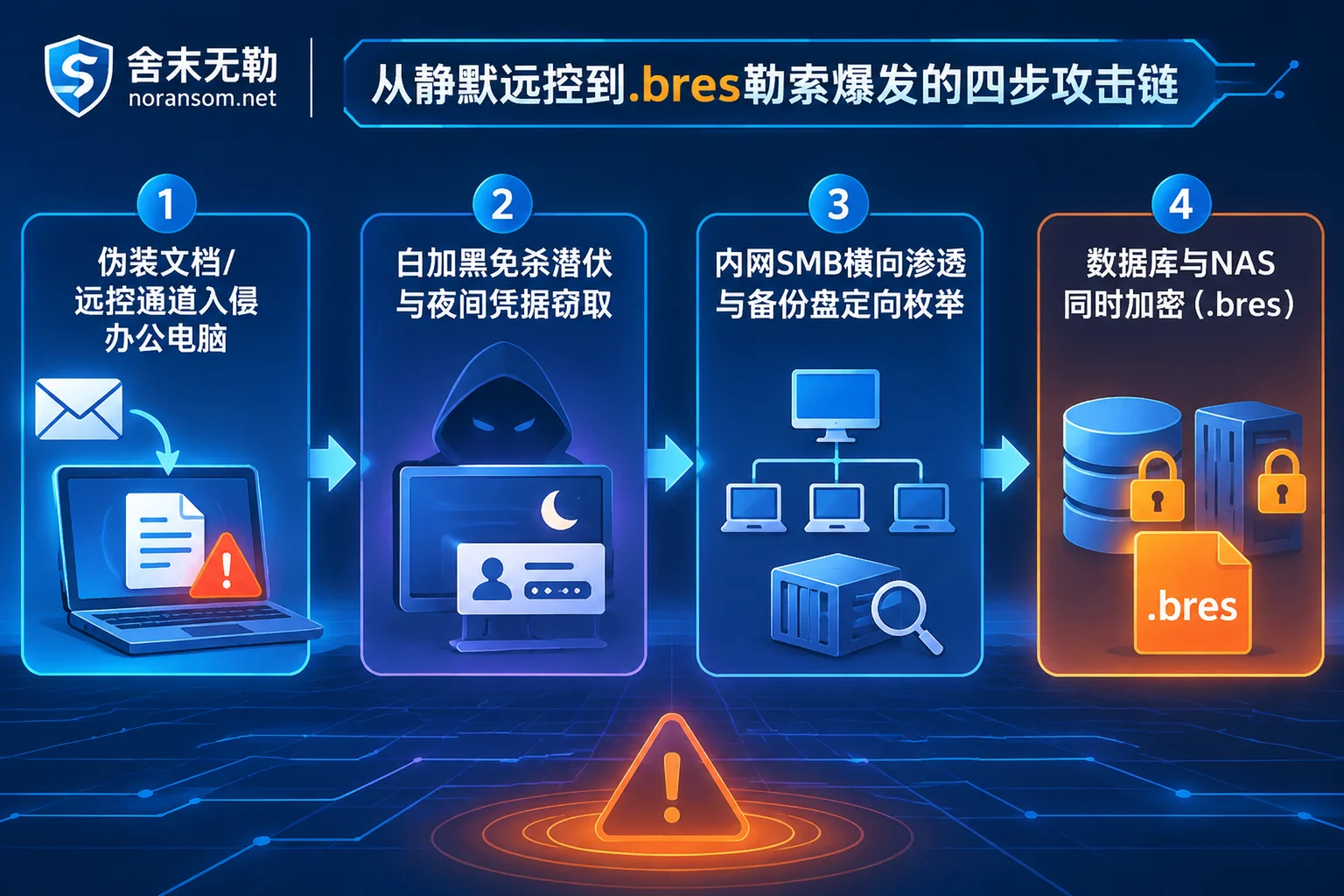
II. From "single machine remotely controlled" to ".bres ransomware" outbreak: what did hackers do during the latent period?
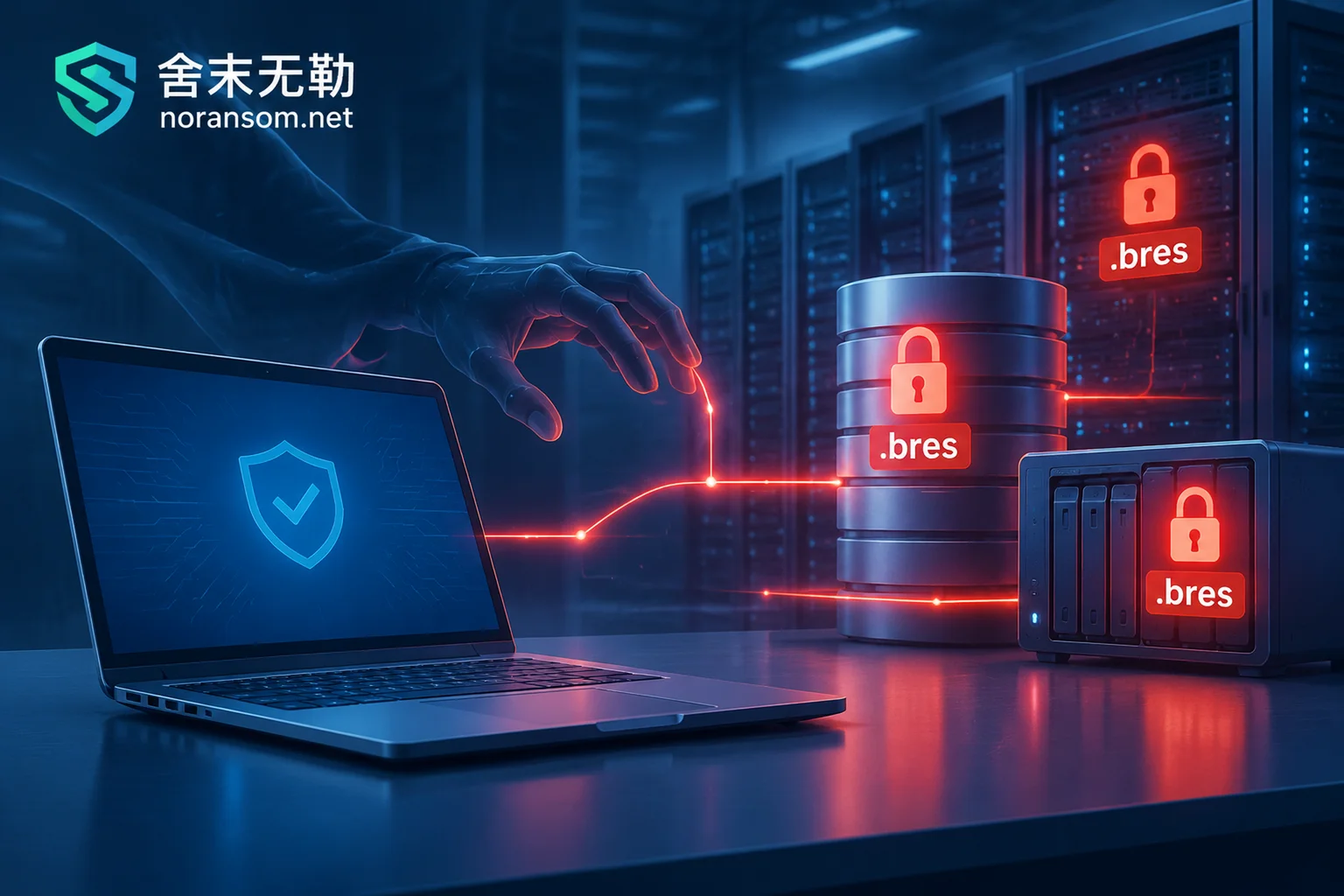
Many business owners can't figure it out: "Why did only an ordinary clerk's computer get infected, and in the end, even the database in the server room, the Synology NAS, and the backup disk mounted on the server all became .bres?"
Unlike traditional viruses that immediately encrypt local documents upon entering the system, .bres ransomware shows strong targeting and reconnaissance capabilities in the attack chain:
1. Credential collection and internal network share penetration
After attackers control the first computer through phishing Trojans or RDP (port 3389) weak passwords, they will first extract domain accounts cached in the computer's memory, SMB share passwords, and server connection tool configurations left on the desktop by operations personnel. Industrial and manufacturing enterprises habitually use internal network shared folders or NAS to centrally store design drawings and contracts, and often set weak passwords with read-write access for convenience, which directly provides a smooth lateral channel for .bres.
2. Targeted enumeration and destruction of backup resources
According to recent sample analysis, the .bres variant has added a set of detection logic specifically for backup media before detonation. It traverses all drive letters on the controlled host and server—including USB mobile hard disks, mapped network drives, iSCSI storage, and mounted NAS directories, focusing on folders with words such as backup, bak, 备份. At the same time, it not only cleans up the system's built-in volume shadow copies (VSS), but also actively searches for and destroys snapshot directories of third-party backup software. This has led many enterprises to face the dilemma of "primary data and backup disk both compromised" at the time of the incident, even though they regularly backed up, because they did not perform physical isolation and regular recovery verification (we also emphasized this risk in the previous Emergency Guide for the Successive Outbreaks of Mallox and .bres Ransomware).
3. Differentiated destruction of databases and export files
In the encryption phase, .bres renames files to 原始文件名.id.bres and leaves id.readme ransom notes. From the perspective of the destruction characteristics of the underlying data structure, .bres adopts different encryption strategies for different types of core data:
- Online database files (such as
.dbf/.ora/.mdf): often use a high proportion of intermittent encryption, and the damaged proportion of data blocks can sometimes reach about one-third. If the encryption process is fully completed, it is extremely difficult to directly repair the original database files; - Logical backups and export files (such as
.dmp/.bakcompressed packages): some samples, in pursuit of encryption speed, may only encrypt the file header (for example, the first tens of megabytes of data blocks), while subsequent data blocks remain intact.
This means that after being attacked by .bres, do not give up rescue just because you see all files with the .bres suffix, and do not blindly try to change the suffix or forcibly attach the database.
III. Highly suspect computer remotely controlled, or .bres suffix has appeared, how to stop losses in the first 30 minutes?
Whether you are currently in the early stage of "suspecting something wrong with the computer" or have already seen a screen full of .bres encrypted files, the first action directly determines how many assets can be preserved.
Scenario A: Suspect computer remotely controlled, but ransomware encryption has not yet occurred
If you find the computer inexplicably slow, Windows Security Center prompts "managed by your organization" and cannot be opened, browser passwords are abnormally invoked, or social software shows unfamiliar login records in the early morning:
- Physically disconnect network and remove sensitive peripherals: immediately unplug the network cable, turn off Wi-Fi, and if a financial online banking USB key is plugged in or a mobile hard disk is mounted, remove it immediately (refer to Emergency handling when mouse is controlled but antivirus does not report a virus).
- Handle account sessions on an independent device: Do not change passwords on the suspected controlled computer! The attacker's keylogger is waiting for you to enter the new password. Please use a clean phone or computer to change the passwords of corporate email, OA, ERP, and core servers, and force logout of all logged-in sessions.
- Check internal network lateral traces: check which shared directories and servers the computer can normally access without password, and notify IT staff to immediately review the recent login logs and newly added scheduled tasks of these associated hosts.
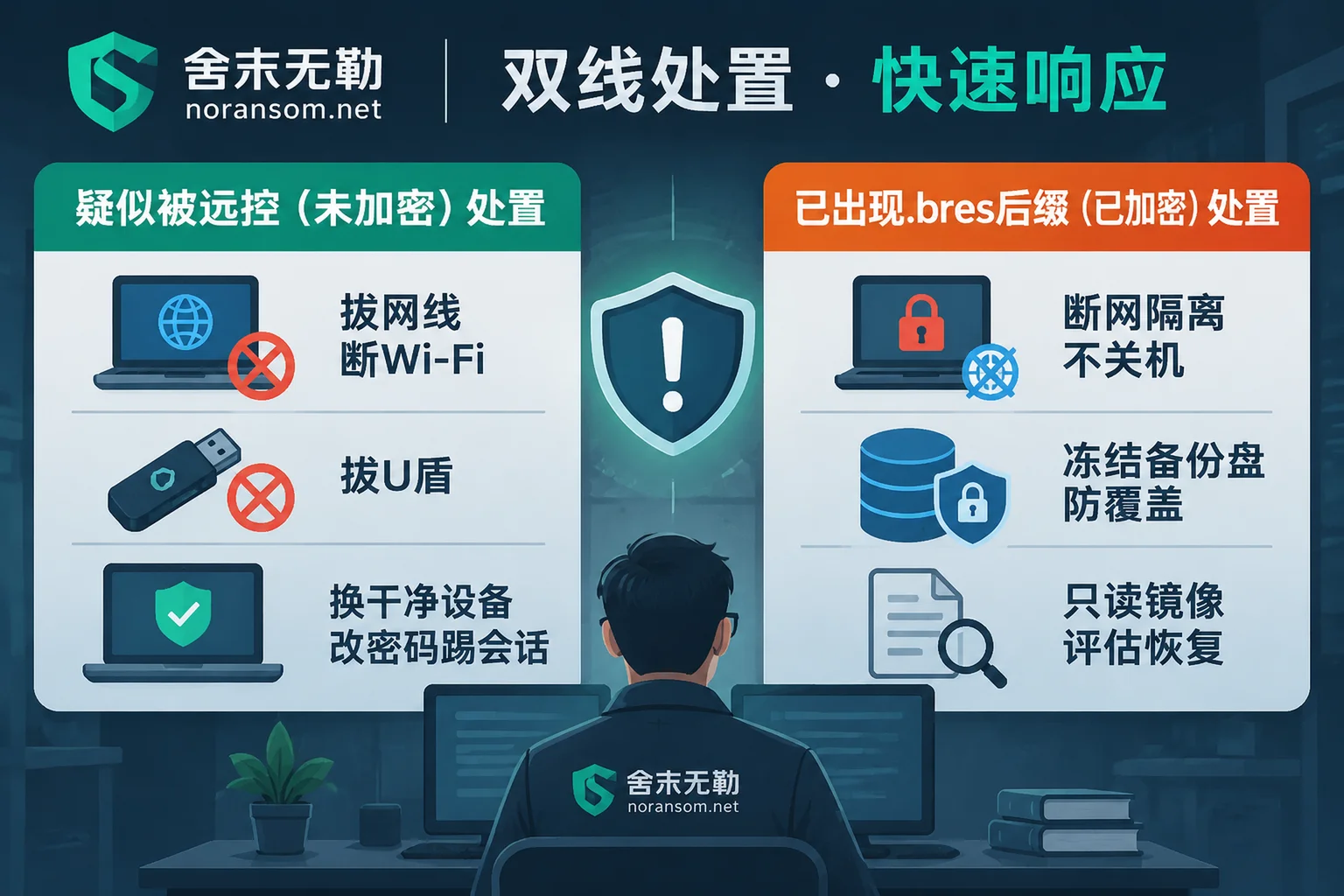
Scenario B: Server or NAS already has .bres and other ransomware encryption suffixes
- Cut off internal network propagation, but do not directly restart the server: immediately unplug the network cable of the infected server and NAS storage, and close SMB (445) and RDP (3389) port forwarding on the switch. Never directly press the power button to restart or shut down, because restarting will not only clear the remaining intrusion clues in memory, but may also trigger the incomplete secondary destruction logic of some viruses, or cause the semi-encrypted database to be completely damaged.
- Freeze all storage and backup media: immediately disconnect all online backup disks, suspend automatic synchronization, scheduled overwrite backups, and disk defragmentation tasks, to prevent the only remaining historical snapshots or extractable unencrypted blocks from being overwritten by newly written data.
- Protect the scene, do not use third-party tools to try randomly: do not directly delete the
.bressuffix, and do not download so-called "universal decryptors" of unknown origin from the Internet and run them directly on the original disk. Incorrect write operations will completely ruin the hope of underlying data recovery.
IV. How does SheMoWuLe help enterprises win the "remote control cleanup + ransomware recovery" two-front battle?
Facing the composite security incident of "remote control Trojan lurking + .bres ransomware encryption", reinstalling the system alone cannot recover accounting sets and drawings, and only recovering data without removing the remote control backdoor will lead to re-encryption within a few days after business goes online (see Why data is encrypted again after recovery).
As a professional organization focusing on emergency response to ransomware and Silver Fox/remote control Trojans, SheMoWuLe (noransom.net) adheres to the principle of "no ransom payment, no negotiation on behalf", and provides closed-loop support for enterprises according to the standard process of "stop loss first, then forensics, assess first, then recover":
1. Rapid family identification and recoverability assessment
After discovering files are locked, you can first use SheMoWuLe's free ransomware identification tool or query the ransomware suffix list to preliminarily check the characteristics. For enterprises with damaged servers, databases, and virtualization platforms, our engineers will, under the premise of read-only protection of the original disk, combine the underlying structure of encrypted files (such as analyzing the actual damage ratio of .bres to database physical files and .dmp/.bak logical backups, and whether there are residual blocks from encryption terminated midway), issue a detailed ransomware decryption and recoverability assessment report, clearly informing the recoverable scope, optional paths, and expected results. The assessment conclusion is given to the customer first, and the customer decides whether to continue.
2. Multi-path core data rescue
When the latest variant cannot be directly decrypted through algorithm keys, SheMoWuLe's data recovery service will launch an underlying rescue plan:
- Deep repair of databases and export packages: for scenarios such as SQL Server encrypted, Oracle, or mainstream UFIDA, Kingdee, Guanjiapo and other ERP accounting sets locked, extract undamaged data pages and log fragments, or perform structural reorganization and data extraction for export backup packages where only the header is damaged by
.bres; - Shared storage and virtualization rescue: provide specialized repair for Synology NAS encrypted, ESXi / Hyper-V virtual machines encrypted, and backups deleted or damaged, and deliver after clearly marking completeness by system and time point for business verification.
3. Thorough removal of remote control Trojans and attack traceability and hardening
In order to eradicate the "invisible eyes" lurking in the internal network, our security emergency response and Silver Fox Trojan special service will separate host resident cleanup, account session reset, and financial/business risk handling in parallel. Through attack traceability and forensics, we restore which computer's remote control software or phishing file the hacker initially used to enter the internal network, thoroughly investigate the scheduled tasks, registry backdoors, and Webshells implanted laterally in the internal network, and finally cooperate with security hardening protection to help enterprises reduce external exposure, govern share permissions, and rebuild a truly tamper-proof and deletion-proof offline backup system.
V. Conclusion and emergency contact
An office computer being silently remotely controlled may seem like just a single employee's negligence, but it is actually a signal of cracks in the entire enterprise data building. To prevent latent ransomware such as .bres, it is not only necessary to manage the remote control software and unfamiliar compressed packages on employees' desktops, but also to regularly review the effectiveness of internal network share permissions and backups.
If your enterprise is facing a computer suspected of being remotely controlled, multiple devices in the internal network are abnormal, or core databases and NAS storage have been encrypted by ransomware such as .bres, please stay calm and protect the first scene. You can always check our service process and quotation description, or through the Contact Us page, call the 24-hour emergency response hotline 15639272850 (email: help@noransom.net) to obtain one-on-one technical support and recovery assessment.


Comments(0)