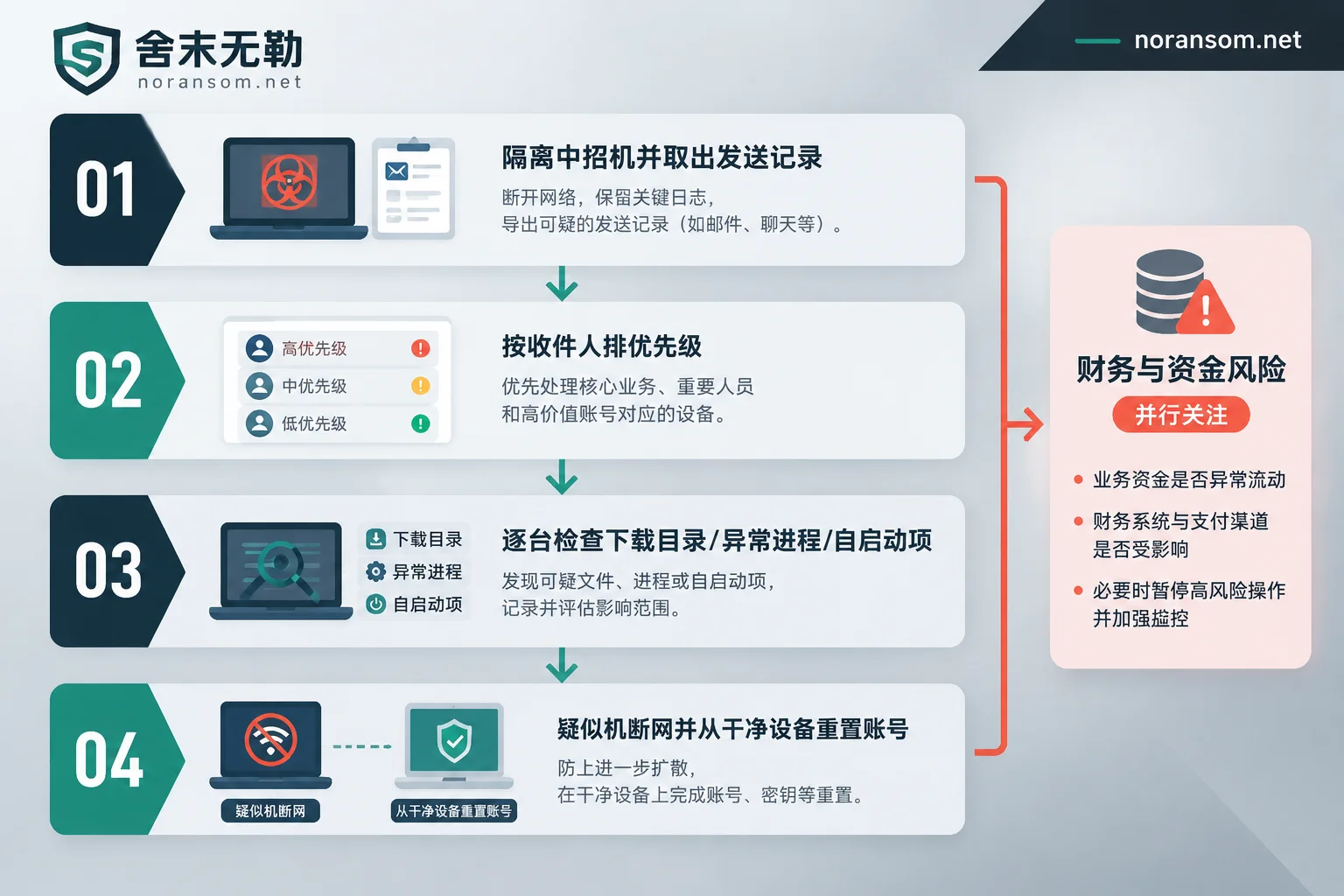
After confirming that one office computer is infected with the Silver Fox Trojan, the first step to investigate other computers is not to run a company-wide antivirus scan, but to first disconnect the infected machine from the network and preserve it, and extract a "spread list" from its chat records and sent emails: to whom the attacker sent files, what files were sent, and when. With this list, the investigation changes from blind scanning of dozens of machines to targeted verification of a dozen people; without this list, no matter how you scan, it's easy to miss.
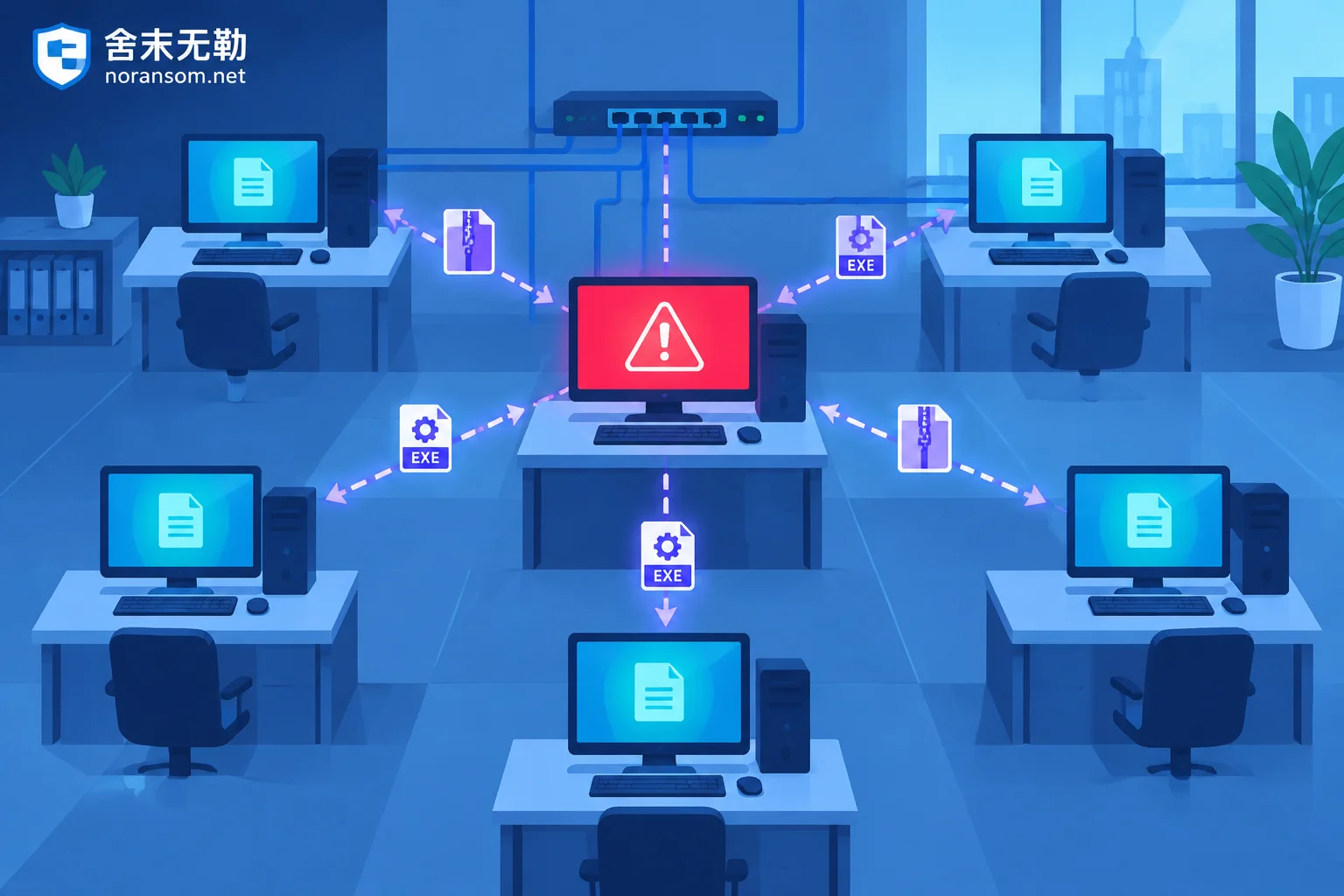
The reason is specific: remote control Trojans like Silver Fox spread laterally within office networks mainly not by exploiting system vulnerabilities, but by directly taking over the victim's logged-in WeChat, WeCom, DingTalk, QQ, or Foxmail/Outlook, and sending compressed packages and installers to internal work groups, colleague private chats, and supplier groups, often disguised as tax-related files such as "Golden Tax Update", "Electronic Invoice", "Salary Adjustment Details", "Statement", mostly in .zip or .rar format, containing .exe, .msi, or double-extension fake documents. After sending, the attacker may quickly leave the group and delete records to cover traces. In other words, who is at risk is determined by communication records.
Step 1: Extract the spread list from the infected machine, don't rush to reinstall
The infected machine now has two roles: the source of risk, and the only place that can tell you the scope of the spread. Direct reinstallation will erase these clues, so the order is to first disconnect from the network (unplug the network cable, turn off Wi-Fi), preserve the current state, and then collect evidence. For what to keep before reinstalling, refer to After being infected with Silver Fox Trojan, keep these four types of things before reinstalling the system.
Information to record:
- Time window: The time period between the earliest abnormality (mouse moving by itself, security software won't open, colleagues say they received strange files) and network disconnection. All subsequent investigations use this time window for comparison.
- Recent file sending records of each communication tool: chat files, group announcements of WeChat/WeCom/DingTalk/QQ, and "Sent" and drafts of Foxmail/Outlook.
- Record file names exactly as they are: full file name, extension, size. Don't write "an invoice compressed package" from memory; during investigation, you need the exact file name to search on other machines.
- Group chat and leave-group traces: whether there are groups suddenly left, recalled messages. Recalled content often still has residual downloaded files on the recipient's computer.
If records have been deleted, you can only ask in reverse: send a unified inquiry in each group, list the time period, and ask who received files from this computer. When asking, clearly state "do not open again, do not forward", and only ask for screenshots of file names.
Step 2: Prioritize according to the list
Not all machines have the same urgency. Suggested order:
- Those who received and opened/ran the file — treat as infected, disconnect from network immediately.
- Those who received but claim not to have clicked — need manual verification on the machine; self-report is not fact.
- Computers of finance, cashier, invoicing, network administrator, boss, and approval handlers — even if not on the list, proactively check. These machines are prime targets for Silver Fox and may be delivered separately through other channels.
- Other office machines in the same network segment — perform a basic check.
Step 3: What three types of traces to check on each machine
File drop and download traces
Sort by file creation time, compare with the time window above, and look for suspicious .exe, .dll, .msi, or double-extension documents in these locations:
- File receiving directories of WeChat/WeCom (FileStorage under WeChat Files), DingTalk and QQ receiving directories
C:\Users\Public\Downloadsand each user's Downloads- User Temp directory (
%TEMP%) - Recycle Bin (someone deleted it after feeling something was wrong, but it has already run)
- Browser download history
Do not double-click suspicious files, and do not run them on production machines "just to confirm".
Abnormal processes and security software status
Silver Fox variants generally have anti-antivirus and countermeasure capabilities: they use legitimate system white files (such as rundll32.exe) to load malicious modules, and also actively destroy or prevent mainstream security software from running and updating normally. So these phenomena themselves are signals:
- Security software crashes inexplicably, icon is there but won't open, cannot update, or is inexplicably exited
- A system process persists and maintains external connections, accompanied by modules without valid signatures
- CPU and network usage abnormally high when idle
- Unknown remote control software or its silent service appears (refer to Handling order for unknown remote control software automatically appearing on computer)
Do not treat "antivirus did not detect" as an investigation conclusion. One common reason for no detection is precisely that the Trojan has interfered with the detection process. You can run a full scan with original vendor antivirus and specialized removal tools on each machine, but the result is only a reference, not a clearance basis.
Persistence and startup
Check these locations for unknown entries, especially those pointing to temporary directories, user directories, or random-named files:
- Newly created tasks in Task Scheduler
- Registry Run / RunOnce key values
- Services with names like system components but empty descriptions
- Startup folder, OneDrive/Startup related cache directories
What to do without EDR and centralized management
Many small and medium office networks lack unified endpoint management. In this case, investigation relies on two approaches: "manual plus network side":
- Manual side: Unify a simple inquiry form with fixed questions—whether a file named ××× was received on a certain date and time period, whether it was double-clicked, whether it was extracted, whether "continue running" was clicked as prompted. IT should verify on the machine in person, not just collect verbal answers.
- Network side: If the gateway has routers, firewalls, or internet behavior management that can view logs, check whether multiple intranet IPs maintained periodic external connections to the same unknown external address or domain during this period. This commonality of "multiple machines connecting to the same place" often identifies the scope faster than single-machine scanning. Without log devices, you can only check each endpoint manually.
After discovering suspicion: handle three lines separately
This is the biggest difference between Silver Fox and ordinary virus cleanup—removing files does not equal removing control. Three things must be concluded separately:
Host: Disconnect from network immediately, preserve the current state, and do not rush to reinstall within the next few hours. If there is a USB key, online banking certificate, or financial client on this machine, unplug the USB key.
Accounts and sessions: The attacker may have obtained login status; changing passwords only on this machine is meaningless and may even be seen in sync. All credential changes must be done from a confirmed clean device (e.g., an uninfected computer, or a new device using mobile cellular network): change passwords, force logout of all logged-in devices, check logged-in devices and authorized applications of WeChat/DingTalk, check email auto-forwarding rules and third-party authorizations, reset passwords for OA, ERP, financial backend, and online banking. For specific order, see After being infected with Silver Fox Trojan, how to handle WeChat and QQ accounts, and for conclusion judgment see After Silver Fox Trojan cleanup, how to confirm the account is truly no longer controlled.
Funds: If suspicious transfers have occurred or someone impersonated and requested payment, immediately verify through official bank customer service and counter channels, apply for stop payment, and report to the public security organ, keeping chat records, transfer receipts, and original suspicious files (compressed and saved, do not run) intact. Whether funds can be recovered depends on the flow of funds and processing timeliness; no one should guarantee you at this stage.
When you can conclude yourself, and when external intervention is needed
If the scope is clear, only one or two machines received but did not run, accounts have been fully logged out from clean devices, and no abnormal external connections or remote login alerts appear within one or two weeks—it is reasonable for enterprise IT to handle it themselves.
The following situations are recommended to involve external emergency response, mainly because the judgment basis is no longer on the endpoint:
- Multiple people have opened the file, or the list includes machines of finance, network administrators, or server administrators
- Security software is destroyed, cannot be installed, or cannot resume normal operation
- Accounts have shown traces of being operated, such as sending externally, changing rules, remote login, or there is financial loss requiring evidence materials
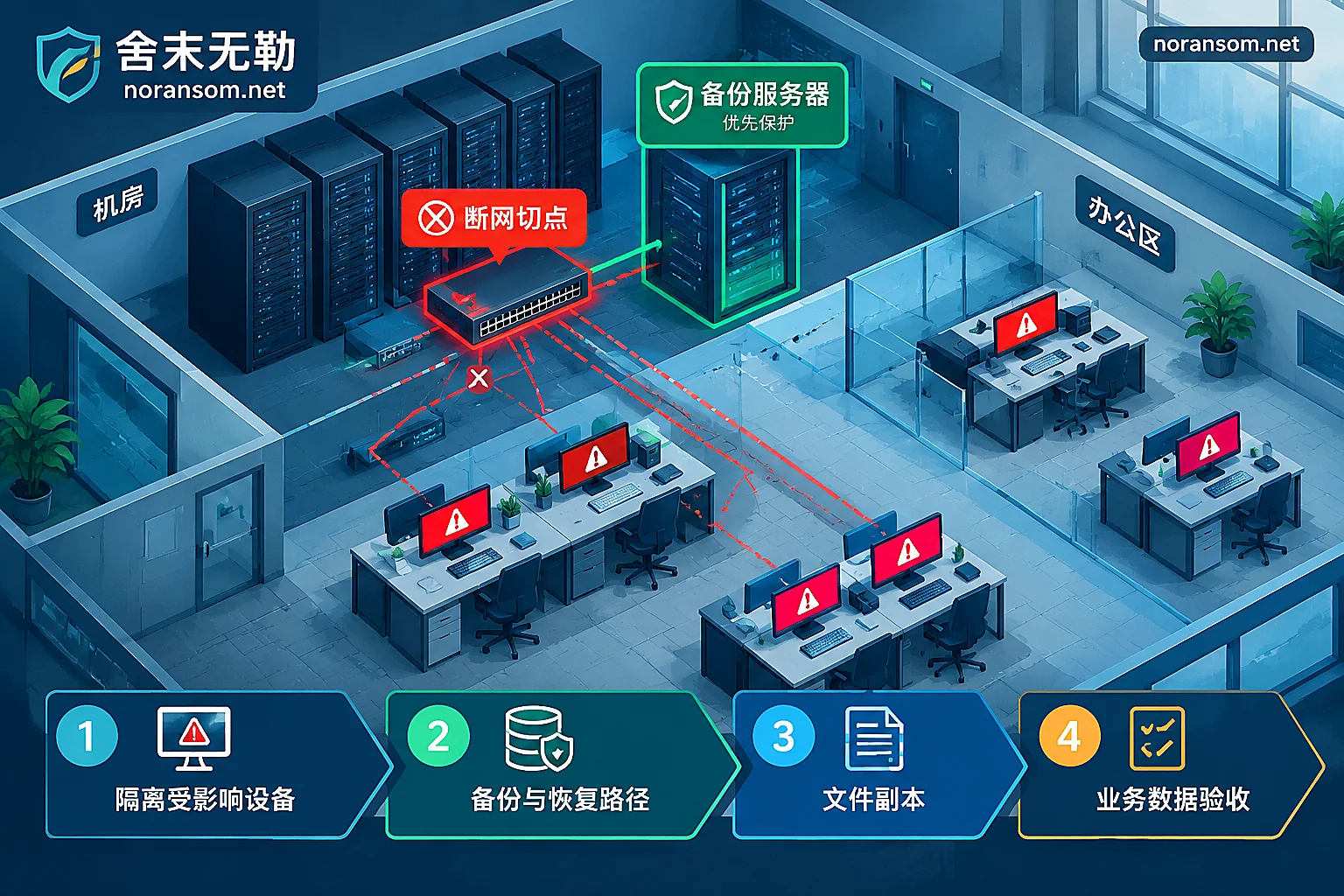
- During investigation, computers are found with files batch-renamed with changed extensions and cannot be opened—this is not just a remote control problem; encryption and remote control should be judged and handled separately, refer to Multiple computers encrypted simultaneously, which one to handle first
If the current state is "multiple people infected, still sending files outward, unsure whether control is removed", you can organize the time window, file names, and list of affected machines collected above, and then find Special handling of Silver Fox and remote control Trojans for a complete investigation; situations that are spreading and affecting multiple machines and people fall under Emergency response and require simultaneous handling of hosts, accounts, and external connections. When submitting specific incident information, follow the requirements of the Contact and Data Submission Page, and do not send samples, passwords, or customer data to public groups and upload sites.
Finally, a operational taboo: during investigation, do not forward suspicious files to colleagues "to take a look", and do not run them again to confirm. Silver Fox spreads precisely through trust between internal people.


Comments(0)