When it comes to changing passwords, order matters more than the checklist. The first step is not changing passwords—it's making sure that computer can no longer get online.
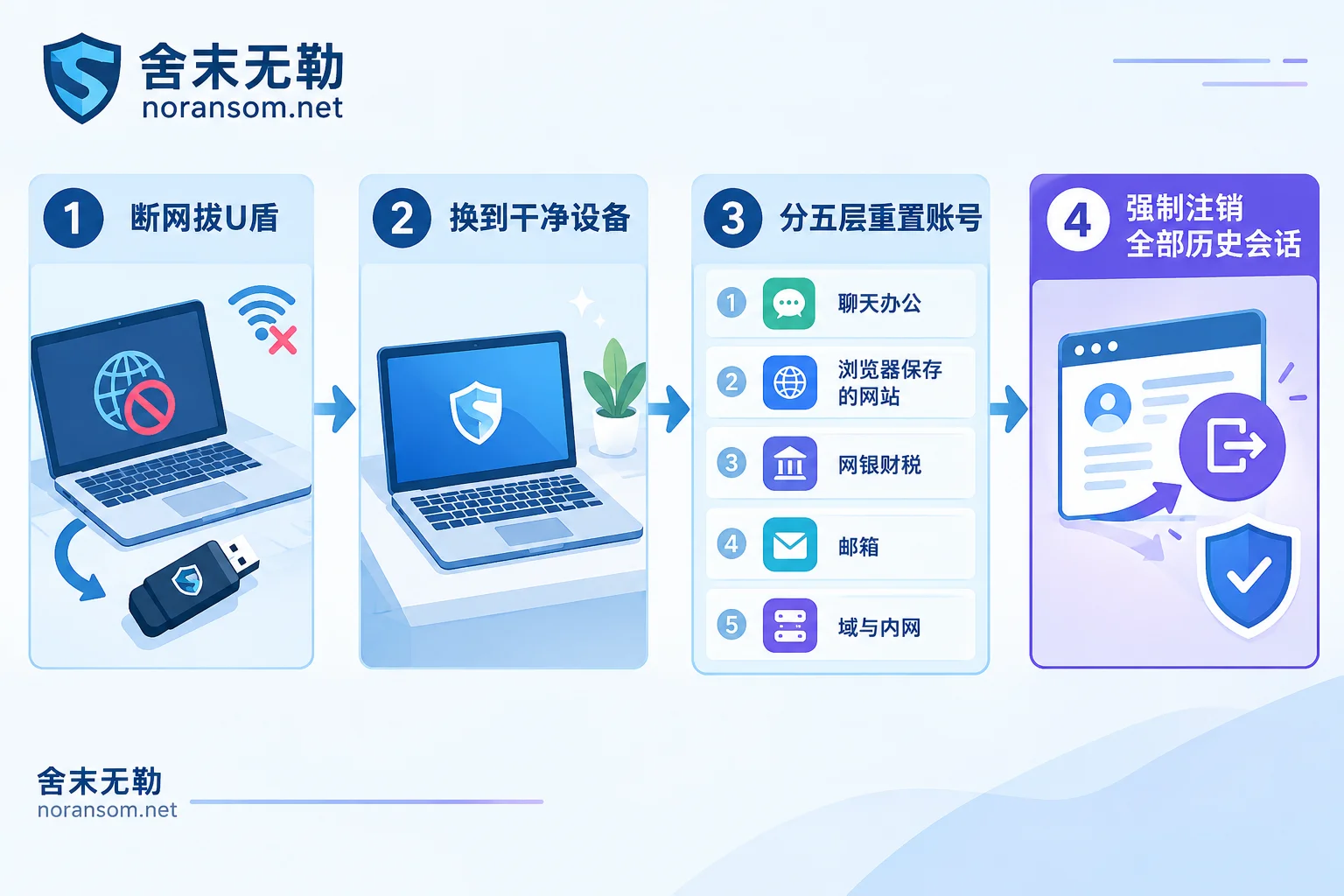
Silver Fox (also known as YouShe or Guduo Dadao) is a type of remote access Trojan with common capabilities including keylogging, real-time screen monitoring, clipboard capture, and automatic dumping of locally saved credentials. Typing a new password on a machine that is still under control is equivalent to handing over the new password as well. So the real sequence of actions is: disconnect from the network → switch to a clean device → reset by exposure layer → force-log-out historical sessions each time you change one.
Do These Three Things Before Changing Anything
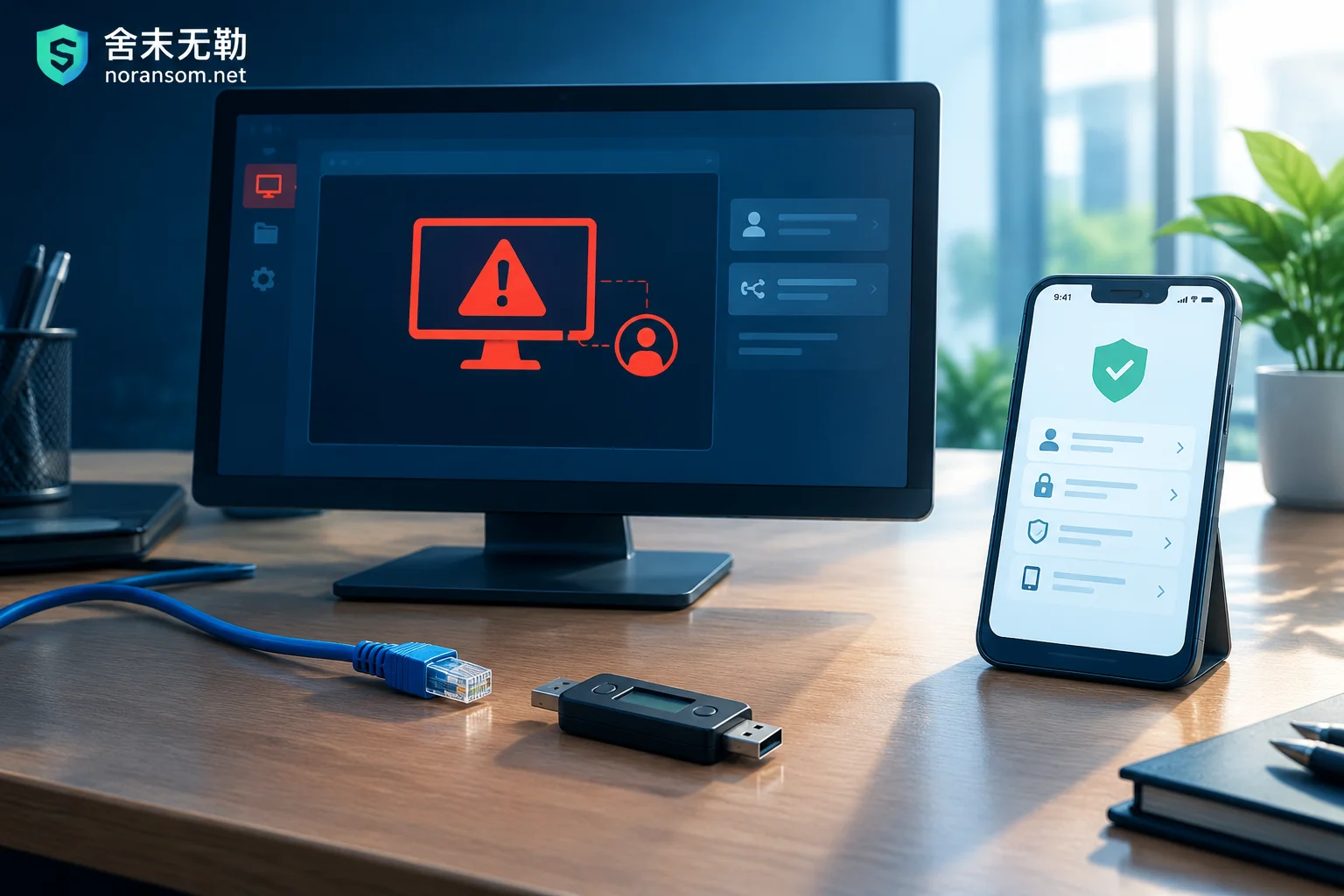
- Physically disconnect from the network. Unplug the Ethernet cable, turn off Wi-Fi, and don't just log out of software. Don't rush to wipe and reinstall the system—if this later involves a police report, internal accountability, or a financial dispute, this machine itself is evidence.
- Unplug all financial hardware. USB keys/UKeys, e-signature media, dongles—unplug every single one.
- Find a device you're sure is clean. A phone or backup computer that wasn't compromised will do, but don't use the phone that was just plugged into the compromised machine or authorized for file transfer. Don't generate or record new passwords on the compromised host either.
Inventory Principle: Based on This Computer's Exposure, Not a Generic Checklist
There's only one criterion: any credential that was ever logged in, saved, or copied and pasted on this computer should be treated as leaked. The five layers below are common coverage; adjust up or down for your specific situation.
Layer One: Chat and Office Collaboration Accounts
WeChat, WeCom, QQ, DingTalk, Feishu.
This ranks first not just because of password leakage, but because these types of Trojans often reside in and take over chat app processes, using your identity to send files in work groups and message colleagues privately to achieve secondary spread. After changing the password, do two more things: force-log-out all logged-in devices in each platform's security center, then review recent send records, group broadcasts, and auto-replies to confirm whether anything was sent in your name.
Also post a message in the group: don't click any files I send during this period. That stops the spread better than changing passwords.
Layer Two: Every Website Saved in the Browser
Silver Fox has a built-in credential-stealing module that directly dumps saved account passwords and session cookies from Chrome, Edge, and other browsers. So the scope is not "pick the important ones"—it's every entry listed in your password manager, plus every backend where you've checked "remember me" or that can auto-login.
On a clean device, log into the same browser account, pull up the synced password list, and go through it one by one: SaaS backends, server control panels, domain resolution, enterprise cloud storage, CRM, code hosting, and all kinds of admin backends.
Pay special attention to this layer: changing the password alone is often not enough. After cookies and tokens are stolen, the attacker can continue using the logged-in state without entering a password. On every platform, find the switch for "log out all devices," "revoke all sessions," or "reset access tokens." Missing either one means the change may be useless.
Layer Three: Online Banking, Payments, and Accounting Systems (Finance Roles Should Move This to First)
This includes personal and corporate online banking, third-party payment platforms, electronic tax bureaus and golden tax invoicing, invoice management, and login/payment passwords for accounting software like Kingdee and Yonyou.
If the compromised machine is a cashier's or finance computer, this group should be moved to the front—and the first action is not changing passwords: unplug the USB key first, then have a designated person use a trusted device or phone to contact the bank and verify recent transaction records, assess whether to temporarily close outbound payment channels, and report the certificate as lost or reissue it. For the specific handling order, see What to Do About Online Banking When a Finance Computer Is Infected with Silver Fox Trojan.
If an abnormal transfer has already occurred: immediately contact the bank to initiate a stop-payment/freeze process, and simultaneously report to the police, preserving the transfer receipt, approval chat records, the time it occurred, and this machine without reinstalling. Whether funds can be recovered depends on the payment channel and the time gap—no one can guarantee it, but the earlier you report and stop payment, the better the chance.
Layer Four: Email
Corporate email, and the personal email it's bound to. Email is usually the recovery entry point for other accounts; miss it, and the passwords you already changed may all be reset back.
After changing, check four things: any auto-forwarding rules that were added, authorized third-party apps, app-specific passwords, and recent login IPs and locations. If you only change the login password but leave forwarding rules in place, email is still going out.
Layer Five: Domain Accounts and Intranet Passwords (For Organizations with IT, Let IT Handle This Uniformly)
If this machine is joined to a Windows domain, reset the corresponding domain account password; also the local administrator password on this machine, plus any VPN, Remote Desktop (RDP), intranet shared drive, and NAS access passwords stored on this machine. The goal is to cut off lateral movement.
Two common amplifiers: first, multiple machines share the same local administrator password, so it's not just a matter of changing one; second, entries stored in "Credential Manager" and RDP auto-login configurations are often forgotten by people, but the Trojan can get them.
A Few More Things to Do After Changing Passwords
- Any other site where you reused the same password, even if you never logged into it on this computer, must also be changed.
- Check each important account's bound phone/email, two-factor authentication method, authorized devices and app list one by one, and unbind any unknown items first.
- Accounts with two-factor authentication enabled get priority, but note: if the device receiving verification codes is itself suspicious, switch the receiving method first.
"Antivirus Scanned and Found Nothing" Is Not a Sign That You're Done
This point is easy to get wrong. Multiple Silver Fox variants use white-plus-black techniques, driver loading, and other methods to evade detection. A clean scan only means this engine didn't catch it this time—it doesn't prove the machine is clean.
More importantly, host remediation and account remediation are two independent things. Even if the Trojan is truly removed, the previously leaked passwords and sessions are still valid and won't expire just because of the cleanup; conversely, even after all accounts are reset, whether the host can continue to be used still needs separate judgment. For whether that machine needs to be reinstalled, see Can the Computer Still Be Used After Removing the Silver Fox Trojan.
When to Bring in Outside Help
In the following situations, changing passwords yourself according to a checklist is usually not enough:
- Multiple people or multiple machines are compromised, or it has already started spreading in work groups;
- The machine is in a domain, and the domain controller or servers may have been laterally accessed;
- Abnormal transfers have already occurred, or emails/contracts have been sent or tampered with in your name;
- You need to file a police report, explain to clients, or conduct internal accountability, and need to preserve usable evidence.
What's easiest to miss in these scenarios is precisely the accounts that "were logged in but you can't remember," and the persistence entry points left by the attacker. When you need someone to help you sort out the exposure surface and remaining control channels, see Specialized Response for Silver Fox and Remote Access Trojans, or directly describe the incident and on-site status.
One more reminder: during the investigation, don't upload sample files, databases, customer data, or production passwords to public forums, online virus-scanning sites, or any cloud drive—that's just another leak.


Comments(0)