Once a finance computer is suspected of being infected with the Silver Fox trojan, the first thing to do is not open antivirus software for a full scan, but to cut off the fund channels: unplug all USB shields, unplug the network cable, turn off Wi-Fi, then switch to a clean device to check transactions and contact your bank. Removal comes later because it cannot solve the most urgent problem at hand—the attacker may be watching your screen right now and can use the certificate still plugged in at any time.
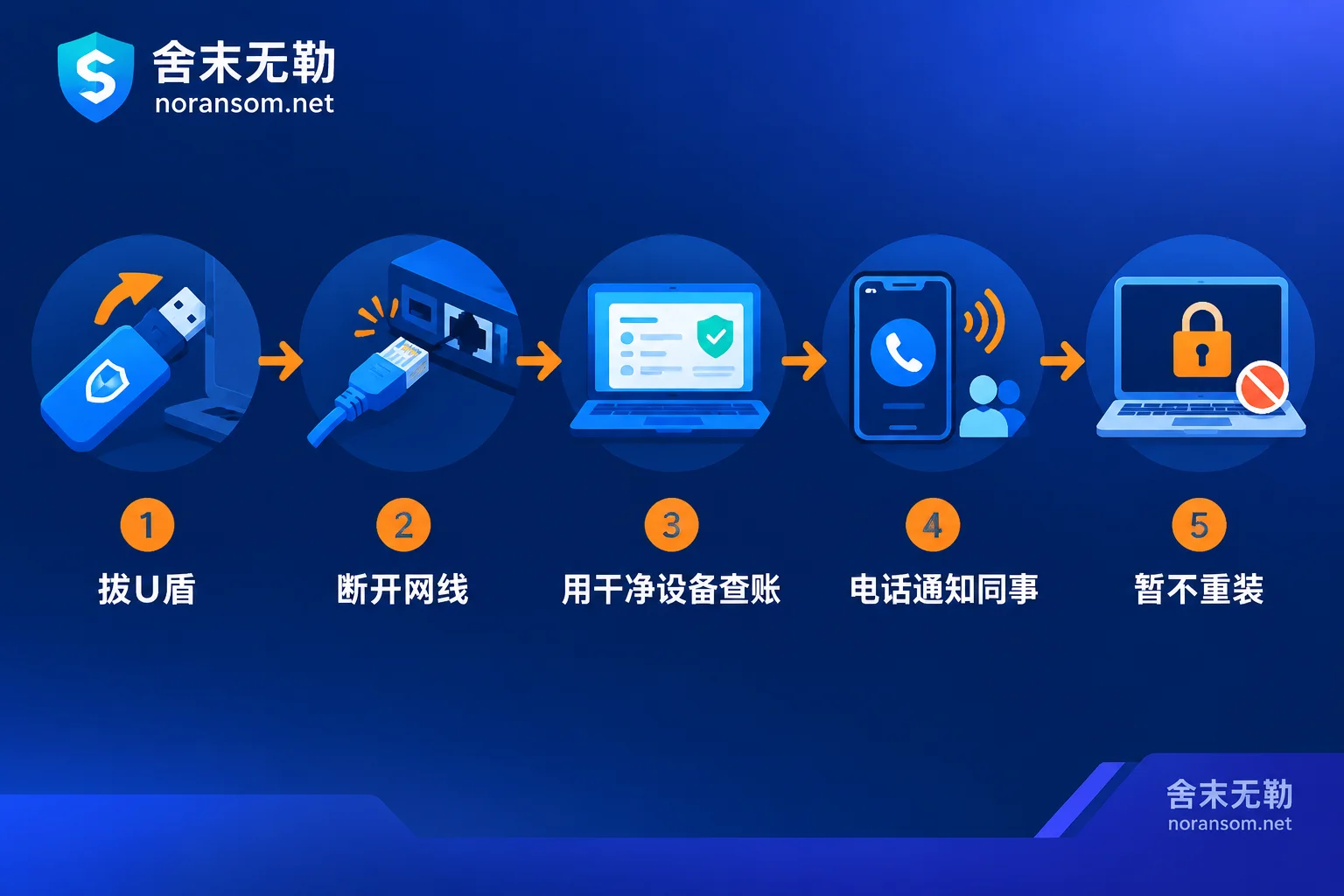
Do These in the First 30 Minutes in This Order
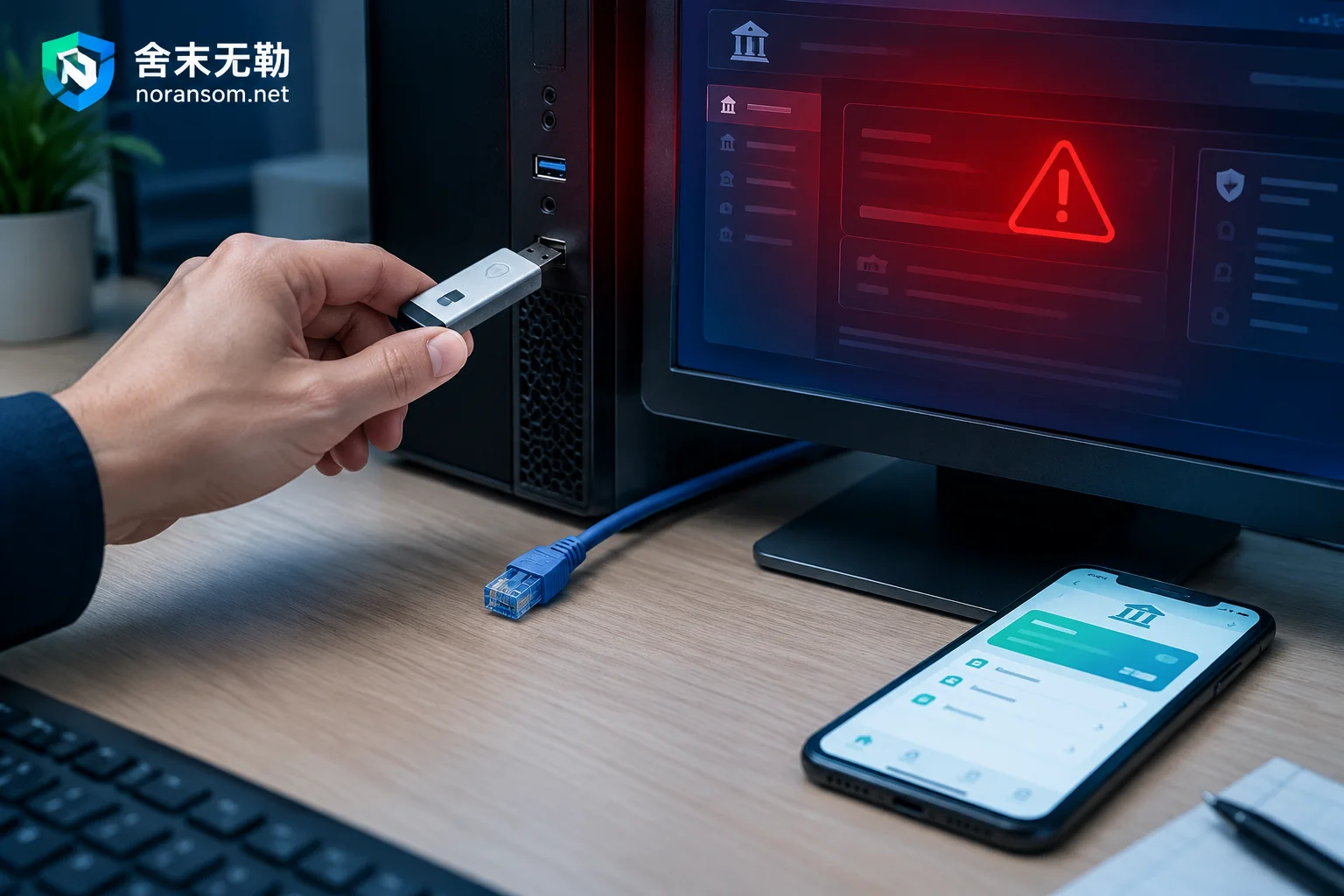
- Physically unplug all USB shields / UKeys inserted in this computer, including spare ones not commonly used.
- Unplug the network cable and turn off wireless to completely take this machine offline.
- Switch to another clean device (mobile banking or a backup computer not on the same intranet) to check account transactions and pending review transactions.
- Notify your supervisor, cashier, and business contacts by phone or in person: this computer and the chat accounts logged in on it have been compromised.
- Do not rush to reinstall this machine, and do not continue to use it for office work or changing passwords.
Why Unplug the USB Shield First, Not Run Antivirus
Silver Fox (also known as YouShe, GuDuo DaDao) is a remote access trojan that specifically targets finance, tax, and management positions. It often disguises itself as tax documents, disciplinary lists, or fake office software installers. Its core capabilities include screen monitoring, keylogging, credential theft, and remote desktop control. As long as the USB shield is still plugged in and online banking is logged in, the attacker may complete signing and transfers in a window you cannot see, and they can also see the passwords you type and the verification information received on the page.
Disconnecting the network cuts off communication between the trojan and the remote control server, and also reduces its chance to move laterally through shares and the intranet to other finance machines and accounting servers.
Should You Shut Down?
After disconnecting the network, the machine can stay powered on but with no operations, so that processes and connection traces in memory remain for later forensics.
The criterion is simple: if you are sure you have physically disconnected the network, and there is no situation where files are batch-renamed and become unopenable with strange extensions, keeping it powered on without operation is more appropriate; if you cannot reliably disconnect the network (for example, you can only turn off wireless via software, or you are not sure which cable to unplug), then shut it down—better than letting it stay online. In either case, do not use this computer again to log in to accounts, change passwords, or send/receive files.
Use Another Device to Check Accounts and Stop Payments
This step must be done on another device, preferably not on the same affected intranet. Three things to do:
- Check recent transactions, pending reviews, and pending authorizations. Besides large transfers, also watch for unfamiliar payees and small test transfers split into multiple amounts.
- Contact your bank's account manager or official customer service, explain that the computer may be remotely controlled, request temporary closure of online banking outbound payment channels, lower per-transaction and daily cumulative limits, and freeze online banking accounts if necessary.
- Banks vary in how they handle such remote abnormal transactions, what materials are required, and how long it takes to take effect. Follow your bank's response, and do not estimate timelines based on others' experiences.
If Funds Have Already Been Transferred
Immediately call your bank to request emergency stop payment, and at the same time dial 110 or the anti-fraud hotline to report. Do both simultaneously; do not wait for one to finish before starting the other.
When reporting, prepare materials as much as possible: transfer receipts, payee account number and name, transaction time and amount, source of suspicious files or links, and the approximate time when the computer started behaving abnormally. Emergency stop payment and freezing of involved accounts must follow the police-bank coordination mechanism. No third-party technical organization has the authority to promise recovery of funds; what they can do is organize technical evidence and timeline clearly to assist the investigation.
Accounts to Reset: More Than You Think
Silver Fox steals passwords saved in browsers, extracts instant messaging session credentials, and may monitor the clipboard. So the reset scope should not stop at online banking:
- Online banking login password, review password, USB shield or certificate PIN
- Kingdee, Yonyou, and other financial system accounts
- Invoicing and tax filing accounts
- Enterprise email
- WeChat, QQ, DingTalk, WeCom
- Other work accounts saved in browsers
After changing passwords, also log out all other logged-in devices from their respective security centers. Changing passwords without kicking sessions may leave hijacked login states still valid. Enable multi-factor authentication or dynamic passwords where possible.
Perform all these operations on that clean device—changing them on the original computer is equivalent to sending the new passwords again.
Notify Colleagues: Secondary Scams Often Cause Greater Loss Than the First
After taking over a finance computer, the attacker's usual next step is to use logged-in WeChat, DingTalk, or WeCom to send phishing files to work groups, or impersonate the boss to urge payments or notify of "payee account changes."
Immediately after disconnecting the network, tell your supervisor, cashier, and business contacts by phone or in person: this computer and the corresponding chat accounts have been compromised. Do not execute any files or payment instructions sent from it; any payment must be confirmed by phone or in person. This step takes only a few minutes but is often key to preventing subsequent losses.
Antivirus Reports "Cleared"—Can I Plug the USB Shield Back and Continue Using It?
For a finance computer that has handled funds, it is not recommended.
Silver Fox heavily uses fileless loading, DLL side-loading, injection into system whitelisted processes, scheduled task persistence, and other techniques to evade detection. Regular signature scans easily miss residual variants. "Cleared" only means the identified part has been handled, not that the machine is clean.
The relatively safe order is: first keep necessary logs and samples for forensics, then export purely static business data (accounting backups, reports, scanned vouchers, etc., without executable files, scripts, or shortcuts), then format the entire disk, reinstall a clean system and harden it, and only then connect to the network and plug the USB shield back in.
Whether other office computers need the same treatment depends on the investigation results; there is no need for a blanket approach. For the decision on whether this machine can be kept after cleanup, and why the trojan reappears after removal, see Can the computer still be used after Silver Fox trojan removal and What to do if Silver Fox trojan reappears after antivirus.
When to Seek Formal Professional Response
The following situations are not suitable for checking while using; it is recommended to conduct formal emergency response and tracing as soon as possible:
- Unauthorized transfers have occurred, or accounts show remote or abnormal login records
- Multiple machines and colleagues are affected simultaneously, or recurrence happens shortly after cleanup
- Finance servers, accounting databases, and this computer are on the same network segment
- Evidence needs to be retained for reporting or internal accountability
For such scenarios, refer to Handling Silver Fox, remote control, and finance computer risks, or directly explain the situation and go to Incident Emergency Consultation. When submitting materials, note: do not send database files, customer data, production passwords, or suspicious executable files to public comment areas or arbitrary upload sites.
Finally, a reminder about an easily confused situation. If you also find files batch-renamed with strange extensions and all unopenable, that is a file encryption issue, a different line from remote control cleanup. It requires separate determination of the family and recovery path. It is unrealistic to expect "killing the trojan file will recover them automatically." In this case, first follow How to tell if it is ransomware to confirm symptoms, then handle the two matters separately.


Comments(0)