In many cases, data can be extracted, but how much can be extracted depends on the proportion of the file that actually holds the data—xxx-flat.vmdk (or snapshot volume)—that has been overwritten and encrypted, not on whether the virtual machine can currently boot. The virtual machine not starting, and seeing .vmdk with unfamiliar extensions everywhere in ESXi, does not mean that all the business data inside has turned into ciphertext.
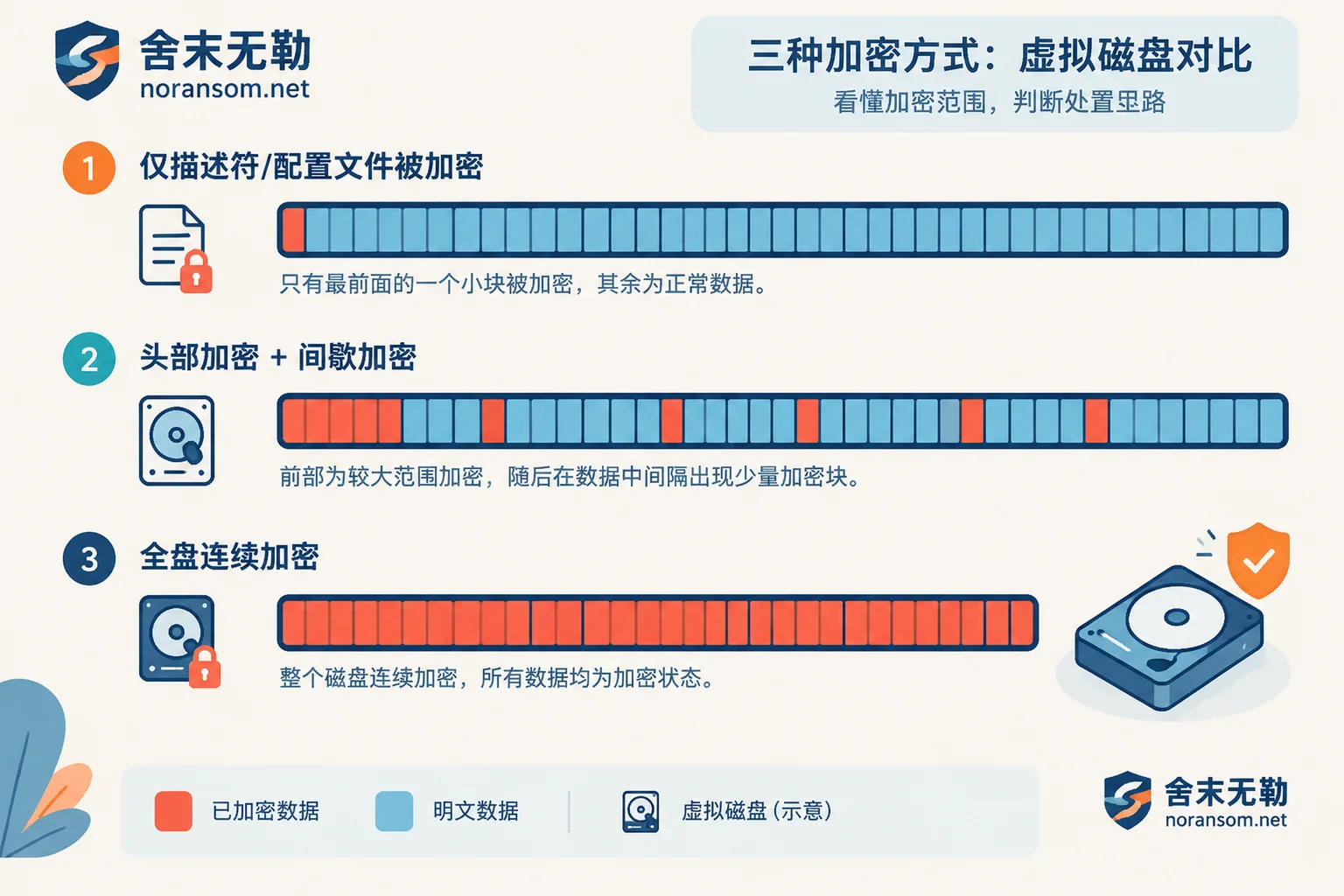
Because virtual disks are often tens of GB to several TB, ransomware variants targeting virtualization platforms generally do not perform full-disk encryption in order to save time: some only encrypt the first few MB of the file header, damaging the partition table, VMFS metadata, or boot sector; some perform intermittent encryption at fixed intervals, encrypting a small segment every so often; and some only process the one or two KB text descriptor and configuration files, leaving the huge flat volume untouched. As long as a large amount of plaintext remains in the underlying data blocks, the virtual machine not booting does not prevent extracting databases and accounting files.
First, classify into three situations
1. Only the descriptor and configuration files are encrypted. xxx.vmdk (a text file of about 1KB), .vmx, .nvram, .log are renamed or encrypted, while the filename and size of xxx-flat.vmdk remain unchanged. This situation has occurred in some scripted attacks against ESXi. In such cases, the descriptor file can be rebuilt using the vendor's standard method to make the disk recognized and mountable again; CISA also released an automated rebuild recovery script for such incidents. This is the most ideal situation, but it is also the easiest to destroy through misoperation.
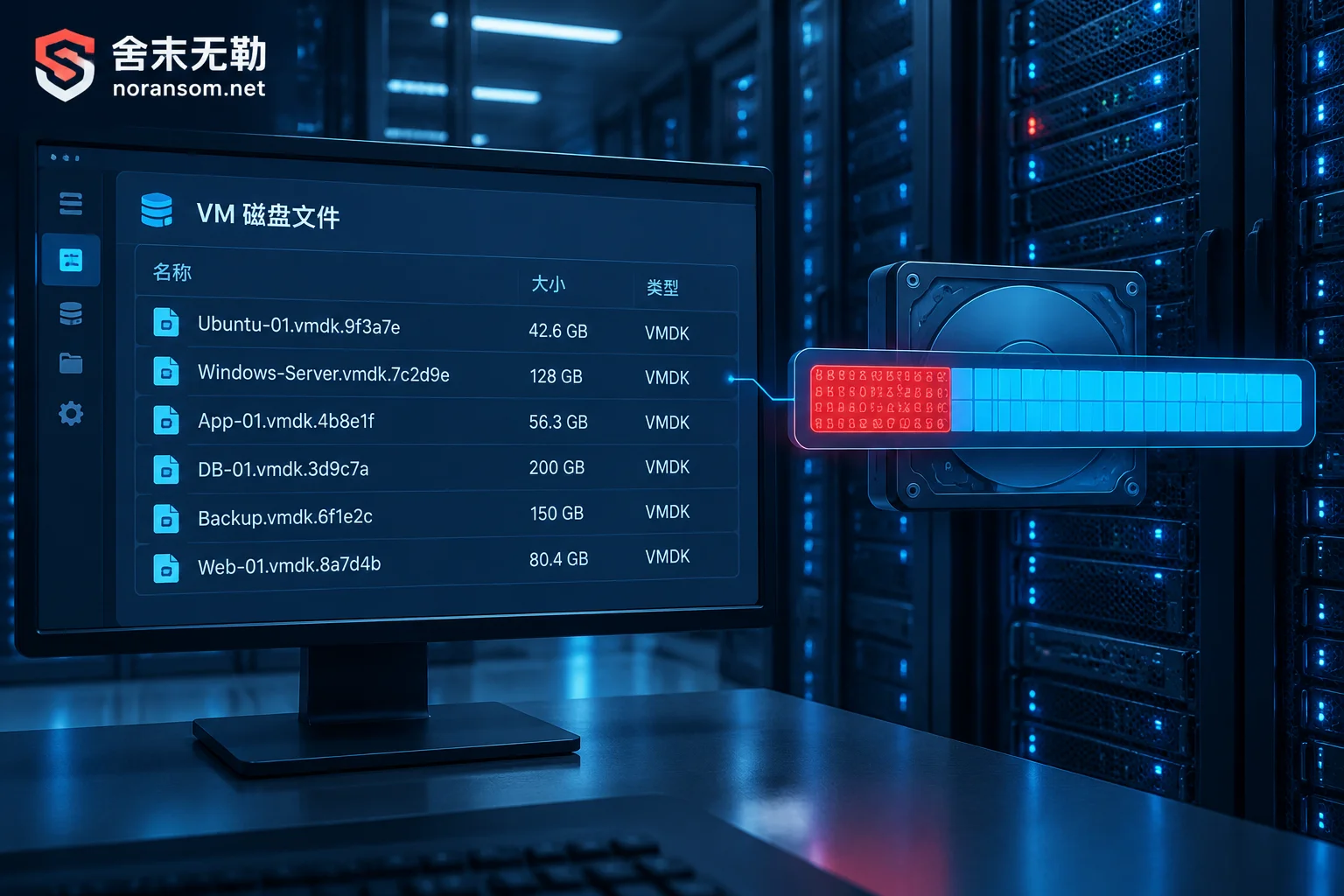
2. The flat volume header is encrypted, or intermittent encryption is applied. The virtual machine cannot start, and mounting the disk prompts that it is uninitialized. In this case, although the internal NTFS/EXT4 file system structure is incomplete, a large proportion of the deeper data blocks (MDF/NDF, accounting data files, mail stores, documents) are often still plaintext, and most critical data can be recovered through read-only parsing and data page extraction.
3. The flat volume is continuously and completely encrypted from beginning to end. Without the attacker's private key and without a public crack for that family's algorithm, extracting data from this file is cryptographically impossible. At this point, focus should shift to other copies: legacy snapshot volumes, unmounted old partitions, exported disks that were copied out, and offsite cold backups.
Things to stop doing immediately
The damage caused by these operations is often harder to recover from than the virus itself:
- Do not boot the virtual machine to "see if it can enter the system." Once the virtual machine starts, it will replay file system logs, write page files, and trigger system self-repair; these writes will overwrite the remaining plaintext fragments.
- Do not run repair commands on the original storage, including VMFS repair, rebuilding the partition table, reinitializing the data store, or letting ESXi "resignature" the volume.
- Do not format, and do not reinstall ESXi to "fix the platform first" and then remount the storage.
- Do not repeatedly try decryptors or data recovery software on the only copy of the file. Many tools write in place by default.
- Do not write clones and recovered data back to the same data store; if space is filled or overwritten, there is no second chance.
What should be done: cut off the affected host's connections to the outside world (management port, vCenter, iSCSI/NFS storage network, backup network segment), change the passwords of ESXi, vCenter, backup systems, and domain administrator accounts from a clean device, preserve ransom notes, encrypted samples, host and backup system logs, and then make sector-level read-only clones of the involved volumes; all subsequent analysis should be performed on the copies.
As for whether to shut down: if the encryption process may still be running, or the attacker still has a channel in, prioritize cutting off the network and access paths; whether to shut down the virtual machine, shut down the host, or keep it running should be decided based on whether effective isolation can be achieved, whether encryption is still ongoing, and whether memory and session evidence need to be preserved—there is no one-size-fits-all answer.
How to determine which situation you are in
Look at the file list and sizes. List the virtual machine directory and compare the descriptor with the flat volume. If small files are renamed while large files have unchanged names and byte counts, prioritize handling as the first situation.
Perform read-only hex sampling. On the cloned copy, sample the first 1–10MB, the middle of the disk, the end, and several random points. If MFT record signatures, partition table signatures, EXT4 superblocks, database page headers, or readable strings in accounting files can be identified, that segment is plaintext; if no structure can be seen and entropy is uniform throughout, it is ciphertext. Multi-point sampling can roughly estimate the encryption proportion and interval step, and this proportion directly determines whether subsequent extraction is worthwhile.
Look for residual copies. Snapshot volumes such as -delta.vmdk and -sesparse.vmdk, unmounted historical volumes, previously exported OVAs, and old versions on backup servers should all be inventoried before drawing conclusions. The distribution patterns of residual data also differ between thin-provisioned and thick-provisioned disks.
Do not determine the family based solely on one extension or one antivirus detection name. The same extension may correspond to multiple variants, with great differences in encryption depth and decryptability; whether a usable decryption tool exists and which versions it applies to must be judged based on the actual sample and key structure, and conclusions from other cases cannot be copied directly. For this step, refer to the approach in family identification and recoverability assessment.
Available extraction paths
- Rebuild the descriptor and mount normally. Applicable to the first situation: rebuild the text descriptor according to the original disk's geometry and type, then mount read-only for extraction.
- Bypass the virtual machine and parse the image directly in read-only mode. Use low-level analysis tools (such as DMDE, UFS Explorer, which support virtual disks and file system reconstruction) to identify partition boundaries, reconstruct the directory tree, and export the needed files to another disk. When the header is damaged but the internal structure remains, this path is usually the most effective.
- Extract data pages by signatures. When the file system can no longer be reconstructed, scan and carve the page structures of SQL Server, Oracle, MySQL, or accounting file signatures, and then reassemble them into an attachable database. Results from this path require table-by-table verification.
Regardless of the path taken, the acceptance criterion cannot be "the file was exported and the size is normal." Databases must actually be attached and integrity checks run; accounting systems must be opened in the business system to verify ending balances and voucher continuity. Partially decrypted and partially corrupted files often look similar to undecrypted ones, and the difference is worth distinguishing separately; see how to judge when a decrypted file cannot be opened.
When external intervention is needed
If it is the first situation and you have an unaffected management channel, rebuilding the descriptor yourself according to the vendor's method is feasible; remember to clone before acting.
In the following situations, it is advisable to hand over to someone with virtualization and database recovery experience as soon as possible, rather than continuing to try on the original environment: the flat volume is partially encrypted and contains a production database, requiring assurance of business data integrity and consistency; no usable snapshots exist, and backups are also encrypted; multiple virtual machines and multiple data stores are affected simultaneously, or encryption is still spreading. The first two situations can start from assessment of backup and database recovery paths, and the latter is an ongoing incident and is suitable for emergency response during ongoing spread. The relevant judgment order is described in more detail in ESXi virtual machine encrypted and no snapshot and how to inventory remaining copies after backup files are also encrypted.
A reminder: anyone who reports a recovery success rate or fixed turnaround time before seeing the actual encryption proportion of the flat volume is not credible. First organize the file list, sampling results, extensions, and ransom note information clearly, and then discuss assessment; communication costs will be much lower—what materials to prepare can be listed directly according to this checklist. When an assessment of the incident itself is really needed, follow the contact and information submission instructions, and do not send production databases, passwords, or executable samples to public channels.


Comments(0)