People looking for someone to handle a ransomware incident usually ask "how much?" first. Before an assessment, no one can answer accurately—not because they're stalling, but because the cost is the result of the assessment: the same "server encrypted" scenario can differ by an order of magnitude in workload between a Windows machine holding ordinary shared files and an environment running a SQL Server accounting database with an ESXi datastore underneath.
The variables that truly determine price fall into four categories: which technical path is taken, what the affected targets are, how far the service scope extends, and how it's delivered. Below we explain why each affects cost and which ones you can influence right now.
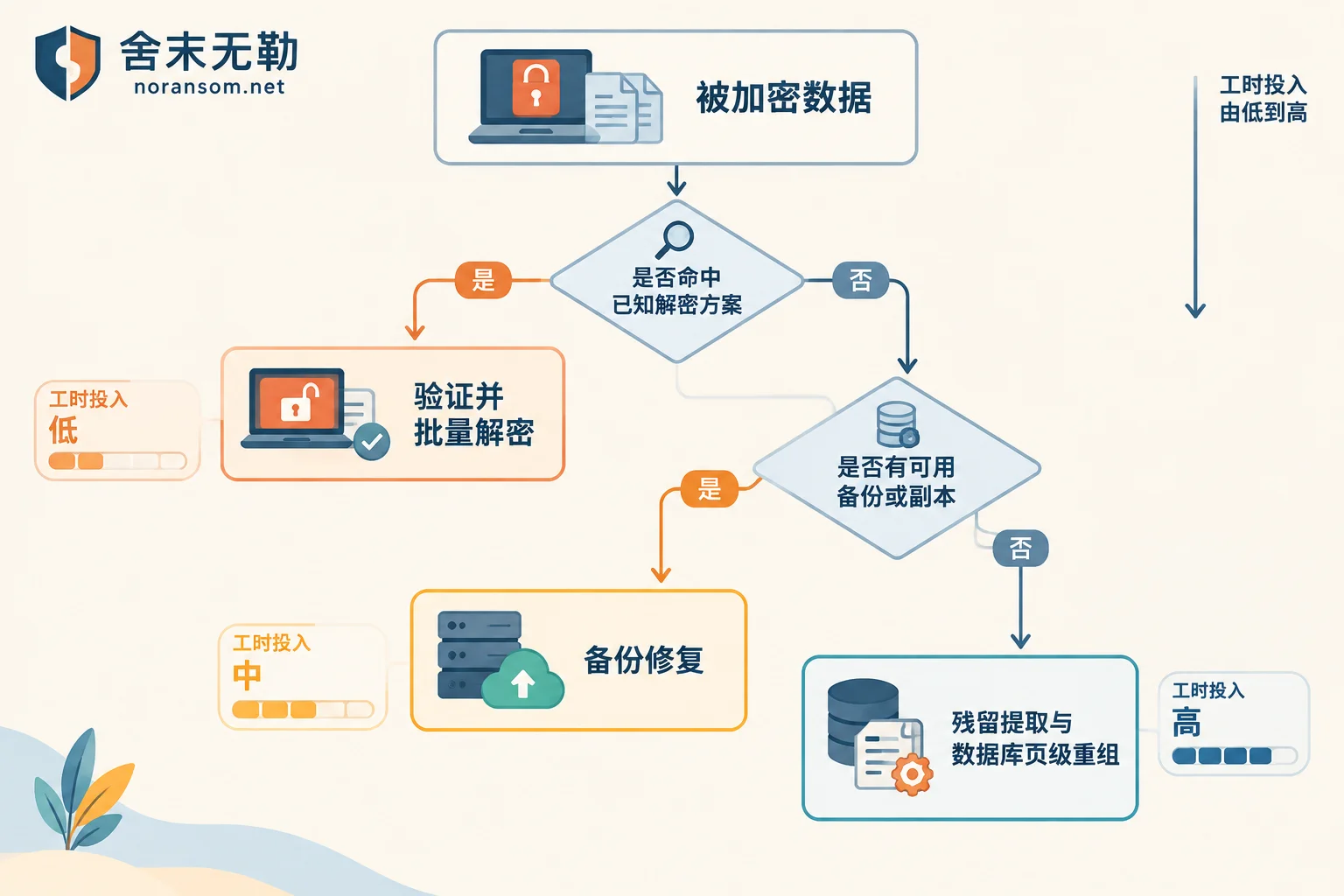
Technical Path: Whether a Ready-Made Decryption Solution Exists Makes the Biggest Difference
This is the main source of cost differences.
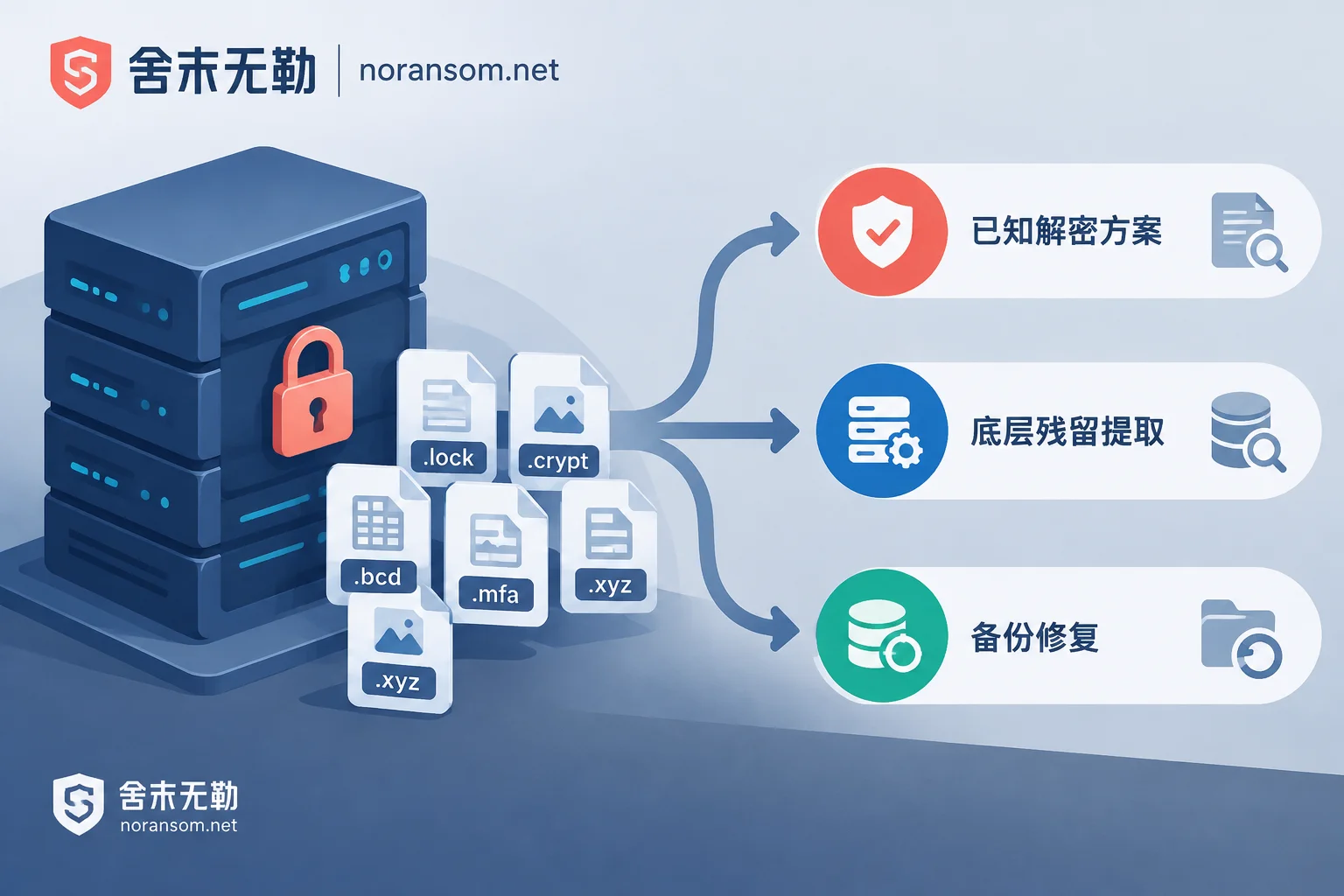
- Hitting a known decryption solution. Some early versions of ransomware families have flaws in key management or algorithm implementation, or keys were released after law enforcement actions, so usable decryptors exist. If your sample matches such a version, the work focuses on confirming the version, validating on a copy, batch running, and verifying—man-hours are relatively controllable.
- Strong encryption with no private key. This is more common. There's no "cracking" path here; recovery can only bypass the encryption itself: extracting from volume shadow copies, temporary files, database logs, or uncovered residual sectors, or reverse-patching damaged backup files, or reassembling readable parts based on database page-level structure. This work relies on block-by-block analysis and extensive verification, requires significantly more man-hours, and the result is "to what extent recovery is possible," not "all or nothing."
- Backups still exist, just damaged or partially encrypted. If the backup media isn't completely destroyed, prioritize repairing backups—usually far less effort than extracting data from encrypted volumes.
So, identifying the family and version first isn't just technical curiosity; it determines which path you'll use to calculate man-hours. Judging the family from an extension or an antivirus label alone is often wrong; you need the ransom note, encrypted sample file headers, and file size change patterns together. For this step, refer to family identification and recoverability assessment, and see how to judge decryptability when you only have a ransom note.
Affected Targets: Files, Databases, Virtualization—Not the Same Order of Magnitude
500 GB of data can have completely different recovery difficulty.
Ordinary office documents are independent objects; if recovered and openable, that's success, and verification is simple. Databases are different: after MDF/LDF files are partially encrypted, even if most pages are extracted, you must handle indexes, constraints, and transaction consistency, then run integrity checks and reconcile with business records before you can say it's usable. Accounting databases like Kingdee or Yonyou have their own table structures and annual closing logic on top of the database, with even finer acceptance criteria.
Virtualization and storage layers add another level: ESXi's VMFS, Hyper-V's VHDX, NAS storage pools. Encryption may occur at the volume layer rather than the file layer, so you must first decode the volume structure to see the virtual disks inside, then find the file system within the virtual disk. Multiple nodes and large capacities multiply the read/write and verification time for each step.
Also, "how much to recover." Many organizations truly cannot lose only certain categories—accounting sets, contracts, drawings—while the rest can be reinstalled or rebuilt. Narrowing recovery scope from "the whole machine" to "these directories and this database" shortens the timeline and reduces cost, provided you know which data is critical.
Service Scope: Data Recovery Only, or Plugging the Entry Point Too
Data recovery alone and full incident response are two different quotes.
Full handling typically also includes: suppressing lateral spread, removing Trojans and persistence backdoors, investigating the attack entry point (exposed RDP with weak passwords, unpatched services, stolen credentials), and post-incident hardening and account cleanup. These are separate work items.
Whether to buy this part depends on your situation. If only one offline machine is affected and the entry point is clear, you can do recovery only. But if multiple machines are encrypted simultaneously, domain accounts have been used, or data gets re-encrypted after being restored, the money saved on tracing and hardening will eventually be paid back. When the incident is still spreading and multiple people/machines are affected, the priority is to stop the bleeding before discussing recovery—see emergency response intervention methods.
Delivery Method: Remote, On-Site, and Time Requirements
Remote access is cheaper and faster to respond when it can handle the job. Typical situations requiring on-site work: machines completely offline, physical disk failures requiring media handling, data volumes too large for network transfer, or classified environments that prohibit external remote access. On-site work involves travel and on-site man-hours, so it's naturally more expensive. For how to choose between the two, this article goes into more detail.
Time requirements are also a variable. Demanding immediate work at night, on weekends, or holidays, or extremely short business downtime windows requiring parallel recovery lines, changes staffing arrangements and service standards.
Some Things You Do or Don't Do Now Directly Change the Later Quote
Before contacting anyone, the following actions often affect the final cost more than how you negotiate.
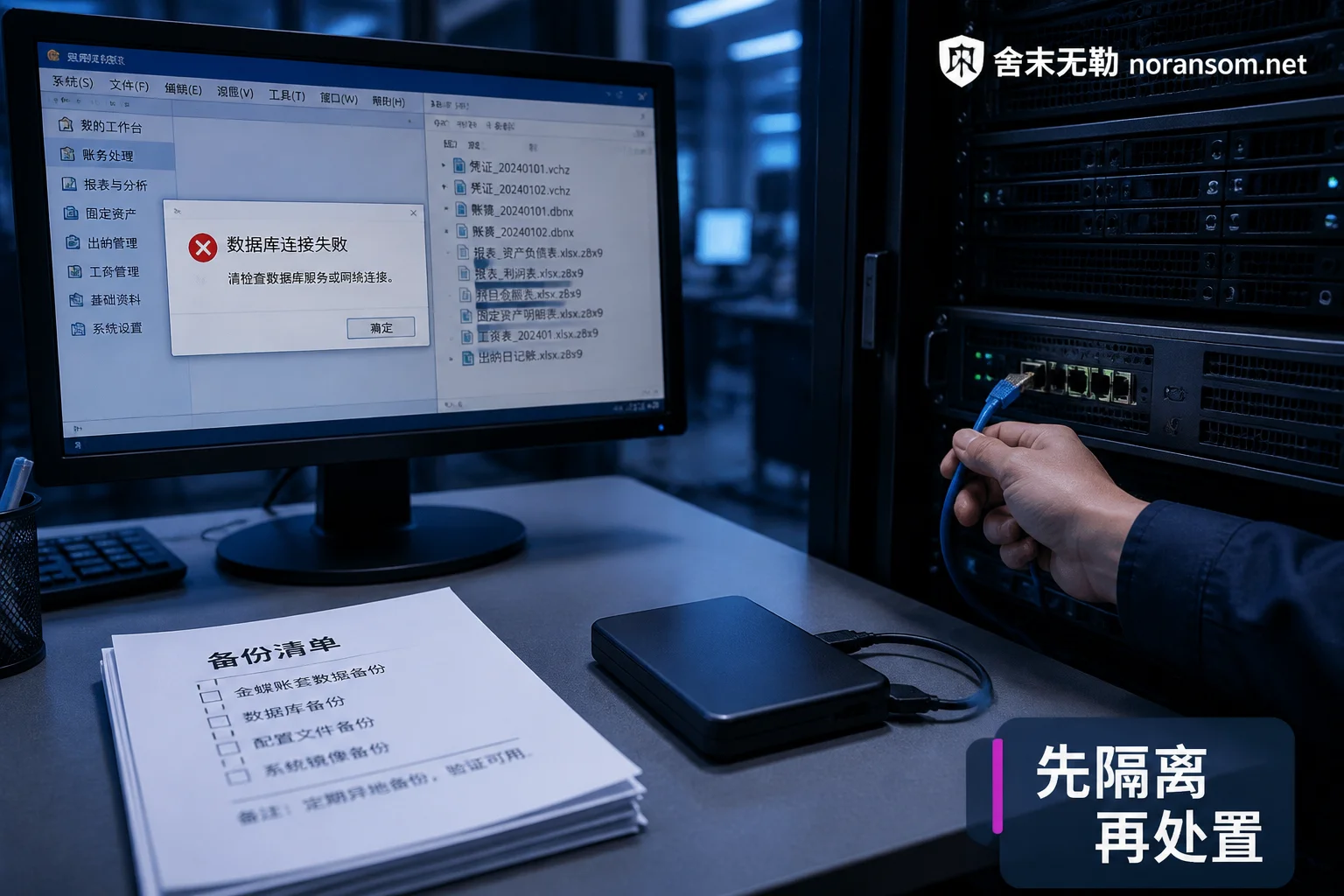
Isolate first, don't let encryption continue. Disconnect from the network, stop shared mappings, and prioritize preventing spread to unaffected machines and backups. Whether to shut down depends: if the encryption process is still running and cannot be controlled by disconnecting and terminating processes, continued operation only expands the damage; if encryption has ended, a hasty reboot may lose memory traces and temporary files. Weigh both risks; don't blindly follow "never shut down" or "reboot immediately."
Don't repeatedly try tools on the only original. Unknown "universal decryptors," repeatedly run repair programs, chkdsk, reinstalling the OS, repartitioning, or formatting the disk then "trying data recovery software" can overwrite residual data that might have been extracted. Many cases with partial recovery potential become unrecoverable or double the recovery cost at this step. If possible, make a read-only image of the affected disk first, and do all attempts on the copy.
Inventory copies thoroughly. Even if you think you have "no backups," it's worth checking item by item: unconnected external drives, offline tapes, offsite backups, cloud sync version history, local exports on finance colleagues' computers, reports sent out during month-end closing, ERP archive libraries, VM snapshots. Each usable copy found reduces the portion that must be extracted from encrypted data. Only you can do this; outsiders don't know where your data is scattered. You can follow the inventory approach when a server is encrypted and there's no backup.
Preserve materials. Original ransom note, several encrypted sample files, corresponding unencrypted old versions (if found), infection time point, and abnormal login records. These are inputs for determining the family and feasibility; missing them means more exploration time. For what else to prepare before remote handling, here's a checklist.
How to Tell If a Quote Is Normal
The normal process: preliminary assessment and feasibility testing first, validating on a sample how much can be recovered, providing recoverable scope, data integrity expectations, and alternatives; after you confirm the scope, then entering paid implementation. The quote should correspond to specific recovery targets and paths, not a round number unrelated to the technical plan.
Several situations are worth caution: quoting without looking at samples or asking about system type; promising "all variants can be decrypted," "100% recovery," "done in a few hours"; packaging contacting attackers or paying ransom as a "decryption service." Paying ransom is not technical recovery; it neither guarantees a usable key nor avoids financial and compliance consequences, and legitimate teams don't do it.
One more easily overlooked point: recovery doesn't equal usable. Recovered databases need integrity checks and reconciliation with business sides; accounting sets need opening balances and vouchers verified. Acceptance criteria should be agreed upon at the quoting stage, otherwise disputes arise later. For verification order, see five layers of verification after SQL Server recovery.
Silver Fox, Remote Control—Different Cost Logic
If what you're facing isn't file encryption but a finance computer suspected of remote control, abnormal accounts, or suspicious transfers, there's no "decryption" involved; the work focuses elsewhere: removing Trojans and persistence on the host, comprehensively replacing stolen credentials, forcing login sessions to expire, checking rules in email and office systems, and emergency handling on the financial side.
Two things are non-negotiable: for abnormal transfers, immediately report through official bank channels and public security organs, and fully preserve chat records, transfer receipts, login logs, and other materials; change passwords from another device confirmed clean—changing on a possibly controlled machine is as good as not changing. Also, antivirus software not flagging doesn't prove cleanup; host, accounts, and funds must be confirmed separately. For related judgment, see handling key points for Silver Fox and remote control risks.
Next Steps
If you have encrypted samples and a ransom note but aren't sure how much can be recovered or which path to take, the reasonable order is to finish isolation and copy inventory, then submit samples for a recoverability assessment—discussing price before the assessment conclusion is meaningless. For the sequence of assessment, quoting, and delivery, the handling process explanation is fairly complete; when an incident has occurred and someone needs to intervene, you can submit basic information through the contact page (requirements for submitting samples and materials are on the page; do not send databases, customer data, or production passwords to public channels).


Comments(0)