Kingdee cannot be opened, login prompts that the database cannot be connected or attachment fails, .mdf/.ldf/.bak has a strange suffix, and a ransom note appears on the server desktop or directory—in this situation, the actions taken in the next one or two hours basically determine how much the accounting data can be recovered.
The three most urgent things right now: disconnect this server and financial terminals from the network; stop any write operations on the original disk; inventory all possible backup copies. Whether decryption is possible or whether to seek help should come after these three things. Finish these first, then assess further.
Stabilize the Server First, Don't Rush to Rescue
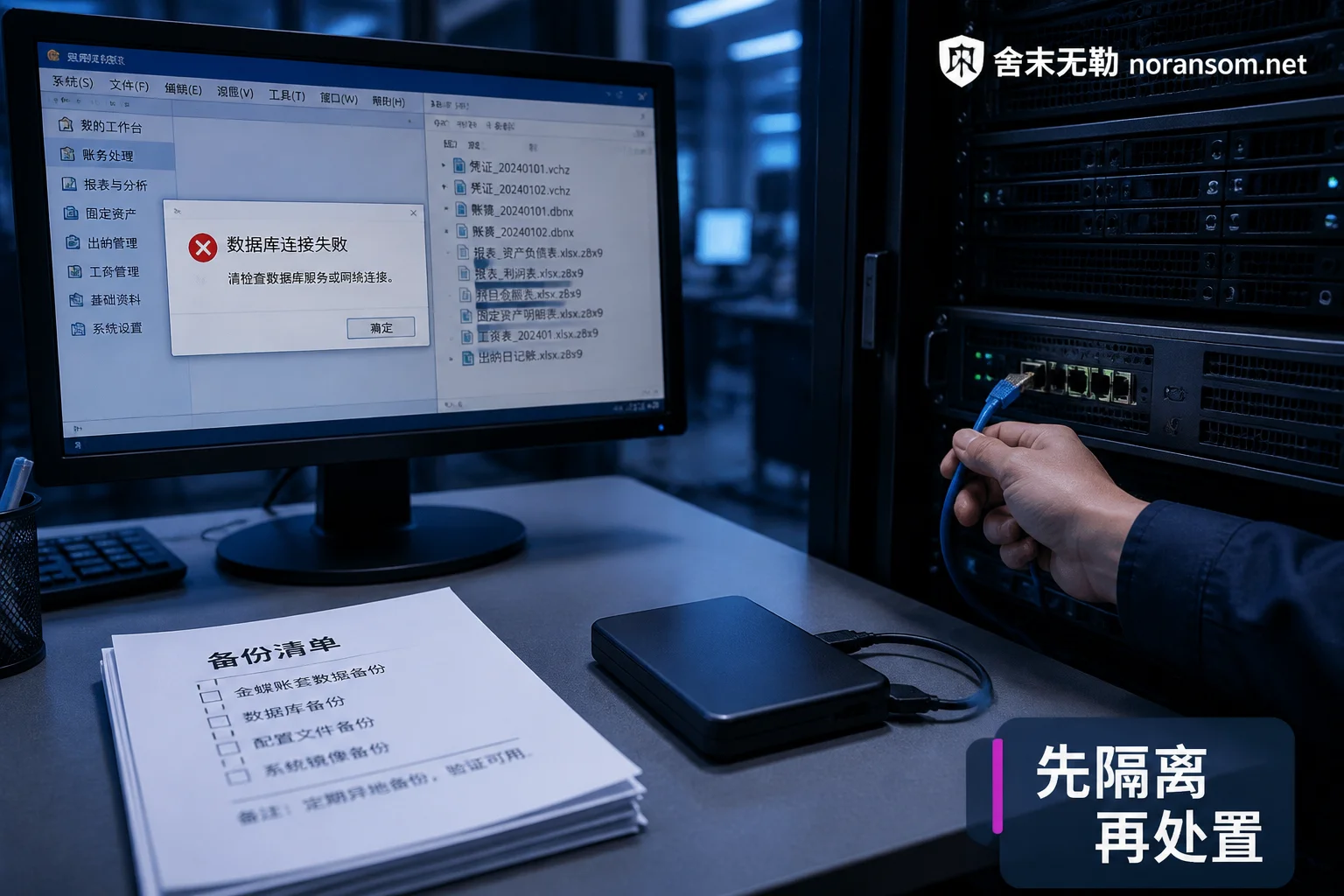
Network disconnection is physical: unplug the network cable, disconnect the virtual network adapter in a virtual machine. Relying solely on antivirus software interception does not count as isolation; internal shared drives, mapped drives, and backup servers may still be getting encrypted.
Whether to shut down depends on the situation—do not blindly follow "never shut down" or "restart immediately":
- If it can be confirmed that the encryption process has ended (file modification times no longer change, no suspicious processes running high IO) and the network has been disconnected: you can keep the machine on for subsequent forensics and checking clues in memory, services, and scheduled tasks.
- If encryption is clearly still ongoing, or it cannot be removed from the network in a short time: powering off is more likely to save files not yet processed. At this point, "losing fewer files" is more important than "keeping evidence."
- Do not repeatedly power on/off or restart. If it has already been restarted, don't panic—only some memory clues are lost, and the recovery path judgment remains the same. You can refer to What to do if already restarted after infection.
Next are several actions that truly destroy data, which must be avoided: reinstalling the system or formatting on the original disk; repeatedly running "database repair tools" or "universal decryptors" downloaded from the internet directly on the original mdf; using write-capable repair commands like ATTACH_REBUILD_LOG, DBCC CHECKDB REPAIR_ALLOW_DATA_LOSS on the only original copy. A feasible approach is to first make a read-only image of the entire disk, or at least copy mdf, ldf, ndf, bak as-is to another clean disk, and perform all attempts on the copy.
Other machines in the same LAN—cashier computers, shared file servers, NAS, backup machines—should be checked before being connected. Do not let the virus continue to spread within the internal network while rescuing the accounting data.
Inventory Backups: This Step Determines the Path Forward
Backup recovery is the lowest-cost and most controllable path, so the scope must be fully searched, not just a vague "we have no backups." At least confirm these locations one by one:
.bakgenerated by SQL Server maintenance plans or scripts—note that they are often on the same machine and same shared directory as the database, and being encrypted together is common;- Kingdee's own accounting backup files (KIS accounting backup, K/3 account management backup, Cloud Galaxy data center backup), and data center copies in Kingdee Cloud Drive/Cloud Backup that are not on this machine;
- Removable hard drives, tapes, offsite backup servers that are usually unplugged—as long as they were not plugged into this machine when the infection occurred, the probability of being encrypted is much lower;
- Virtual machine snapshots or full machine backups on ESXi/Hyper-V hosts;
- Reports, voucher Excel files, tax filing materials exported by finance themselves—although they cannot directly restore the accounting data, they are very useful for later reconciliation and manual re-entry.
After finding a backup, confirm three things: how far the backup time point is from the incident, whether the files can be restored normally (test restoration in an isolated environment, do not restore directly to production), and whether the backup itself was touched by the virus. If the most recent usable backup is from a month ago, simultaneously plan for voucher re-entry for that period.
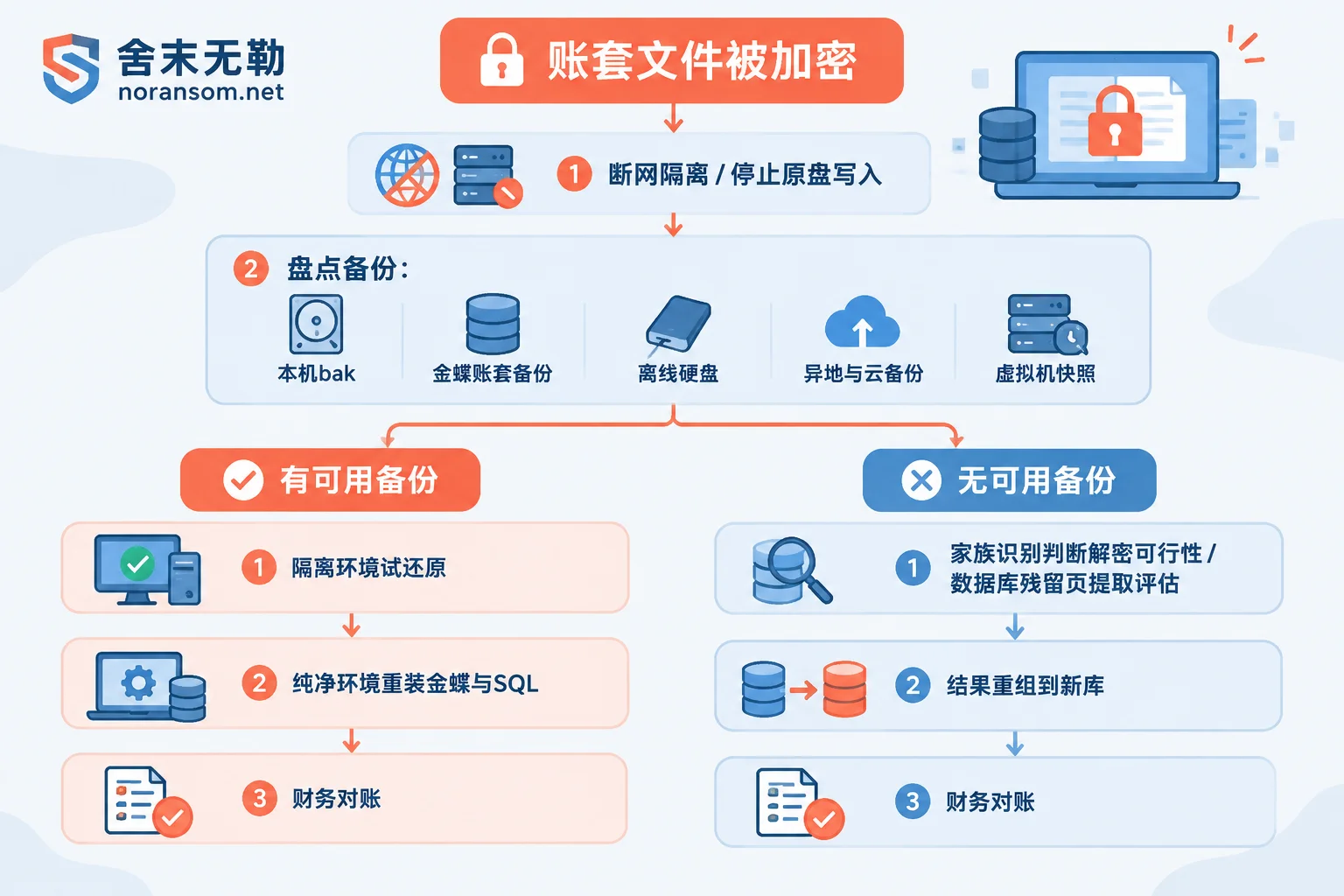
If after a full inventory there is indeed no usable copy, it does not mean you have to rebuild from scratch. For details, see What recovery paths remain without backups.
Without Usable Backups, Two Paths Can Still Be Evaluated
First, determine whether there is a public decryption method for this family. Base this on the encryption extension, ransom note file name and content, contact email/ID format, and sample characteristics, then compare with public platforms like No More Ransom or security team virus databases. A few earlier families, or variants where the attacker misconfigured or the key has been published, do have usable free decryptors; but currently active mainstream variants generally use mature asymmetric encryption, and brute force is unrealistic. Be especially wary of claims like "100% decryptable for all families" or "guaranteed recovery." First ask them to explain the family name, basis, and verification method. Judging a family based solely on one extension or one antivirus detection name often leads to errors. For judgment methods, see How to judge if decryption is possible with only a ransom note. When you need someone to verify together, you can also go through Family identification and recoverability assessment.
Second, extract residual data from the encrypted database files. This path exists because many ransomware viruses, for encryption speed, do not fully encrypt mdf/bak files of tens or hundreds of GB. Instead, they encrypt the file header and footer, or use fixed-interval jump encryption or block encryption. The result: the file header is corrupted, attaching reports error 5171 or enters a suspect state, and the database appears completely unopenable, but inside the 8KB data pages, records such as accounts, vouchers, transactions, and inventory often still have a large amount of intact remnants. By parsing these pages at a low level, extracting them, and reassembling them into a new database, there is a chance to recover usable accounting data.
The outcome of this path depends on how much was encrypted, the step size, and whether key system tables were breached. Therefore, assess the coverage scope before deciding to do it—do not promise a recovery ratio beforehand. The judgment logic is detailed in Can mdf still be recovered after encryption. When you need to assess the actual file coverage and choose a path, you can go through Backup and database recovery assessment.
Rebuild the Kingdee Server in a Clean Environment
Regardless of whether the data comes from a backup or extraction results, do not directly start business on the originally infected system. The reasonable order is:
- Use a new machine or replace the disk in the original machine, reinstall the operating system and apply patches, change all local account passwords;
- Install SQL Server matching the original version—version mismatch will cause accounting data attachment or recovery failure;
- Install the corresponding Kingdee server. Note the differences between product lines: KIS Mini/Standard/Professional, K/3 WISE, and Kingdee Cloud Galaxy differ in database structure, middleware, and data center configuration, and recovery methods differ. Find the corresponding account management or data center recovery process for your actual version;
- Use the account management tool to restore or attach the accounting data, then rebuild users, permissions, and encryption services and other supporting settings.
Technical accessibility does not mean the business can be used. After recovery, have finance reconcile in order: opening balances, voucher number continuity, general ledger vs. subsidiary ledger consistency, accounts receivable/payable and transaction balances, inventory quantity and amount, and finally whether reports balance. The reconciliation order can follow How to reconcile business data after database recovery. Finding gaps early is much easier to handle than discovering them a week after going live.
Accounts, Funds, and Secondary Intrusion Must Be Handled Separately
Accounting recovery and security handling are two different things. If the intrusion path is not blocked, it is not uncommon to be encrypted again after rebuilding. At minimum:
- Close remote desktop ports directly mapped to the public internet, use VPN or IP whitelisting instead; clean up expired accounts, disable weak passwords and administrator passwords shared across multiple machines;
- Reset SQL Server sa, Kingdee administrator, server system passwords, and financial online banking, tax filing, and payment platform credentials from another trusted device. Do not change passwords on a computer that has not been confirmed clean;
- If signs of remote control or SilverFox-type Trojans are also found (abnormal outbound connections, suspicious processes like input method/conferencing software, remote assistance used by someone), be aware that cleaning the host does not mean account security: login sessions, credentials saved in browsers, and chat tools may still be controlled by others. For handling ideas, see What to do about online banking when a finance computer is infected with SilverFox Trojan and SilverFox, remote control, and financial computer risks;
- Once abnormal transfers or suspicious payment instructions appear, handle them immediately through official bank channels and official police reporting channels, while preserving transfer records, chat records, system logs, and other materials. Whether funds can be recovered is not determined by technical handling—do not listen to any "guaranteed recovery" claims.
When to Involve an External Team
Complete isolation and backup inventory yourself first—this part does not require waiting. In the following situations, it is advisable to seek experienced help early rather than continuing to try tools on the original disk: encryption is still spreading, multiple machines or roles are affected simultaneously; only one encrypted original copy of the accounting data remains and cannot withstand trial and error; all backups are unavailable and the feasibility of residual extraction needs assessment; the recovery results must be handed over to finance for verifiable reconciliation.
When it is spreading or the impact has expanded, you can go through Ransomware incident emergency response; if you just want to clarify the recovery scope, paths, and delivery order first, see Recovery assessment and handling order. When you need to submit specific information, provide it as described in the Help page. Do not post database files, production passwords, customer data, or virus samples in public comment sections or random upload sites.


Comments(0)