Here is the conclusion first: A significant portion of MDF files can be recovered to yield usable business data, but the result may not be "attach the original database directly"—rather, it may be "extract records from tables and rebuild into a new database." The main factors determining how much can be recovered are threefold: how much of the file is actually encrypted, whether other copies exist, and whether secondary damage occurred after discovery. The third factor is the only variable fully under your control, so it is placed first.
Three Priority Actions Right Now
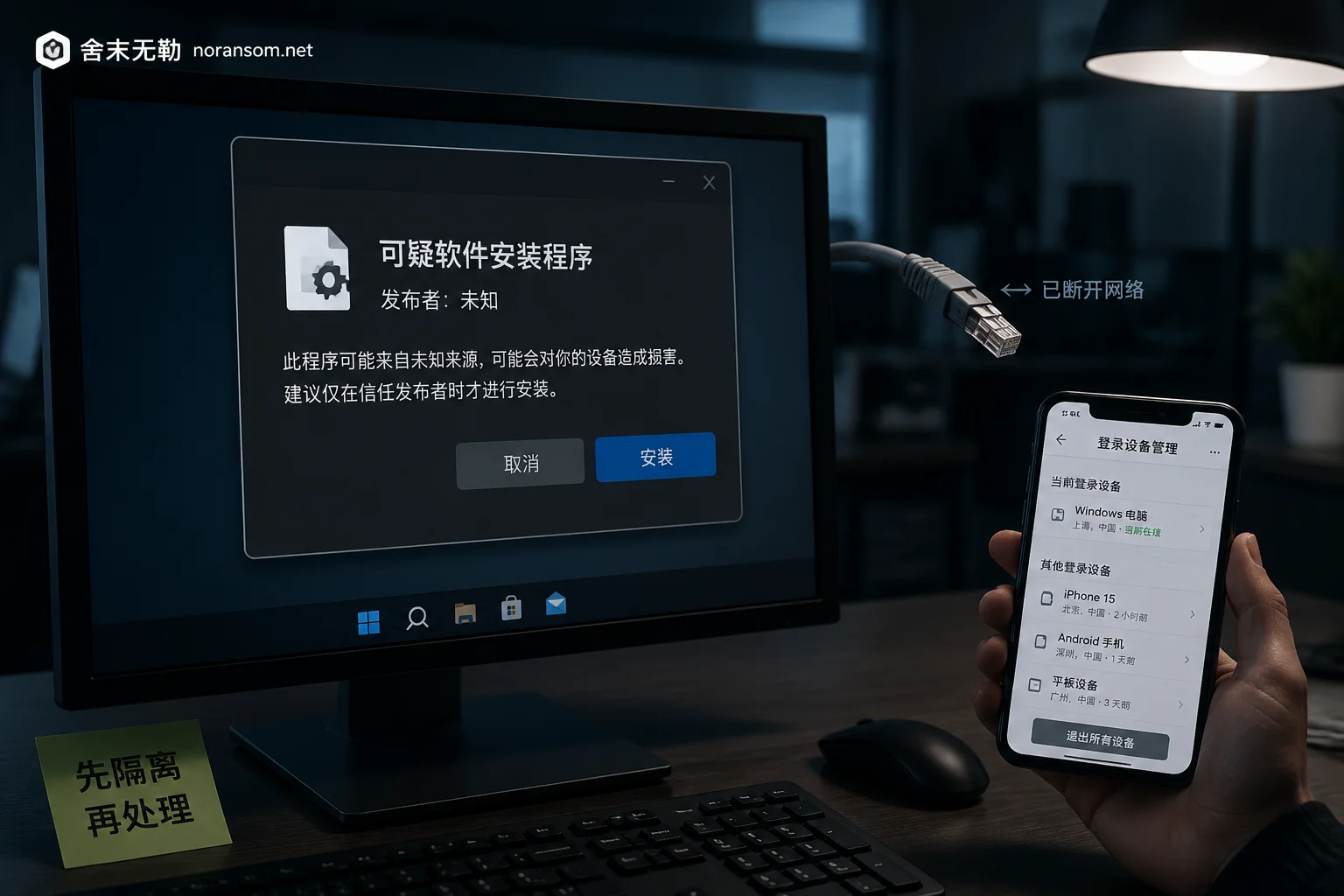
1. Stop the file from being further overwritten. If the encryption process is still running, any time spent "researching" means data loss. Disconnect the server from the network (unplug the cable or disconnect the NIC at the virtualization layer) and confirm whether encryption is still progressing. If encryption is indeed continuing and you cannot locate and terminate the process, a forced power-off usually costs less than letting it finish encrypting remaining files; but if encryption has ended and you need to preserve memory forensics clues or other running services, do not rush to restart.
2. Make a cold copy of the original files and perform all subsequent operations on the copy. Target files include: encrypted .mdf, .ndf, .ldf (transaction logs are often overlooked, but they are an important source for point-in-time recovery and data completion), any residual .bak/.trn in the directory, and the ransom note itself. Stop the SQL Server service before copying; otherwise the files are locked by handles and the copy may be an incomplete snapshot. Put the copy on a clean external drive, preferably an image of the entire volume. If imaging is not possible, at least ensure the original drive becomes read-only and is no longer mounted or running.
3. Do not attempt repairs on the original. The following operations have already destroyed many otherwise extractable databases: repeatedly starting the SQL service to let it auto-recover, forcibly attaching a suspect database, executing DBCC CHECKDB (..., REPAIR_ALLOW_DATA_LOSS), running unknown "one-click decryption tools" on the original drive, defragmenting the original drive, or running a full antivirus scan. Their common consequence is overwriting unencrypted data pages and clearing logs, turning "still can extract 70%" into "nothing left."
Why Larger Databases Actually Have a Better Chance
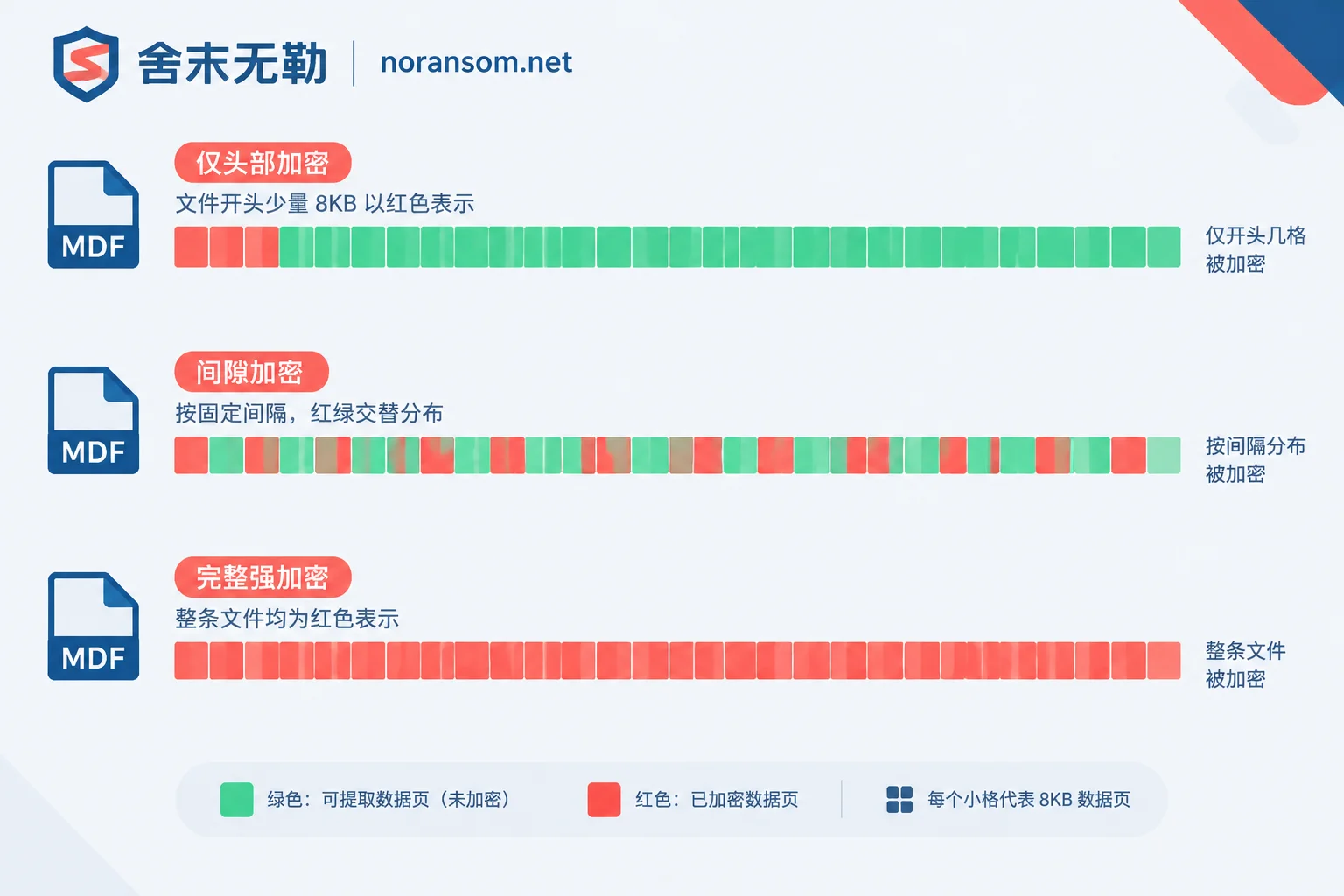
MDF files can easily be tens of GB to several TB. Many ransomware families, for speed and evasion, do not fully encrypt very large files but use partial or intermittent encryption: covering only the first few MB, or encrypting a block at fixed intervals and skipping the next. The result is a file that cannot be opened and has an unfamiliar extension, but the bulk of the file still contains a large number of plaintext data pages.
This can be exploited because SQL Server's physical storage structure is very regular: 8KB data pages as the basic unit, 64KB extents as allocation units, and each page has a fixed-format page header and slot array. Even if page 0's file header and system metadata tables are damaged and the database cannot be attached normally, as long as the data pages in the middle and later sections are not overwritten by strong algorithms, professional tools and engineers can directly parse the byte stream, verify page headers and slot offsets, carve out records from business tables, reconstruct column structures, and generate a new database.
Another often overlooked variable: whether the SQL Server service was still running during encryption. Mature ransomware attempts net stop or taskkill to release file locks, but this step does not always succeed. If the service was not fully stopped and encryption was interrupted midway, dirty pages, temporary files, and transaction log fragments that were not overwritten often remain, significantly increasing extraction success.
How to Make a Preliminary Judgment
This step is read-only observation, performed on the copy, without writing anything back:
- Check file size. If the size after encryption is basically the same as before (or only a few hundred bytes larger due to a tail marker), it is likely in-place overwrite encryption and can be further analyzed; if the size is significantly smaller or only a few KB, it usually means the original file has been destroyed or only a placeholder remains.
- Use a hex tool to inspect the header and middle/later sections. A header full of high-entropy random data, but regular page header structures and recognizable table names or Chinese field content visible at intervals of a few hundred MB, is typical of intermittent encryption or header-only damage. Conversely, if random data is uniform from start to finish, it is likely end-to-end full strong encryption.
- Check the state of the LDF. Log files are sometimes fully encrypted because they are small, and sometimes skipped because they are in use by the service. If residual LDF exists, it directly affects whether tail-log recovery is possible and how much of the last period's transactions can be restored.
If you are not familiar with hex viewing, do not force it. Recording information such as "whether file size is consistent, extension, ransom note text, and whether .bak exists" is enough. Identifying the family and encryption method can be left to those who perform family identification and recoverability assessment, avoiding misoperations outside the copy.
Four Recovery Paths, in Order
Path 1: Backup restoration. Highest priority and most easily underestimated. Many say "the backup was encrypted too," but items worth confirming one by one include: offsite or offline .bak, tapes, cloud object storage version history, synchronized copies on other servers, development/test databases, and monthly closing archives exported by finance/business systems. Even a single full backup from a few days ago, combined with residual unencrypted LDF for tail-log recovery, may yield far better results than extraction from encrypted files. For what can still be inventoried when all backups are lost, refer to stop-loss and path judgment when a server is encrypted and no backup exists.
Path 2: Matching decryptor. This only applies if the ransomware family has a public decryption tool or a known flaw in its encryption implementation. Do not draw conclusions from the extension or antivirus-reported name alone—the same extension has been used by multiple families and variants; a name match does not guarantee a key match. The judgment method is detailed in how to tell if files can be decrypted when you only have the ransom note. No matter how legitimate the source of a decryptor, always test it on a small file on the copy first, never run it directly on the entire database.
Path 3: Data page-level extraction and reconstruction. As mentioned above, bypass the damaged file header and metadata, carve out business table records from unencrypted 8KB pages, and rebuild. The output of this path is not "the original database restored exactly," but "the data of major business tables is back": indexes, stored procedures, triggers, and some auto-increment continuity may need rebuilding; individual tables may be missing because they happened to fall within the encrypted range. How much can be extracted—no one can give an accurate percentage before actually analyzing the file, and any claim of a percentage upfront should not be trusted.
Path 4: Historical pages in unallocated disk space. Database auto-growth, index rebuilds, and snapshot deletions leave orphaned historical data pages on disk. They are not systematic, but when the main file is fully encrypted, they can sometimes recover old versions of records from key tables. The prerequisite is that the disk has not been heavily written to since—this is why the original disk must be taken out of service as soon as possible.
When to accept "unrecoverable": If the MDF is fully strongly symmetrically encrypted (AES/ChaCha20, etc.) from start to finish, the private key is not available, and there are no backups or disk fragments, then mathematically there is no way around it. In this case, continuing to spend time trying to "crack" it is meaningless; focus should shift to rebuilding data (from upstream documents, statements of account, downstream systems) and preventing recurrence.
Don't Forget How This Machine Was Breached
Data recovery and incident response are two separate matters. The database being encrypted indicates the attacker already had server privileges—common entry points include exposed port 1433 with weak passwords, RDP brute force, or lateral movement from a remotely controlled office computer. If the recovered database is put back on a server that has not been cleaned, it may be encrypted a second time within days. Before or during recovery, at least handle: change all sa and business account passwords (from a confirmed clean device), close unnecessary public mappings, check scheduled tasks and startup items, and investigate whether other machines on the same network segment were encrypted simultaneously.
If the office computer side is also accompanied by abnormal account logins, chat tools being impersonated, or payment processes being hijacked, there is likely a separate RAT (remote access trojan) line. Its handling logic is completely different from file encryption and cannot be considered clean after a single antivirus scan.
Recovery Is Not the Same as Going Live
A database extracted and rebuilt from encrypted files must be verified before handing it to business use. At minimum, run a integrity check, compare row counts and primary key continuity for key tables, spot-check the last business day's documents, and have finance reconcile opening/closing balances with statements. The verification sequence can follow SQL Server post-recovery five-layer verification method. Do not open data entry without reconciliation, otherwise old and new data mix and become harder to distinguish later.
When External Help Is Needed, Bring This Information
If the encryption scope is unclear, no usable backup exists, or business downtime pressure is high, leaving the judgment to someone who can perform actual file analysis is safer. For communication, prepare: the full ransom note and contact information, the complete extension of encrypted files, original and current sizes of MDF/LDF, database version, time and location of the last usable backup, and abnormal phenomena on the server before and after the incident. This information is sufficient for a preliminary recoverability assessment. Do not—and should not—upload database files, customer data, or production passwords to any public platform or unknown cloud storage.
If the judgment leans toward "extraction from residual data pages," go through the assessment in database and backup recovery path; if multiple machines on the same network segment are still being encrypted, or it is uncertain whether the attacker is still in the intranet, prioritize emergency response to stop the spread first, then discuss recovery. Specific incidents can be described via the contact page; the assessment scope and handling order will be explained together when a plan is provided.


Comments(0)