Start with a conclusion you can use directly: Most incidents should follow the order of "remote assessment first, on-site only if necessary," rather than worrying from the start about whether someone needs to come to your location.
The reason is practical. The two most critical things after an incident—stopping the spread and determining which recovery paths remain for encrypted data—can both be done remotely, and they start faster because you don't have to wait hours for an engineer to travel. The irreplaceable value of on-site handling is concentrated in another category: physical media, very large data volumes, hardware failures, and evidence preservation. These two types of needs often appear one after the other, not as an either/or choice.
Regardless of Remote or On-Site, These Steps Must Be Done First
If these steps are done wrong, no matter who comes later or how they come, the recoverable scope will shrink.
1. Contain first: disconnect affected machines from the network. Unplug physical network cables and turn off Wi-Fi; disconnect virtual NICs or virtual switch ports; disconnect mappings to NAS and shared drives. The scope includes all machines that can access the same shared directory, not just the one showing the ransom note.
2. Decide whether to shut down based on the situation; do not blindly follow "never shut down" or "restart immediately." If you can confirm that network isolation succeeded and the encryption process has stopped, keeping the machine powered on and locked is more beneficial—volatile information and process state in memory are useful for identification and tracing. If you cannot immediately isolate the machine from the network or storage while files are still being encrypted, reducing further loss takes priority; in that case, powering off is an acceptable trade-off, at the cost of losing memory-based clues.
3. Do not perform destructive operations on the only original copy. Do not format, do not rebuild arrays, do not repeatedly run unknown "decryption tools," and do not let antivirus software directly delete files that may be malicious but could contain recovery clues. Before you have a read-only copy, every write to the original disk may overwrite unencrypted remnants.
4. Preserve materials along the way. The original ransom note (text, not just a screenshot), samples of several encrypted files, and if possible an unencrypted older version of the same file, paths of suspicious programs, system and security logs, and an event timeline. These determine whether family identification and recoverability assessment can be done later.
When Remote Handling Is Sufficient
If the following characteristics are met, remote access is usually the more cost-effective choice:
- The affected scope is a single or a small number of servers/PCs, and encryption activity can be confirmed stopped;
- No identification has been done yet, and you need to first determine which family it is and whether publicly available decryption conditions exist;
- Recovery will most likely follow paths such as "restore backup and verify," "repair at the database file level," or "extract volume shadow copies or unencrypted remnants";
- There is at least one person on-site who can assist with plugging/unplugging cables, taking photos, and powering machines on/off;
- There is a clean, uninfected endpoint available to establish an access channel.
Another advantage of remote is speed: assessment, proposing a plan, and confirming recovery scope don't have to wait for travel. For the order of recovery assessment and implementation, refer to the delivery process of assess first, then decide the handling plan.
A Hard Prerequisite for Remote Access: Do Not Break Isolation
The most common mistake is reconnecting a just-isolated server to the main internal network so the engineer can connect, or directly opening a public port for it. This undoes the containment you just achieved and may lead to reinfection.
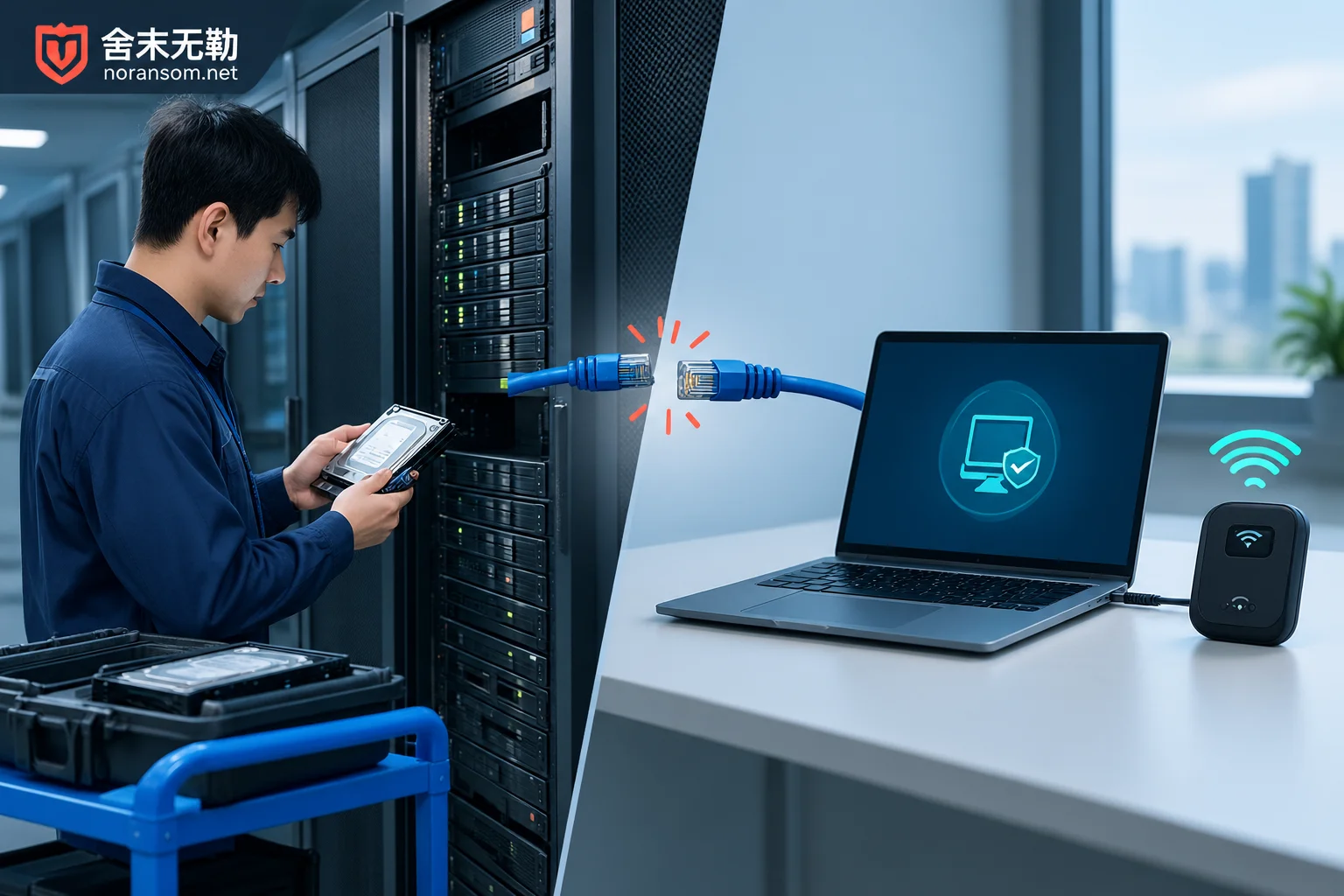
A feasible approach is a point-to-point controlled channel: use an uninfected standalone endpoint, together with a temporary mobile hotspot or independent line, to connect separately to the infected device without connecting to the production intranet; keep shares and extra ports closed; obtain remote tools from trusted sources, generate access credentials temporarily and revoke them afterward, and keep operation records. For what to prepare, see the preparation checklist before remote access.
These Situations Require On-Site Arrangement
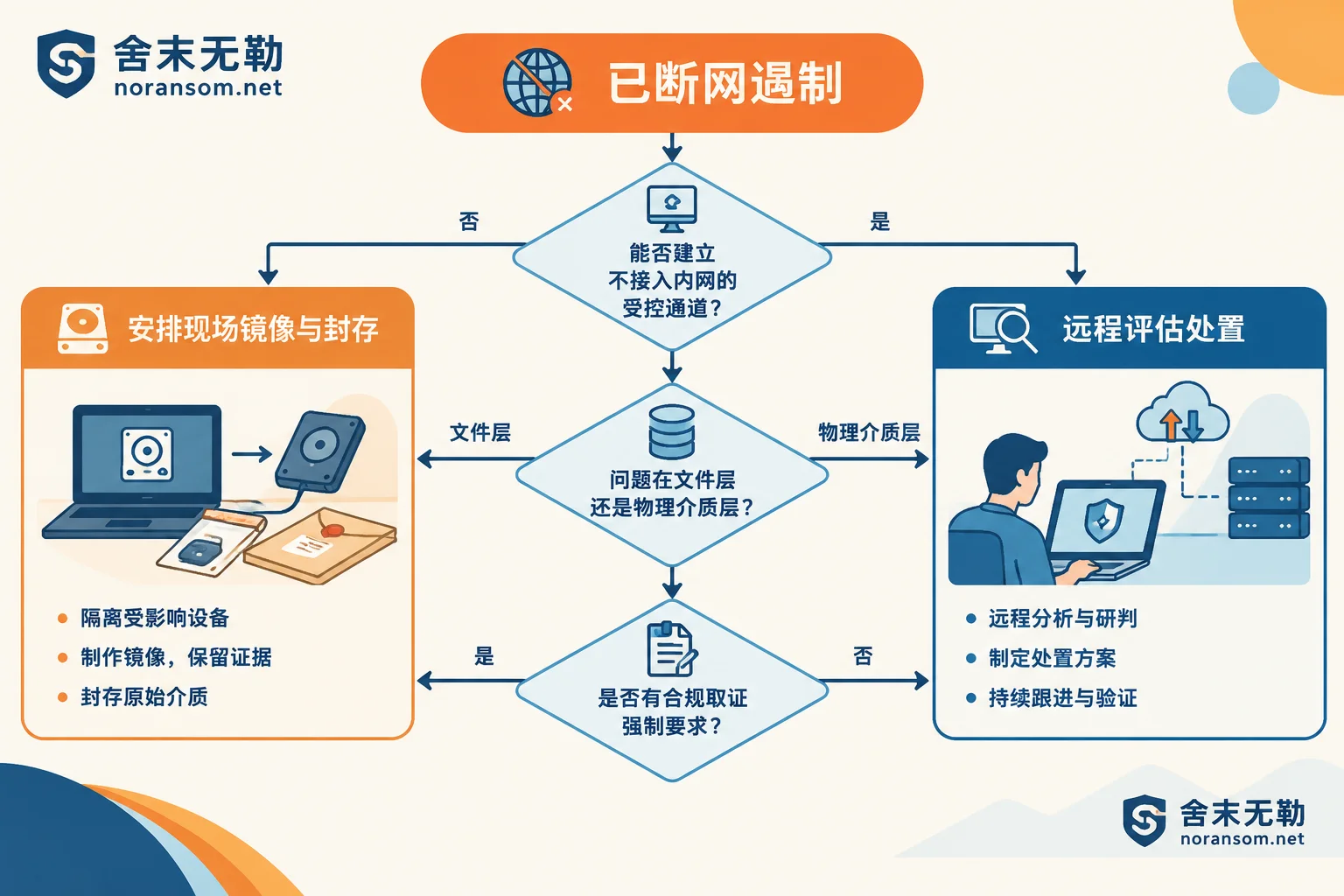
- Network and compliance do not allow: The environment is completely air-gapped, or it is a high-compliance network where no business samples or logs may leave the network. Then only on-site handling is possible; there is no room for discussion.
- Physical media needs low-level read-only imaging: Data volume reaches TB or larger, bandwidth cannot support remote export; or bit-level imaging of entire disks or virtualized underlying storage is needed, followed by analysis on the copy.
- Hardware-level faults exist: Bad sectors on disks, arrays offline, RAID rebuild failures, ESXi datastores unable to mount. These require specialized imaging equipment on-site; issuing remote commands may easily worsen the media state.
- Multiple hosts plus storage arrays are affected simultaneously: Someone needs to handle them in order at the data center and verify topology and snapshot status.
- Forensics and preservation have mandatory requirements: If reporting to authorities, filing insurance, or internal audit requires a complete physical media chain of custody, imaging and preservation must be done on-site with records.
- No one on-site can perform operations: No matter how fast remote is, someone needs to be in front of the machine.
In real projects, hybrid approaches are common: first remote to stop the spread, identify, and do a preliminary assessment; once it is confirmed that full-disk imaging or hardware fault handling is required, then arrange on-site. If the incident is spreading and multiple machines or people are reporting issues one after another, you don't have to decide yourself which method to use first—state the scope and current situation clearly, and follow emergency response for an ongoing spread for a safer approach.
Don't Mistake "Removing the Virus" for "Data Is Back"
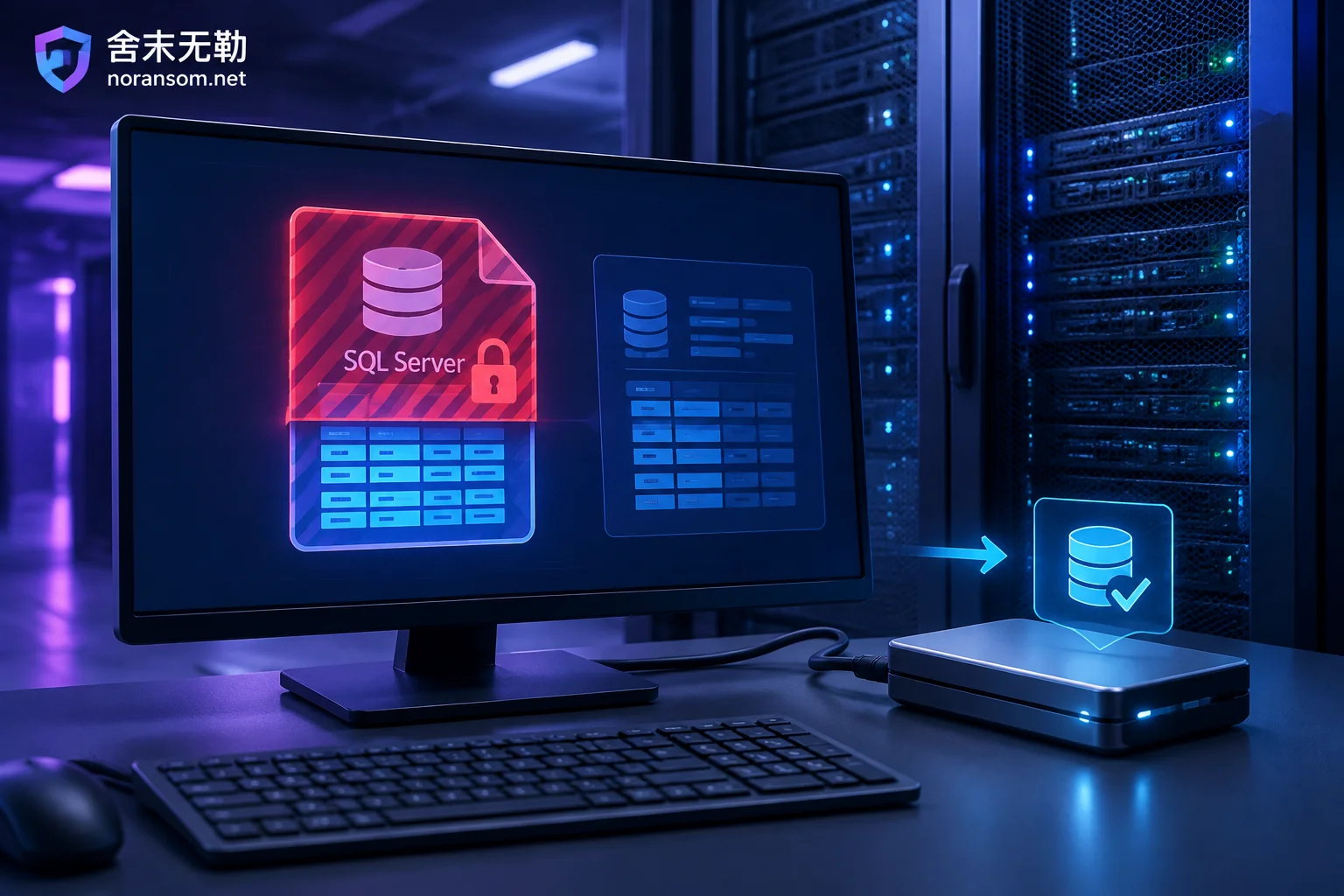
Whether remote or on-site, removing malicious processes, backdoors, and startup items only addresses "will it continue encrypting and will it be controlled again." Encrypted files will not automatically open because of this. Recovery is a separate track and depends on: whether there are unaffected offline backups, whether remnants remain in volume shadow copies or temporary files, whether database files can be repaired at the page level, and whether usable decryption conditions exist for this family and version. Whether these four paths hold must be checked one by one, not dismissed with a single "can it be decrypted?"
So when you encounter "antivirus says it's cleaned, but files still won't open," it's not that the antivirus is lying—it's two different things. When you have no usable backup, don't jump to conclusions; first inventory which recovery paths remain, then evaluate recovery directions such as backups and databases.
If You Suspect Remote Control or SilverFox-Type Issues, the Criteria Are Different
When finance or cashier computers show anomalies, the focus is not on "decryption" but on control and funds:
- Host handling, account sessions, and financial risk should be handled separately. Reinstalling or scanning only addresses the host layer; leaked accounts and still-valid login sessions will not become invalid along with it.
- Password and credential changes such as U盾 and online banking should be done on another device confirmed clean, not on the suspicious machine.
- Antivirus not reporting does not justify the conclusion that "it has been cleaned."
- Once abnormal transfers or suspicious instructions appear, report to the bank through official channels and to public security authorities as soon as possible, while preserving chat records, transfer receipts, suspicious files, and timeline. Whether funds can be recovered is determined by the outcome of official channels; no one should guarantee it.
In such cases, remote can often complete host-side checks and persistence investigation, but account-side actions must be performed by you personally on a trusted device. To judge whether a computer can continue to be used, see per-device conclusions after cleanup; for multiple office machines on an intranet, follow SilverFox and remote control special handling.
One-Sentence Selection Logic
Just look at three things: Can a controlled channel be established without breaking isolation; is what needs to be handled at the file layer or the physical media layer; are there mandatory compliance or forensic requirements. If the first is met, the second is file layer, and the third has no hard requirement, remote is sufficient; if any one is not met, arrange on-site.
If you have already completed network isolation and material preservation but are unsure which category you fall into, organize the system type, extension, ransom note content, number of affected machines, and backup status before submitting incident information—this is much safer than continuing to try on the original disk. For immediate communication, call 15639272850. When submitting materials, do not post production passwords, customer data, or suspicious executable programs in public comments or arbitrary cloud drives.


Comments(0)